Salesforce Einstein Pricing 2025: True Costs Beyond License Fees, TCO & ROI
Written by
Ishan Chhabra
Last Updated :
September 11, 2026
Skim in :
13
mins
In this article
Still got questions?
Come discuss this article with me.
Hi, I'm Ishan, Founder and CEO of Oliv.
I'm always up for a conversation about revenue intelligence, AI agents, or what's actually working (and what's not) across revenue teams.
I'd love to hear your perspective.
Thank you! Your submission has been received!
Oops! Something went wrong while submitting the form.
Meet Oliv’s AI Agents
Hi! I’m, Deal Driver
I track deals, flag risks, send weekly pipeline updates and give sales managers full visibility into deal progress
Hi! I’m, CRM Manager
I maintain CRM hygiene by updating core, custom and qualification fields all without your team lifting a finger
Hi! I’m, Forecaster
I build accurate forecasts based on real deal movement and tell you which deals to pull in to hit your number
Hi! I’m, Coach
I believe performance fuels revenue. I spot skill gaps, score calls and build coaching plans to help every rep level up
Hi! I’m, Prospector
I dig into target accounts to surface the right contacts, tailor and time outreach so you always strike when it counts
Hi! I’m, Pipeline tracker
I call reps to get deal updates, and deliver a real-time, CRM-synced roll-up view of deal progress
Hi! I’m, Analyst
I answer complex pipeline questions, uncover deal patterns, and build reports that guide strategic decisions
TL;DR
There is no standalone Einstein price in 2026. AI arrives inside Sales Cloud editions from Free Suite at $0 through Agentforce 1 Sales at $550 per user monthly.
Einstein is no longer a live product name. Conversation Insights, Activity Capture, and Forecasting were absorbed into editions, and Einstein Bots became Agentforce agents.
Of the ten AI add-ons older articles reproduce, only three survive verification: Agentforce for Sales at $125, Sales Programs at $100, and Revenue Intelligence at $220.
Flex Credits cost $500 per 100,000, meaning $0.10 per standard action, $0.15 per voice action, and $0.08 per sandbox action, with no rollover.
Reported effective Enterprise discounts run 5 to 10 percent under 25 seats and 15 to 25 percent between 200 and 1,000 seats, third-party reported only.
Data Cloud is not documented as required. Four widely circulated cost claims, including mandatory professional services, fail verification against live Salesforce pages.
Q1. How much does Salesforce Einstein cost per user in 2026? [toc=1. 2026 Price Table]
There is no standalone Einstein price in 2026. AI arrives inside Sales Cloud editions: Free Suite $0, Starter Suite $25, Pro Suite $100, Enterprise $175, Unlimited $350, and Agentforce 1 Sales $550, USD per user per month, Pro Suite and above billed annually (Salesforce, Sales Cloud pricing, verified July to August 2026). Note the live dispute: sources checked in June 2026 show Enterprise $165 and Unlimited $330, superseded by an August 2025 uplift. All figures retrieved September 2026.
A RevOps lead I spoke with last quarter had a spreadsheet open with four Einstein line items on it. Three of those SKUs no longer exist. She was not careless. She had copied them from a 2025 pricing blog that still ranks.
That is the real problem with this keyword. The number you find is usually last year's number, and last year's packaging. If you are reconciling that spreadsheet, our companion breakdown of Salesforce Einstein features maps capability to current naming.
💰 The current lineup, with retrieval dates
Salesforce Sales Cloud Editions and Included Flex Credits, September 2026
Edition
Price (USD/user/mo)
Billing
Flex Credits included (per org/yr)
Retrieved
Free Suite
$0
Not applicable, 2-user cap
None
Sep 2026
Starter Suite
$25
Monthly or annually
None documented
Sep 2026
Pro Suite
$100
Annually
None documented
Sep 2026
Enterprise
$175
Annually
500,000 reported
Sep 2026
Unlimited
$350
Annually
1,000,000 reported
Sep 2026
Agentforce 1 Sales
$550
Annually
2,500,000 (see dispute)
Sep 2026
Flex Credits are Salesforce's usage currency for agent actions. They are covered in full further down.
⚠️ Two disputes I am not going to resolve for you
The first is the base price. Sources verified against the Salesforce sales pricing page in July and August 2026 return Enterprise at $175 and Unlimited at $350. Sources checked on 14 June 2026 return $165 and $330. G2's pricing page, last updated December 2025, still shows the lower pair.
The gap traces to a roughly 6% list increase in August 2025. If your renewal quote shows the lower figures, that is worth a question, not a celebration.
The second dispute is naming. Some Salesforce surfaces present the upper tiers as Core, Advanced, and Max rather than Enterprise, Unlimited, and Agentforce 1. Both sets were live on 7 September 2026. I am flagging that rather than picking the version that reads more cleanly.
⭐ Why I date every cell
Old edition names do not map one-to-one onto new ones. The packaging changed, not just the labels. Professional at $80, Enterprise at $165, Unlimited at $330, and Performance at $500 was a real table once. It is now a museum piece, useful only for reading an existing contract.
So every number above carries the month it was pulled. That is not caution for its own sake. It is the only way a figure in a pricing article stays honest past its publish date. The same discipline applies when you compare against Gong pricing or Clari pricing, where list figures move without notice.
I could be reading the dispute too strongly. It is possible both price pairs are live across different geographies and contract vintages. What I am confident about is this: quote your own order form, not a blog.
Q2. Is Einstein still a product, or is it Agentforce now? [toc=2. Einstein To Agentforce]
Einstein is no longer a live product name. Salesforce's Einstein URLs redirect to Agentforce pages, verified August 2026. Conversation Insights became Conversation Intelligence inside Enterprise and above. Activity Capture and Forecasting folded into the core platform. Einstein Bots became Agentforce agents. Prediction Builder and Discovery have no confirmed standalone status as of September 2026. Your renewal paperwork may still say Einstein, so price the current SKU, not the name on the contract.
🔎 The rename map
Einstein to Agentforce Name Mapping, September 2026
Old Einstein name
Status
What it is now
Sales Cloud Einstein
Absorbed
Built-in AI in editions, plus Agentforce for Sales
Einstein Conversation Insights
Absorbed
Conversation Intelligence (Enterprise and above)
Einstein Activity Capture
Absorbed
Core platform activity sync
Einstein Forecasting
Absorbed
Built-in forecasting (Enterprise and above)
Einstein Bots
Renamed
Agentforce agents
Einstein Prediction Builder
Unclear
No confirmed standalone SKU
Einstein Discovery
Unclear
No confirmed standalone SKU
Two of those rows say "unclear." I would rather publish that than invent a status. If you hold a Prediction Builder line item today, ask your account team in writing what it renews as.
⚠️ Why this breaks your spreadsheet at renewal
A rename is not a neutral event in procurement. When a SKU is absorbed, the capability may survive while the line item disappears. Your finance system loses the thread, and your year-over-year comparison stops meaning anything.
I have watched this cost a team two weeks. They were trying to reconcile a quote against a budget built on names the vendor had retired. Nobody was hiding anything. The vocabulary had simply moved. If you need the current capability picture, start with what Agentforce actually is and the published Agentforce for Sales features.
✅ The reconciliation I would run
Pull your current order form. List every AI-related line item exactly as written. Then map each one to a status: still sold under this name, renamed, absorbed into your edition, or unknown.
Anything in the "unknown" bucket becomes a written question to your AE. Ask what it renews as, at what price, and on which page that is documented. Get the answer in the thread, not on a call.
That single exercise usually explains most of the gap between what a team thinks it pays for AI and what it actually pays. Practitioner accounts in our roundup of Salesforce Einstein reviews repeat the same reconciliation problem.
Q3. We already pay Salesforce, so which AI is included in our edition? [toc=3. What's Included]
More is included than in 2025, but not everything. Enterprise and above bundle Agentforce access through the free Salesforce Foundations add-on, plus opportunity scoring, conversation intelligence, and advanced forecasting (Salesforce, Sales Cloud pricing, entitlement and add-on rows, verified August 2026). Unlimited adds unlimited sandboxes and bundled Premier Success. Still separately priced: Agentforce for Sales at $125, Sales Programs at $100, and Revenue Intelligence at $220 per user per month. Premier Success is 30% of net licence fees where it is not bundled. Check the matrix against your own edition.
💸 The question that starts every one of these calls
A CFO asks whether the AI is already paid for. The AE says a lot of it is. A sales leader has heard the same thing from a webinar. All three are partly right, which is the worst outcome for a budget.
The honest answer depends entirely on which edition you sit on. There is no universal yes.
❌ What the 2025 menu did to buyers
Two years ago, Einstein pricing behaved like an a-la-carte menu. Conversation Insights had a price. Forecasting had a price. Relationship Insights had two prices depending on tier. You could add them up, and plenty of articles did.
That model taught buyers a bad habit. They learned to sum every AI SKU they could find, which now produces a wildly inflated number.
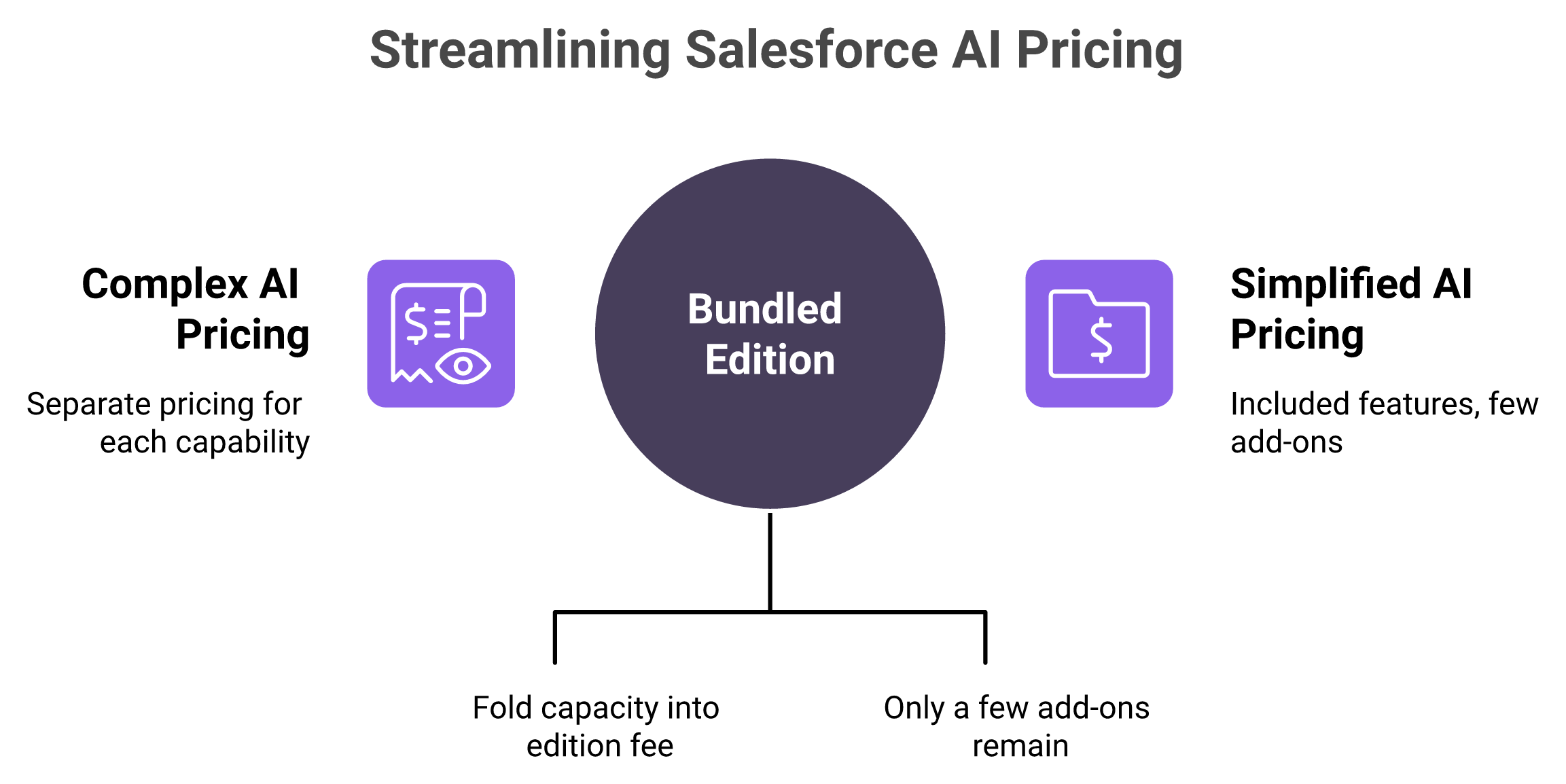
The packaging changed, not just the labels. Bundled capacity replaced the add-on menu that older pricing articles still reproduce.
✅ What actually changed in 2026
Salesforce folded substantial capacity into the editions themselves. That is a genuine improvement for an existing customer, and I will say it plainly before criticising anything.
The add-on menu also got much shorter. Of the ten AI add-ons the older articles reproduce, only three appear on the current Sales pricing page: Agentforce for Sales at $125, Sales Programs at $100, and Revenue Intelligence at $220. Anything else you find quoted should be treated as unverified until you see it on a live Salesforce page with a date.
⭐ Read it as four states, never as a menu
Four Entitlement States for Salesforce AI Charges
State
What it means
Example
Included
Already in your edition fee
Conversation Intelligence, Enterprise and above
Optional add-on
Per user, per month, committed annually
Agentforce for Sales, $125
Consumption
Billed by action against a credit balance
Flex Credits
Quote required
No published rate exists
Implementation, data migration
The rule is simple. If a capability is in your "included" column, buying it again is a negotiation error. If it is in "consumption," it does not belong in a fixed budget line.
Worked line, Enterprise, 50 seats. Conversation intelligence costs you nothing extra. Adding Agentforce for Sales to 20 of those 50 seats costs $30,000 a year, before any credit consumption. Teams running the same exercise across their whole stack usually pair it with a revenue tech stack consolidation review.
🗣️ The tier-gating complaint is not unique to Salesforce
Entitlement gating frustrates users across this whole category, which is worth knowing before you assume a competitor's bundle is cleaner.
"I cannot download all the data myself unless we upgrade the plan, which isn't ideal and results in me not fully utilizing Gong." Verified G2 user, Sales Professional, Gong G2 Verified Review, 03 Oct 2025
"The CRM writeback is not good; we cannot send MEDDIC values back to Salesforce or update fields in Salesforce from the conversation intelligence." Verified G2 user, Revenue Operations, Clari G2 Verified Review, 13 Jul 2026
Oliv AI sits on top of the edition you already pay for, connecting to Salesforce, HubSpot, Zoho, and 70 or more other tools rather than replacing any of them. That is why this matrix matters more than any vendor comparison. The question is not what to rip out. It is which work still lands on a human after the bundled AI has run, and our reading is that entitlement tables answer that far better than feature lists do. For the operations view of that layer, see AI for revenue operations.
Q4. What are Flex Credits, and how many do you actually get? [toc=4. Flex Credits Explained]
Flex Credits are Salesforce's consumption currency: $500 per 100,000 credits, or $0.005 each (Salesforce Help, "Agentforce Pricing", article 004811240, May 2025). A standard action consumes 20 credits ($0.10), a voice action 30 credits ($0.15), and a sandbox action 16 credits ($0.08). Salesforce Foundations includes 100,000 credits per org per year at Enterprise and above. One unresolved conflict as of September 2026: the Agentforce pricing page shows 2.5M credits at the top tier, while other Salesforce surfaces show 2.75M. Unused credits do not roll over.
💰 What one credit actually buys
Salesforce defines an action as updating a record, automating a workflow, or resolving a case. So a credit is not a token of language model output. It is a unit of work completed.
That matters for forecasting. Twenty agent actions per rep per day, across 50 reps, is roughly $26,000 a year in consumption at $0.10 per action.
Flex Credit Consumption Rates by Action Type
Action type
Credits
Effective cost
Standard action
20
$0.10
Voice action
30
$0.15
Sandbox action
16
$0.08
⭐ The sandbox line nobody budgets for
Sandbox actions cost 16 credits instead of 20. A sandbox is a copy of your Salesforce org used for testing, so this is your testing budget.
It is cheaper, but it is not free. Any serious agent rollout burns real credits before a single rep touches production. I have not seen that line appear in a single vendor-side business case, and it rarely appears in Agentforce implementation planning either.
⚠️ Included allowances, and the conflict inside them
Included Flex Credit Allowances by Edition, September 2026
Edition or SKU
Credits included
Period
Salesforce Foundations (Enterprise and above)
100,000
Per org, per year
Enterprise
500,000 reported
Per org, per year
Unlimited
1,000,000 reported
Per org, per year
Agentforce 1 Sales
2,500,000, or 2,750,000 on other surfaces
Per org, per year
Agentforce for Sales add-on ($125)
Unmetered, no credit draw
Per user
Two conflicts sit in that table, both real on 7 September 2026. The Agentforce pricing page and the Sales Cloud pricing page disagree on the top-tier allowance. Foundations documents 100,000 credits, while third-party sources report 500,000 at Enterprise.
I am naming both rather than choosing the figure that suits an argument. Verify against your own order form before you model anything.
⏰ Expiry, purchase models, and one honest gap
Unused credits do not roll over. They expire at the order end date. That converts a pre-purchase into a use-it-or-lose-it commitment, which is a very different thing from a balance.
Three purchase models exist: pre-purchase, where you pay upfront and usage draws down the balance, pre-commit, and pay-as-you-go (Salesforce, Agentforce pricing, verified August 2026). Pre-purchase is the cheapest per credit and the riskiest if adoption stalls.
Here is what is not documented anywhere I could find. Salesforce publishes no description of what happens when the balance hits zero mid-quarter. No throttling behaviour, no suspension behaviour, no overage rate. That is a real gap, and it is the first question I would put in writing before signing a pre-purchase.
For how usage is metered across the different Agentforce buying routes, see our Agentforce pricing breakdown. This section owns editions and entitlements. That one owns the metering. If credit forecasting is the blocker, our guide to AI sales forecasting software covers the modelling side.
Q5. What is the difference between an add-on and a consumption charge, and how do you forecast the variable half? [toc=5. Add-Ons Vs Consumption]
An add-on is a per-user-per-month licence committed for the contract year, so it is predictable, multiplied by seats, and unmetered. A consumption charge draws down Flex Credits by action, so it scales with usage and can be near zero in a quiet month. Budget add-ons as a committed line and consumption as a range. Multiply expected actions per user per day by $0.10, then model a light month and a heavy month. A single per-user headline that hides consumption is not a budget.
💰 Two mechanics, two behaviours
Agentforce for Sales at $125 per user per month is an add-on. You commit annually, and it is unmetered, meaning usage does not change the bill.
Flex Credits are the opposite. Every agent action draws down a balance at roughly $0.10. There is also a separate $2 per conversation model, and it is mutually exclusive with Flex Credits inside the same org (Salesforce, Agentforce pricing, purchase models and consumption rates, verified August 2026).
Add-On Versus Consumption Charge, Budget Behaviour Compared
Attribute
Add-on
Consumption
Commitment
Annual, per seat
Balance or pay as you go
Unit
User per month
Action
Predictability
High
Depends on adoption
Budget treatment
Committed line
Forecast band
⏰ The floor and ceiling method
Here is the arithmetic I actually run. Take 50 reps. Assume a light month at 5 agent actions per rep per day, and a heavy month at 25.
Light: 50 reps x 5 actions x 21 working days x $0.10 = $5,250 per month. Heavy: 50 reps x 25 actions x 21 days x $0.10 = $26,250 per month.
That is a five times spread on the same headcount. Annualised, the band runs roughly $63,000 to $315,000 before any included allowance is subtracted. If you want a repeatable version of that model, our revenue intelligence ROI calculator walks through the same inputs.
⚠️ Why the band matters more than the rate
Every pricing page publishes the rate. Almost nobody publishes the band. The rate tells you nothing about whether your Q3 bill will surprise finance.
I have watched a RevOps lead get pulled into a budget review over a consumption line that was technically within contract. The rate was correct. The forecast was a single number, and single numbers break. The same failure mode shows up in sales tech stack cost reviews across mid-market teams.
✅ What you take to finance
The number that survives scrutiny has two parts. One committed line, and one band with a stated assumption behind each end.
Write the assumption down next to the figure. Something like "floor assumes 5 actions per rep per day, ceiling assumes 25, both at $0.10 per standard action." If your CFO disagrees with the assumption, that is a productive fight. If you hand over one number, you own it alone.
One honest caveat. My light and heavy anchors come from watching agent rollouts, not from published Salesforce usage data. Salesforce does not publish typical actions per user, so treat my anchors as a starting point and replace them with your own after 60 days of real usage. Teams planning that first 60 days usually start from an Agentforce implementation plan.
Q6. What does it actually cost you to add AI, as an existing customer and as a new buyer? [toc=6. Your Incremental Cost]
For an existing customer the AI cost is the delta, not the stack. Illustratively, 50 Enterprise seats at $175 are already committed, so adding Agentforce for Sales at $125 to 20 of them adds $30,000 a year, plus consumption above the included allowance (Salesforce, Sales Cloud pricing, edition and add-on rows, verified August 2026). A new buyer prices the edition first: 50 seats on Enterprise is $105,000 a year, while the same 50 on Agentforce 1 Sales is $330,000 but bundles the agent surface and millions of credits. Both figures are illustrative.
💸 Two readers, one wrong number
Most pricing articles quietly write for a greenfield buyer. Most readers are not one. They already pay Salesforce, and they are pricing an increment.
Conflating the two produces a number that is wrong by an order of magnitude. Your existing CRM subscription is not an AI cost, and treating it as avoidable is how a comparison becomes dishonest. That distinction sits at the centre of any honest build versus buy revenue AI decision.
❌ The old approach, and why it stopped working
The habit used to be simple. Put everyone on the top tier, then negotiate the discount as hard as procurement allows.
That worked when the menu was long and every AI capability had its own price. Volume was the only real lever, so you pulled it. Now the top tier bundles millions of credits per org per year, which changes the arithmetic underneath the same instinct.
⭐ The two formulas, written out
Existing customer, incremental cost:
(add-on seats x add-on price x 12) + (forecast actions x $0.10, less included allowance) + support plan where not bundled
Worked, illustratively: 20 seats x $125 x 12 = $30,000. Add a consumption band, subtract your included credits, and that is your delta.
New buyer, edition cost:
(total seats x edition price x 12) + add-ons for the subset that needs them + consumption above allowance
Worked, illustratively: 50 x $175 x 12 = $105,000 on Enterprise, against 50 x $550 x 12 = $330,000 on Agentforce 1 Sales.
For an existing customer the AI cost is the delta, not the stack. Each layer is visible, including the one that is only a forecast band.
✅ Seat segmentation is the real lever
Here is the uncomfortable thing most vendor-adjacent writing avoids. The top tier is sometimes genuinely cheaper than Enterprise plus two add-ons, once you count the bundled credits.
Run the split before you run the discount ask. Sort your seats into three buckets: agent access daily, agent access occasionally, and CRM only. Then price only the first bucket for add-ons. Our breakdown of Agentforce for Sales features helps you decide which roles genuinely sit in bucket one.
While you are in there, pull the list of inactive named users. Named-user licences that nobody logs into are the quietest line item in a Salesforce contract, and they renew automatically.
⚠️ A decision rule, not a recommendation
If more than roughly half your seats need daily agent access, price the top tier seriously. If fewer than a third do, Enterprise plus a targeted add-on usually wins.
I will not give you a threshold to trust blindly, because it moves with your consumption band. What I will say is that every prior version of this page carried TCO figures built on retired prices, and they are gone. If a model does not show its inputs, do not use it. For the alternatives view of the same decision, see Salesforce Einstein competitors and alternatives.
Q7. What is the three-year total at 100 and 1,000 seats, once services and renewal uplift are in? [toc=7. Three-Year TCO]
Illustratively, 100 seats on Enterprise at $175 is $210,000 a year in licences before AI add-ons. At 1,000 seats, Agentforce 1 Sales at $550 is $6.6M a year at list. Three-year totals must then add Premier Success at 30% of net licence fees where it is not bundled, consumption above the included allowance, quoted implementation, and renewal uplift. Salesforce publishes no professional-services rate card, so that line is a named unknown, not a number.
💰 A per-user price and a three-year cycle do not speak
Finance plans in three-year windows. Vendors quote per user per month. The translation between them is where most business cases quietly fail.
Multiply the licence out and you get a clean figure. That figure is also the least interesting part of the total.
❌ How these models used to get built
The standard TCO model took the seat price, multiplied by users and months, then waved at everything else. Implementation became a range someone invented. Training became a round number.
Every figure of that kind that appeared on this page previously has been deleted, because none of them traced to a source. Salesforce does not publish a services rate card, and services are optional rather than mandatory (Salesforce, Sales Cloud pricing, Premier Success and services rows, verified August 2026).
⚠️ What changed at scale
With capacity bundled into editions, the dominant cost at scale shifts. It moves off the licence line and onto services, consumption, and adoption effort.
That is a real inversion. At 100 seats the licence dominates. At 1,000 seats, the services and enablement work usually decides whether the spend returns anything. The same pattern drives most revenue tech stack consolidation exercises.
⭐ The scaled model, with every line labelled
Illustrative Three-Year Cost Lines at 100 and 1,000 Seats
Line item
100 seats
1,000 seats
Type
Licences, year 1
$210,000 (Enterprise)
$6.6M (Agentforce 1 Sales)
Committed
AI add-on, 40% of seats
$60,000
Bundled at top tier
Add-on
Consumption above allowance
Band, see forecast method
Band
Consumption
Premier Success
30% of net licence fees
Bundled at top tier
Add-on
Implementation and migration
Quote required
Quote required
Quote only
Renewal uplift, years 2 and 3
Negotiated
Negotiated
Committed
Three-year formula: (year 1 committed lines) + (year 2 and 3 committed lines with uplift) + (consumption band x 3) + quoted services.
The two "quote required" cells are the honest part. I could fill them with a plausible range and nobody would check. I would rather you walk into procurement knowing exactly which cell is empty.
🗣️ What buyers actually complain about
Across this category, the recurring complaint is rarely the sticker price. It is the integration and enablement work behind it.
"Integrating Salesloft came with a lot of challenges, and even now, it feels like the platform still has some kinks. The learning curve can be frustrating, especially when you're trying to move quickly in a fast-paced environment." Verified G2 user, Sales Professional, Salesloft G2 Verified Review, 22 Jul 2025
"No internal support or training provided. Feels like a poorly built version of Clari that the business adopted without proper enablement." Verified G2 user, Revenue Operations, Aviso G2 Verified Review, 24 Jun 2025
Read those as budget lines, not opinions. Enablement that does not get funded shows up later as licences nobody uses. Our guide to ramp time, coaching, and onboarding covers the enablement side of that number.
Q8. What do buyers actually pay after negotiation, and where is the leverage? [toc=8. Discounts And Levers]
Reported effective Enterprise pricing by band, September 2026: under 25 seats sits at $165 to $175 with 5% to 10% off, 25 to 200 seats at $150 to $175 with 10% to 15%, and 200 to 1,000 seats at $140 to $165 with 15% to 25%. Above 1,000 seats, multi-year flat pricing is common. These bands are third-party reported, not vendor-published. The 2026 leverage is less about the discount percentage and more about scope: which seats carry the add-on, and how much credit capacity you pre-commit.
💸 The quote lands and the instinct kicks in
A quote arrives. Somebody asks for another 10%. That is the whole negotiation in most mid-market deals.
It is not wrong. It is just no longer where the money is.
❌ Why discount-chasing used to work
When the AI menu was long, every SKU was separately negotiable. You could trade one add-on against another and find real savings in the shuffle.
That era produced a generation of procurement playbooks built entirely on percentages. Those playbooks still circulate, and they now leave value on the table.
⭐ Reported bands, and the caveat that comes with them
Reported Effective Salesforce Enterprise Pricing by Seat Band, September 2026
Seat band
Reported effective Enterprise price
Reported discount
Under 25
$165 to $175 per user/mo
5% to 10%
25 to 200
$150 to $175 per user/mo
10% to 15%
200 to 1,000
$140 to $165 per user/mo
15% to 25%
Over 1,000
Multi-year flat pricing common
Not published
Every figure there is reported by third-party benchmark sources, not confirmed by Salesforce. Use them as a sanity check on your own quote, not as a promise. The same caveat applies to reported figures in Gong pricing and Clari pricing, where neither vendor publishes a rate card.
✅ Five levers that move more than the percentage
Seat segmentation. Put the add-on only on seats with daily agent need.
Pre-commit versus pay as you go. Pre-purchase is cheapest per credit and riskiest if adoption stalls.
Mid-term true-down. Ask for the right to reduce credit commitment mid-term, before usage patterns exist.
Services credits. Where implementation is quote-only, ask for hours instead of a discount.
Multi-year flat pricing. Above 1,000 seats this is reportedly common, so ask for it by name.
The third lever is the one almost nobody asks for. You are committing to a consumption volume before you have a single month of real agent usage. That is an odd thing to sign without an exit.
🗣️ Bring shelfware evidence into the room
The strongest negotiation material is not a competitor quote. It is proof that broadly bought capacity goes unused.
"The conversation intelligence tool is lacking, and we don't have the context of the deals against the conversation intelligence findings. The AI is not as flexible as we need it to be." Verified G2 user, Revenue Operations, Clari G2 Verified Review, 13 Jul 2026
"Mandated by business, nothing else. Product is just poorly built." Verified G2 user, Sales Leader, Aviso G2 Verified Review, 24 Jun 2025
Across public review corpora, pricing, add-on cost, and implementation effort are the persistent themes for large CRM suites, including Salesforce Sales Cloud on G2 at 4.5 out of 5 across 14,000-plus reviews. Say that out loud in the room, then ask for a smaller committed scope rather than a bigger percentage. Scope reductions survive renewal. Discounts often do not. For the wider evaluation frame, see revenue intelligence platform comparison for RevOps and our notes on Salesforce Agentforce reviews analyzed.
Q9. Does Salesforce AI require Data Cloud, and which cost claims cannot be verified? [toc=9. Data Cloud And Unverified Claims]
Data Cloud is not documented as required on the Agentforce pricing page as of September 2026. Agentforce access is granted through Salesforce Foundations at Enterprise and above without a separate Data Cloud purchase. It becomes relevant for grounding agents in data outside standard CRM objects, and it is sold on its own consumption credits. Third-party sources report $65,000 to $175,000 a year where it is needed, reported rather than vendor-published. Einstein activation is also not documented as a prerequisite.
⚠️ The dependency question, answered honestly
"Grounding" means giving an agent the data it needs to answer correctly. If that data already lives in standard Salesforce objects, the documented prerequisite list does not include Data Cloud.
If your agents need warehouse data, product usage, or support history, the scope changes. That is a data question about your own estate, not a mandatory line item on a price list. Our guide to RevOps data architecture for agentic AI covers how to scope that estate before you buy.
❌ Four claims that circulate without documentation
Circulating Salesforce AI Cost Claims Versus Documented Status, September 2026
Circulating claim
Documented status, Sep 2026
Data Cloud required at $25 to $50 per user/mo
Not documented on the Agentforce pricing page
Einstein activation is a prerequisite
Not required per the official pricing page
$50,000 to $150,000 mandatory professional services
No published rate card; services optional
40 hours of training per user
Not documented anywhere I could find
Every one of those appears in articles ranking for this keyword today. None of them survived a check against a live Salesforce page.
✅ What is documented instead
Premier Success runs at 30% of net licence fees, and it is bundled at Unlimited and Agentforce 1 Sales (Salesforce, Sales Cloud pricing, Premier Success row, verified August 2026). Professional services, data migration, integration, and training are all quote-only, and all optional.
That is a shorter list than most articles publish. Shorter and true beats longer and invented. If you are pressure-testing vendor claims more broadly, our framework for AI CRM trust, governance, and risk evaluation lists the questions worth asking.
⭐ We deleted our own numbers in the same pass
Oliv AI removed nine unsourced figures from this page in the revision that removed the retired Salesforce prices, including a cost-comparison percentage and a setup-time claim. We did that because a pricing article publishing a number it cannot source has no standing to audit anyone else's.
Our G2 review corpus is also small next to Salesforce's 14,000-plus reviews. If you need deep reference-checkable proof, that is a real limitation, and I would rather say it than let you discover it in diligence. For the buyer-side version of that diligence, see our mid-market revenue AI buyer guide.
"I love how Oliv AI provides real-time deal risk insights and actionable steps to mitigate them. The only downside is that the platform can be a bit glitchy at times, but the support team is always quick to address and resolve any bugs." Verified G2 user, Sales Professional, Oliv AI G2 Verified Review, 02 Jul 2026
"It's more affordable compared to other options we previously used. It's a lil slow." Verified G2 user, Account Executive, Oliv AI G2 Verified Review, 23 Jun 2026
Both quotes carry a flaw alongside the praise. That is the only kind of review evidence worth putting in a pricing article. The same balance runs through our summary of Salesforce Einstein reviews.
Q10. What compliance work does an agent deployment add to the budget? [toc=10. Compliance Cost Line]
No Salesforce pricing page prices compliance, but it is real work. The EU AI Act's Article 50 transparency obligations became enforceable on 2 August 2026. The Commission's final guidelines confirm that autonomous agents acting on a principal's behalf, including AI-powered sales tools, must disclose their AI nature and who they act for. Systems that predate that date have until 2 December 2026. Budget configuration, disclosure copy, audit logging, and the security scope review as internal cost.
⏰ The questionnaire arrives after the quote
The pattern is familiar. Procurement approves the number, then security sends a 90-question document, and the timeline slips a month.
Nobody costed that month. It shows up as delay, not as a line item.
❌ How AI features used to get reviewed
When Einstein meant lead scoring, the review was short. The model ran inside your Salesforce boundary, touched your own records, and produced a number a human read.
Security teams treated it as a feature of a system they had already assessed. That was reasonable, and it is no longer sufficient. Our notes on Agentforce limitations for B2B revenue teams cover where that boundary now sits.
⚠️ What changed when agents started acting
An agent that sends an email, books a meeting, or updates a record is acting on your behalf, externally. That pulls three new requirements into scope: disclosure, logging, and human oversight.
Article 50 fines can reach 7% of global turnover for the most serious breaches, per the EU AI Act Service Desk. I am not saying Salesforce is non-compliant. I am saying the configuration and evidence work sits with you, not the vendor.
✅ What to add to the review, in hours and owners
Disclosure configuration. Can the agent identify itself, and name the company it acts for? Owner: admin. Estimate: hours, not weeks.
Disclosure copy. Approved wording for outbound agent messages. Owner: legal plus marketing.
Audit trail. Can you produce a log of what the agent did, when, and on whose authority? Owner: RevOps plus security.
Human oversight. Which agent actions require review before execution? Owner: sales leadership.
Security boundary. Is the agent inside your existing SOC 2 assessed scope, or does it extend it? Owner: security.
I am deliberately not putting a dollar figure on that list. The cost depends entirely on your existing audit posture, and a made-up range would be exactly the kind of number this article deletes elsewhere.
💰 The Monday action
Add two questions to your vendor review before signature. First, show me the agent-disclosure settings. Second, show me the audit log for a completed agent action.
If both answers are "on the roadmap," you have found a cost, not a blocker. Price the internal work, then decide. Teams running that review usually pair it with an implementation and admin checklist.
What I think shifts over the next two years is that this stops being a legal footnote. Agent governance becomes a standing line in the revenue tech budget, the way data residency did.
Q11. How do you show a return on the spend, and what does the top tier actually retire? [toc=11. ROI And Consolidation]
Divide committed annual AI spend by recovered selling hours, not by seats. Salesforce's own State of Sales, 7th edition, surveying more than 4,000 sales professionals, reports reps spending roughly 60% of time on non-selling work and 16% on manual data entry, with teams running an average of eight standalone tools and 84% planning to consolidate. Oliv AI runs CRM Manager, Forecaster, and Deal Driver agents against existing Salesforce or HubSpot records, and is used by more than 100 revenue teams. The test for the top tier is which of those eight tools it genuinely retires.
💸 Finance asks a question the licence table cannot answer
Six months in, somebody asks what the AI returned. The answer usually arrives as an adoption dashboard, which is not a return.
Licence cost tables are good at showing spend. They are useless at showing recovered capacity. Our CRO view of ROI and strategic value sets out what to report instead.
❌ How ROI used to get argued
The old playbook leaned on vendor case studies and seat activation rates. Both measure whether people logged in, not whether work stopped landing on them.
Oliv AI's read is that the standard advice gets this backwards. Adoption is an input, and we treat recovered hours as the only output worth reporting to a CFO.
⭐ Cost per recovered hour, worked
Take the illustrative Enterprise example. 50 seats, one add-on on 20 of them at $125, so $30,000 a year committed.
If those 20 reps each recover 3 hours a week, that is 60 hours weekly, roughly 2,880 hours a year. $30,000 divided by 2,880 is about $10.40 per recovered hour.
Compare that to a loaded rep hourly cost. If the number is above it, the spend is not returning. That is a test you can run on any AI SKU, including ours, and it is the same logic behind our revenue intelligence ROI calculator.
Divide committed spend by recovered selling hours rather than by seats. The quadrant you land in tells you what to do at renewal.
✅ The consolidation audit, in four steps
List every tool in the revenue stack, by name and annual cost.
Mark each one the edition genuinely replaces, not partly overlaps.
Subtract only the marked ones from the business case.
Count what is left. Most teams find fewer replacements than expected.
Salesforce's own survey found 51% of leaders say tech silos still limit AI initiatives, which is the honest counterweight to any consolidation pitch. Gartner adds that by 2027, 95% of seller research workflows will start with AI, up from under 20% in 2024. Our write-up on revenue tech stack consolidation costs works through the subtraction step in detail.
🗣️ What consolidation actually looks like when it works
"The Driver agent watches all my deals and flags any that are at risk, so I don't have to spend hours listening to recordings in tools like Gong and Clari." Verified G2 user, Account Manager, Oliv AI G2 Verified Review, 17 Jun 2026
"I use Clari for transparent forecasting instead of Salesforce, saving time with less manual work and automated processes." Verified G2 user, Sales Manager, Clari G2 Verified Review, 17 Dec 2025
Read the second one twice. A team paying for Salesforce forecasting chose to forecast elsewhere. That is what an unretired tool looks like on a real stack, and it is why Salesforce Einstein forecasting deserves its own audit line.
Oliv AI's deployment pattern is the same audit turned into a process: pick one workflow, deploy one agent, validate the output, then expand. The CRM Manager agent handles hygiene, the Forecaster handles roll-ups, and Deal Driver watches stalled pipeline, all against the CRM already in place. I will say plainly that this is harder than vendors admit, because activation competes with whatever is already in the RevOps queue. For the agent-by-agent view, see Oliv AI agents for sales teams.
Q12. How do you build a defensible annual number for your own configuration? [toc=12. Build Your Number]
Build it in five passes. Confirm your edition and its documented entitlements. List only add-ons confirmed on a current Salesforce page, with your retrieval date. Segment seats by who needs agent access daily versus rarely. Forecast consumption as a floor-and-ceiling range against your included allowance. Then add support plan, compliance hours, and quote-only items as named unknowns. Oliv AI connects to Salesforce, HubSpot, Zoho, and 70 or more other tools, so the layer decision sits outside this number, not inside it. Publish the assumptions beside the figure.
💰 The meeting where the number gets tested
You present one figure. Someone asks where the consumption estimate came from, and whether the add-on covers everyone or a subset.
If you cannot answer both in one sentence each, the number does not survive. That is not a finance problem. It is a modelling problem.
❌ The old approach
Take the AE's quote, push for a bigger discount, present the result. It was fast, and it worked when the AI menu was long and every SKU was negotiable.
That habit now hides the two things that actually move the total: which seats carry the add-on, and how much credit capacity you commit.
⚠️ What changed
Bundled entitlements moved the leverage from discount to scope. You can no longer tell an included capability from an add-on without checking your own edition first, against the current Salesforce Sales Cloud pricing entitlement matrix, verified August 2026.
Oliv AI's own client conversations point the same way, though I might be reading it too strongly. The teams that land a defensible figure are the ones who audited entitlements before they asked for a price.
Five passes, in order, and every assumption published beside the number. Seat segmentation is the pass that moves the total most.
✅ The five passes, with the arithmetic
Entitlements. Pull your edition. Mark every AI capability as included, add-on, consumption, or quote-only.
Add-ons. List only what appears on a live Salesforce page today. Write the retrieval date beside each.
Seats. Split into daily agent users, occasional users, and CRM-only. Price add-ons on bucket one only.
Consumption. Floor and ceiling. Actions per user per day, times $0.10, times seats, times working days, less your included allowance.
Unknowns. Name them. Support plan at 30% where not bundled, compliance hours, implementation quote.
Committed line plus forecast band plus named unknowns. That is the whole model, and every input is visible. If you want the metering detail behind pass four, our Agentforce pricing breakdown covers the buying routes.
⭐ What to do Monday
Send one email to your AE asking for the entitlement list for your exact edition, in writing. Pull your inactive named-user report. Then run pass three, because seat segmentation usually changes the number more than any discount will.
Oliv AI sits on top of the CRM you are keeping, and the fair objection is that another vendor adds cost rather than removing it. Our honest answer is scope, not price. The agents execute defined actions against CRM data, updating opportunity fields from call and email activity, assembling forecast roll-ups, and flagging stalled deals, with the CRM plus connected call, email, and warehouse sources as inputs. Where the edition surfaces an insight and hands the work back, an agent finishes it. If that distinction matters to your model, see how AI for revenue operations changes the work, then book a demo and bring your entitlement list.
Q1. How much does Salesforce Einstein cost per user in 2026? [toc=1. 2026 Price Table]
There is no standalone Einstein price in 2026. AI arrives inside Sales Cloud editions: Free Suite $0, Starter Suite $25, Pro Suite $100, Enterprise $175, Unlimited $350, and Agentforce 1 Sales $550, USD per user per month, Pro Suite and above billed annually (Salesforce, Sales Cloud pricing, verified July to August 2026). Note the live dispute: sources checked in June 2026 show Enterprise $165 and Unlimited $330, superseded by an August 2025 uplift. All figures retrieved September 2026.
A RevOps lead I spoke with last quarter had a spreadsheet open with four Einstein line items on it. Three of those SKUs no longer exist. She was not careless. She had copied them from a 2025 pricing blog that still ranks.
That is the real problem with this keyword. The number you find is usually last year's number, and last year's packaging. If you are reconciling that spreadsheet, our companion breakdown of Salesforce Einstein features maps capability to current naming.
💰 The current lineup, with retrieval dates
Salesforce Sales Cloud Editions and Included Flex Credits, September 2026
Edition
Price (USD/user/mo)
Billing
Flex Credits included (per org/yr)
Retrieved
Free Suite
$0
Not applicable, 2-user cap
None
Sep 2026
Starter Suite
$25
Monthly or annually
None documented
Sep 2026
Pro Suite
$100
Annually
None documented
Sep 2026
Enterprise
$175
Annually
500,000 reported
Sep 2026
Unlimited
$350
Annually
1,000,000 reported
Sep 2026
Agentforce 1 Sales
$550
Annually
2,500,000 (see dispute)
Sep 2026
Flex Credits are Salesforce's usage currency for agent actions. They are covered in full further down.
⚠️ Two disputes I am not going to resolve for you
The first is the base price. Sources verified against the Salesforce sales pricing page in July and August 2026 return Enterprise at $175 and Unlimited at $350. Sources checked on 14 June 2026 return $165 and $330. G2's pricing page, last updated December 2025, still shows the lower pair.
The gap traces to a roughly 6% list increase in August 2025. If your renewal quote shows the lower figures, that is worth a question, not a celebration.
The second dispute is naming. Some Salesforce surfaces present the upper tiers as Core, Advanced, and Max rather than Enterprise, Unlimited, and Agentforce 1. Both sets were live on 7 September 2026. I am flagging that rather than picking the version that reads more cleanly.
⭐ Why I date every cell
Old edition names do not map one-to-one onto new ones. The packaging changed, not just the labels. Professional at $80, Enterprise at $165, Unlimited at $330, and Performance at $500 was a real table once. It is now a museum piece, useful only for reading an existing contract.
So every number above carries the month it was pulled. That is not caution for its own sake. It is the only way a figure in a pricing article stays honest past its publish date. The same discipline applies when you compare against Gong pricing or Clari pricing, where list figures move without notice.
I could be reading the dispute too strongly. It is possible both price pairs are live across different geographies and contract vintages. What I am confident about is this: quote your own order form, not a blog.
Q2. Is Einstein still a product, or is it Agentforce now? [toc=2. Einstein To Agentforce]
Einstein is no longer a live product name. Salesforce's Einstein URLs redirect to Agentforce pages, verified August 2026. Conversation Insights became Conversation Intelligence inside Enterprise and above. Activity Capture and Forecasting folded into the core platform. Einstein Bots became Agentforce agents. Prediction Builder and Discovery have no confirmed standalone status as of September 2026. Your renewal paperwork may still say Einstein, so price the current SKU, not the name on the contract.
🔎 The rename map
Einstein to Agentforce Name Mapping, September 2026
Old Einstein name
Status
What it is now
Sales Cloud Einstein
Absorbed
Built-in AI in editions, plus Agentforce for Sales
Einstein Conversation Insights
Absorbed
Conversation Intelligence (Enterprise and above)
Einstein Activity Capture
Absorbed
Core platform activity sync
Einstein Forecasting
Absorbed
Built-in forecasting (Enterprise and above)
Einstein Bots
Renamed
Agentforce agents
Einstein Prediction Builder
Unclear
No confirmed standalone SKU
Einstein Discovery
Unclear
No confirmed standalone SKU
Two of those rows say "unclear." I would rather publish that than invent a status. If you hold a Prediction Builder line item today, ask your account team in writing what it renews as.
⚠️ Why this breaks your spreadsheet at renewal
A rename is not a neutral event in procurement. When a SKU is absorbed, the capability may survive while the line item disappears. Your finance system loses the thread, and your year-over-year comparison stops meaning anything.
I have watched this cost a team two weeks. They were trying to reconcile a quote against a budget built on names the vendor had retired. Nobody was hiding anything. The vocabulary had simply moved. If you need the current capability picture, start with what Agentforce actually is and the published Agentforce for Sales features.
✅ The reconciliation I would run
Pull your current order form. List every AI-related line item exactly as written. Then map each one to a status: still sold under this name, renamed, absorbed into your edition, or unknown.
Anything in the "unknown" bucket becomes a written question to your AE. Ask what it renews as, at what price, and on which page that is documented. Get the answer in the thread, not on a call.
That single exercise usually explains most of the gap between what a team thinks it pays for AI and what it actually pays. Practitioner accounts in our roundup of Salesforce Einstein reviews repeat the same reconciliation problem.
Q3. We already pay Salesforce, so which AI is included in our edition? [toc=3. What's Included]
More is included than in 2025, but not everything. Enterprise and above bundle Agentforce access through the free Salesforce Foundations add-on, plus opportunity scoring, conversation intelligence, and advanced forecasting (Salesforce, Sales Cloud pricing, entitlement and add-on rows, verified August 2026). Unlimited adds unlimited sandboxes and bundled Premier Success. Still separately priced: Agentforce for Sales at $125, Sales Programs at $100, and Revenue Intelligence at $220 per user per month. Premier Success is 30% of net licence fees where it is not bundled. Check the matrix against your own edition.
💸 The question that starts every one of these calls
A CFO asks whether the AI is already paid for. The AE says a lot of it is. A sales leader has heard the same thing from a webinar. All three are partly right, which is the worst outcome for a budget.
The honest answer depends entirely on which edition you sit on. There is no universal yes.
❌ What the 2025 menu did to buyers
Two years ago, Einstein pricing behaved like an a-la-carte menu. Conversation Insights had a price. Forecasting had a price. Relationship Insights had two prices depending on tier. You could add them up, and plenty of articles did.
That model taught buyers a bad habit. They learned to sum every AI SKU they could find, which now produces a wildly inflated number.
The packaging changed, not just the labels. Bundled capacity replaced the add-on menu that older pricing articles still reproduce.
✅ What actually changed in 2026
Salesforce folded substantial capacity into the editions themselves. That is a genuine improvement for an existing customer, and I will say it plainly before criticising anything.
The add-on menu also got much shorter. Of the ten AI add-ons the older articles reproduce, only three appear on the current Sales pricing page: Agentforce for Sales at $125, Sales Programs at $100, and Revenue Intelligence at $220. Anything else you find quoted should be treated as unverified until you see it on a live Salesforce page with a date.
⭐ Read it as four states, never as a menu
Four Entitlement States for Salesforce AI Charges
State
What it means
Example
Included
Already in your edition fee
Conversation Intelligence, Enterprise and above
Optional add-on
Per user, per month, committed annually
Agentforce for Sales, $125
Consumption
Billed by action against a credit balance
Flex Credits
Quote required
No published rate exists
Implementation, data migration
The rule is simple. If a capability is in your "included" column, buying it again is a negotiation error. If it is in "consumption," it does not belong in a fixed budget line.
Worked line, Enterprise, 50 seats. Conversation intelligence costs you nothing extra. Adding Agentforce for Sales to 20 of those 50 seats costs $30,000 a year, before any credit consumption. Teams running the same exercise across their whole stack usually pair it with a revenue tech stack consolidation review.
🗣️ The tier-gating complaint is not unique to Salesforce
Entitlement gating frustrates users across this whole category, which is worth knowing before you assume a competitor's bundle is cleaner.
"I cannot download all the data myself unless we upgrade the plan, which isn't ideal and results in me not fully utilizing Gong." Verified G2 user, Sales Professional, Gong G2 Verified Review, 03 Oct 2025
"The CRM writeback is not good; we cannot send MEDDIC values back to Salesforce or update fields in Salesforce from the conversation intelligence." Verified G2 user, Revenue Operations, Clari G2 Verified Review, 13 Jul 2026
Oliv AI sits on top of the edition you already pay for, connecting to Salesforce, HubSpot, Zoho, and 70 or more other tools rather than replacing any of them. That is why this matrix matters more than any vendor comparison. The question is not what to rip out. It is which work still lands on a human after the bundled AI has run, and our reading is that entitlement tables answer that far better than feature lists do. For the operations view of that layer, see AI for revenue operations.
Q4. What are Flex Credits, and how many do you actually get? [toc=4. Flex Credits Explained]
Flex Credits are Salesforce's consumption currency: $500 per 100,000 credits, or $0.005 each (Salesforce Help, "Agentforce Pricing", article 004811240, May 2025). A standard action consumes 20 credits ($0.10), a voice action 30 credits ($0.15), and a sandbox action 16 credits ($0.08). Salesforce Foundations includes 100,000 credits per org per year at Enterprise and above. One unresolved conflict as of September 2026: the Agentforce pricing page shows 2.5M credits at the top tier, while other Salesforce surfaces show 2.75M. Unused credits do not roll over.
💰 What one credit actually buys
Salesforce defines an action as updating a record, automating a workflow, or resolving a case. So a credit is not a token of language model output. It is a unit of work completed.
That matters for forecasting. Twenty agent actions per rep per day, across 50 reps, is roughly $26,000 a year in consumption at $0.10 per action.
Flex Credit Consumption Rates by Action Type
Action type
Credits
Effective cost
Standard action
20
$0.10
Voice action
30
$0.15
Sandbox action
16
$0.08
⭐ The sandbox line nobody budgets for
Sandbox actions cost 16 credits instead of 20. A sandbox is a copy of your Salesforce org used for testing, so this is your testing budget.
It is cheaper, but it is not free. Any serious agent rollout burns real credits before a single rep touches production. I have not seen that line appear in a single vendor-side business case, and it rarely appears in Agentforce implementation planning either.
⚠️ Included allowances, and the conflict inside them
Included Flex Credit Allowances by Edition, September 2026
Edition or SKU
Credits included
Period
Salesforce Foundations (Enterprise and above)
100,000
Per org, per year
Enterprise
500,000 reported
Per org, per year
Unlimited
1,000,000 reported
Per org, per year
Agentforce 1 Sales
2,500,000, or 2,750,000 on other surfaces
Per org, per year
Agentforce for Sales add-on ($125)
Unmetered, no credit draw
Per user
Two conflicts sit in that table, both real on 7 September 2026. The Agentforce pricing page and the Sales Cloud pricing page disagree on the top-tier allowance. Foundations documents 100,000 credits, while third-party sources report 500,000 at Enterprise.
I am naming both rather than choosing the figure that suits an argument. Verify against your own order form before you model anything.
⏰ Expiry, purchase models, and one honest gap
Unused credits do not roll over. They expire at the order end date. That converts a pre-purchase into a use-it-or-lose-it commitment, which is a very different thing from a balance.
Three purchase models exist: pre-purchase, where you pay upfront and usage draws down the balance, pre-commit, and pay-as-you-go (Salesforce, Agentforce pricing, verified August 2026). Pre-purchase is the cheapest per credit and the riskiest if adoption stalls.
Here is what is not documented anywhere I could find. Salesforce publishes no description of what happens when the balance hits zero mid-quarter. No throttling behaviour, no suspension behaviour, no overage rate. That is a real gap, and it is the first question I would put in writing before signing a pre-purchase.
For how usage is metered across the different Agentforce buying routes, see our Agentforce pricing breakdown. This section owns editions and entitlements. That one owns the metering. If credit forecasting is the blocker, our guide to AI sales forecasting software covers the modelling side.
Q5. What is the difference between an add-on and a consumption charge, and how do you forecast the variable half? [toc=5. Add-Ons Vs Consumption]
An add-on is a per-user-per-month licence committed for the contract year, so it is predictable, multiplied by seats, and unmetered. A consumption charge draws down Flex Credits by action, so it scales with usage and can be near zero in a quiet month. Budget add-ons as a committed line and consumption as a range. Multiply expected actions per user per day by $0.10, then model a light month and a heavy month. A single per-user headline that hides consumption is not a budget.
💰 Two mechanics, two behaviours
Agentforce for Sales at $125 per user per month is an add-on. You commit annually, and it is unmetered, meaning usage does not change the bill.
Flex Credits are the opposite. Every agent action draws down a balance at roughly $0.10. There is also a separate $2 per conversation model, and it is mutually exclusive with Flex Credits inside the same org (Salesforce, Agentforce pricing, purchase models and consumption rates, verified August 2026).
Add-On Versus Consumption Charge, Budget Behaviour Compared
Attribute
Add-on
Consumption
Commitment
Annual, per seat
Balance or pay as you go
Unit
User per month
Action
Predictability
High
Depends on adoption
Budget treatment
Committed line
Forecast band
⏰ The floor and ceiling method
Here is the arithmetic I actually run. Take 50 reps. Assume a light month at 5 agent actions per rep per day, and a heavy month at 25.
Light: 50 reps x 5 actions x 21 working days x $0.10 = $5,250 per month. Heavy: 50 reps x 25 actions x 21 days x $0.10 = $26,250 per month.
That is a five times spread on the same headcount. Annualised, the band runs roughly $63,000 to $315,000 before any included allowance is subtracted. If you want a repeatable version of that model, our revenue intelligence ROI calculator walks through the same inputs.
⚠️ Why the band matters more than the rate
Every pricing page publishes the rate. Almost nobody publishes the band. The rate tells you nothing about whether your Q3 bill will surprise finance.
I have watched a RevOps lead get pulled into a budget review over a consumption line that was technically within contract. The rate was correct. The forecast was a single number, and single numbers break. The same failure mode shows up in sales tech stack cost reviews across mid-market teams.
✅ What you take to finance
The number that survives scrutiny has two parts. One committed line, and one band with a stated assumption behind each end.
Write the assumption down next to the figure. Something like "floor assumes 5 actions per rep per day, ceiling assumes 25, both at $0.10 per standard action." If your CFO disagrees with the assumption, that is a productive fight. If you hand over one number, you own it alone.
One honest caveat. My light and heavy anchors come from watching agent rollouts, not from published Salesforce usage data. Salesforce does not publish typical actions per user, so treat my anchors as a starting point and replace them with your own after 60 days of real usage. Teams planning that first 60 days usually start from an Agentforce implementation plan.
Q6. What does it actually cost you to add AI, as an existing customer and as a new buyer? [toc=6. Your Incremental Cost]
For an existing customer the AI cost is the delta, not the stack. Illustratively, 50 Enterprise seats at $175 are already committed, so adding Agentforce for Sales at $125 to 20 of them adds $30,000 a year, plus consumption above the included allowance (Salesforce, Sales Cloud pricing, edition and add-on rows, verified August 2026). A new buyer prices the edition first: 50 seats on Enterprise is $105,000 a year, while the same 50 on Agentforce 1 Sales is $330,000 but bundles the agent surface and millions of credits. Both figures are illustrative.
💸 Two readers, one wrong number
Most pricing articles quietly write for a greenfield buyer. Most readers are not one. They already pay Salesforce, and they are pricing an increment.
Conflating the two produces a number that is wrong by an order of magnitude. Your existing CRM subscription is not an AI cost, and treating it as avoidable is how a comparison becomes dishonest. That distinction sits at the centre of any honest build versus buy revenue AI decision.
❌ The old approach, and why it stopped working
The habit used to be simple. Put everyone on the top tier, then negotiate the discount as hard as procurement allows.
That worked when the menu was long and every AI capability had its own price. Volume was the only real lever, so you pulled it. Now the top tier bundles millions of credits per org per year, which changes the arithmetic underneath the same instinct.
⭐ The two formulas, written out
Existing customer, incremental cost:
(add-on seats x add-on price x 12) + (forecast actions x $0.10, less included allowance) + support plan where not bundled
Worked, illustratively: 20 seats x $125 x 12 = $30,000. Add a consumption band, subtract your included credits, and that is your delta.
New buyer, edition cost:
(total seats x edition price x 12) + add-ons for the subset that needs them + consumption above allowance
Worked, illustratively: 50 x $175 x 12 = $105,000 on Enterprise, against 50 x $550 x 12 = $330,000 on Agentforce 1 Sales.
For an existing customer the AI cost is the delta, not the stack. Each layer is visible, including the one that is only a forecast band.
✅ Seat segmentation is the real lever
Here is the uncomfortable thing most vendor-adjacent writing avoids. The top tier is sometimes genuinely cheaper than Enterprise plus two add-ons, once you count the bundled credits.
Run the split before you run the discount ask. Sort your seats into three buckets: agent access daily, agent access occasionally, and CRM only. Then price only the first bucket for add-ons. Our breakdown of Agentforce for Sales features helps you decide which roles genuinely sit in bucket one.
While you are in there, pull the list of inactive named users. Named-user licences that nobody logs into are the quietest line item in a Salesforce contract, and they renew automatically.
⚠️ A decision rule, not a recommendation
If more than roughly half your seats need daily agent access, price the top tier seriously. If fewer than a third do, Enterprise plus a targeted add-on usually wins.
I will not give you a threshold to trust blindly, because it moves with your consumption band. What I will say is that every prior version of this page carried TCO figures built on retired prices, and they are gone. If a model does not show its inputs, do not use it. For the alternatives view of the same decision, see Salesforce Einstein competitors and alternatives.
Q7. What is the three-year total at 100 and 1,000 seats, once services and renewal uplift are in? [toc=7. Three-Year TCO]
Illustratively, 100 seats on Enterprise at $175 is $210,000 a year in licences before AI add-ons. At 1,000 seats, Agentforce 1 Sales at $550 is $6.6M a year at list. Three-year totals must then add Premier Success at 30% of net licence fees where it is not bundled, consumption above the included allowance, quoted implementation, and renewal uplift. Salesforce publishes no professional-services rate card, so that line is a named unknown, not a number.
💰 A per-user price and a three-year cycle do not speak
Finance plans in three-year windows. Vendors quote per user per month. The translation between them is where most business cases quietly fail.
Multiply the licence out and you get a clean figure. That figure is also the least interesting part of the total.
❌ How these models used to get built
The standard TCO model took the seat price, multiplied by users and months, then waved at everything else. Implementation became a range someone invented. Training became a round number.
Every figure of that kind that appeared on this page previously has been deleted, because none of them traced to a source. Salesforce does not publish a services rate card, and services are optional rather than mandatory (Salesforce, Sales Cloud pricing, Premier Success and services rows, verified August 2026).
⚠️ What changed at scale
With capacity bundled into editions, the dominant cost at scale shifts. It moves off the licence line and onto services, consumption, and adoption effort.
That is a real inversion. At 100 seats the licence dominates. At 1,000 seats, the services and enablement work usually decides whether the spend returns anything. The same pattern drives most revenue tech stack consolidation exercises.
⭐ The scaled model, with every line labelled
Illustrative Three-Year Cost Lines at 100 and 1,000 Seats
Line item
100 seats
1,000 seats
Type
Licences, year 1
$210,000 (Enterprise)
$6.6M (Agentforce 1 Sales)
Committed
AI add-on, 40% of seats
$60,000
Bundled at top tier
Add-on
Consumption above allowance
Band, see forecast method
Band
Consumption
Premier Success
30% of net licence fees
Bundled at top tier
Add-on
Implementation and migration
Quote required
Quote required
Quote only
Renewal uplift, years 2 and 3
Negotiated
Negotiated
Committed
Three-year formula: (year 1 committed lines) + (year 2 and 3 committed lines with uplift) + (consumption band x 3) + quoted services.
The two "quote required" cells are the honest part. I could fill them with a plausible range and nobody would check. I would rather you walk into procurement knowing exactly which cell is empty.
🗣️ What buyers actually complain about
Across this category, the recurring complaint is rarely the sticker price. It is the integration and enablement work behind it.
"Integrating Salesloft came with a lot of challenges, and even now, it feels like the platform still has some kinks. The learning curve can be frustrating, especially when you're trying to move quickly in a fast-paced environment." Verified G2 user, Sales Professional, Salesloft G2 Verified Review, 22 Jul 2025
"No internal support or training provided. Feels like a poorly built version of Clari that the business adopted without proper enablement." Verified G2 user, Revenue Operations, Aviso G2 Verified Review, 24 Jun 2025
Read those as budget lines, not opinions. Enablement that does not get funded shows up later as licences nobody uses. Our guide to ramp time, coaching, and onboarding covers the enablement side of that number.
Q8. What do buyers actually pay after negotiation, and where is the leverage? [toc=8. Discounts And Levers]
Reported effective Enterprise pricing by band, September 2026: under 25 seats sits at $165 to $175 with 5% to 10% off, 25 to 200 seats at $150 to $175 with 10% to 15%, and 200 to 1,000 seats at $140 to $165 with 15% to 25%. Above 1,000 seats, multi-year flat pricing is common. These bands are third-party reported, not vendor-published. The 2026 leverage is less about the discount percentage and more about scope: which seats carry the add-on, and how much credit capacity you pre-commit.
💸 The quote lands and the instinct kicks in
A quote arrives. Somebody asks for another 10%. That is the whole negotiation in most mid-market deals.
It is not wrong. It is just no longer where the money is.
❌ Why discount-chasing used to work
When the AI menu was long, every SKU was separately negotiable. You could trade one add-on against another and find real savings in the shuffle.
That era produced a generation of procurement playbooks built entirely on percentages. Those playbooks still circulate, and they now leave value on the table.
⭐ Reported bands, and the caveat that comes with them
Reported Effective Salesforce Enterprise Pricing by Seat Band, September 2026
Seat band
Reported effective Enterprise price
Reported discount
Under 25
$165 to $175 per user/mo
5% to 10%
25 to 200
$150 to $175 per user/mo
10% to 15%
200 to 1,000
$140 to $165 per user/mo
15% to 25%
Over 1,000
Multi-year flat pricing common
Not published
Every figure there is reported by third-party benchmark sources, not confirmed by Salesforce. Use them as a sanity check on your own quote, not as a promise. The same caveat applies to reported figures in Gong pricing and Clari pricing, where neither vendor publishes a rate card.
✅ Five levers that move more than the percentage
Seat segmentation. Put the add-on only on seats with daily agent need.
Pre-commit versus pay as you go. Pre-purchase is cheapest per credit and riskiest if adoption stalls.
Mid-term true-down. Ask for the right to reduce credit commitment mid-term, before usage patterns exist.
Services credits. Where implementation is quote-only, ask for hours instead of a discount.
Multi-year flat pricing. Above 1,000 seats this is reportedly common, so ask for it by name.
The third lever is the one almost nobody asks for. You are committing to a consumption volume before you have a single month of real agent usage. That is an odd thing to sign without an exit.
🗣️ Bring shelfware evidence into the room
The strongest negotiation material is not a competitor quote. It is proof that broadly bought capacity goes unused.
"The conversation intelligence tool is lacking, and we don't have the context of the deals against the conversation intelligence findings. The AI is not as flexible as we need it to be." Verified G2 user, Revenue Operations, Clari G2 Verified Review, 13 Jul 2026
"Mandated by business, nothing else. Product is just poorly built." Verified G2 user, Sales Leader, Aviso G2 Verified Review, 24 Jun 2025
Across public review corpora, pricing, add-on cost, and implementation effort are the persistent themes for large CRM suites, including Salesforce Sales Cloud on G2 at 4.5 out of 5 across 14,000-plus reviews. Say that out loud in the room, then ask for a smaller committed scope rather than a bigger percentage. Scope reductions survive renewal. Discounts often do not. For the wider evaluation frame, see revenue intelligence platform comparison for RevOps and our notes on Salesforce Agentforce reviews analyzed.
Q9. Does Salesforce AI require Data Cloud, and which cost claims cannot be verified? [toc=9. Data Cloud And Unverified Claims]
Data Cloud is not documented as required on the Agentforce pricing page as of September 2026. Agentforce access is granted through Salesforce Foundations at Enterprise and above without a separate Data Cloud purchase. It becomes relevant for grounding agents in data outside standard CRM objects, and it is sold on its own consumption credits. Third-party sources report $65,000 to $175,000 a year where it is needed, reported rather than vendor-published. Einstein activation is also not documented as a prerequisite.
⚠️ The dependency question, answered honestly
"Grounding" means giving an agent the data it needs to answer correctly. If that data already lives in standard Salesforce objects, the documented prerequisite list does not include Data Cloud.
If your agents need warehouse data, product usage, or support history, the scope changes. That is a data question about your own estate, not a mandatory line item on a price list. Our guide to RevOps data architecture for agentic AI covers how to scope that estate before you buy.
❌ Four claims that circulate without documentation
Circulating Salesforce AI Cost Claims Versus Documented Status, September 2026
Circulating claim
Documented status, Sep 2026
Data Cloud required at $25 to $50 per user/mo
Not documented on the Agentforce pricing page
Einstein activation is a prerequisite
Not required per the official pricing page
$50,000 to $150,000 mandatory professional services
No published rate card; services optional
40 hours of training per user
Not documented anywhere I could find
Every one of those appears in articles ranking for this keyword today. None of them survived a check against a live Salesforce page.
✅ What is documented instead
Premier Success runs at 30% of net licence fees, and it is bundled at Unlimited and Agentforce 1 Sales (Salesforce, Sales Cloud pricing, Premier Success row, verified August 2026). Professional services, data migration, integration, and training are all quote-only, and all optional.
That is a shorter list than most articles publish. Shorter and true beats longer and invented. If you are pressure-testing vendor claims more broadly, our framework for AI CRM trust, governance, and risk evaluation lists the questions worth asking.
⭐ We deleted our own numbers in the same pass
Oliv AI removed nine unsourced figures from this page in the revision that removed the retired Salesforce prices, including a cost-comparison percentage and a setup-time claim. We did that because a pricing article publishing a number it cannot source has no standing to audit anyone else's.
Our G2 review corpus is also small next to Salesforce's 14,000-plus reviews. If you need deep reference-checkable proof, that is a real limitation, and I would rather say it than let you discover it in diligence. For the buyer-side version of that diligence, see our mid-market revenue AI buyer guide.
"I love how Oliv AI provides real-time deal risk insights and actionable steps to mitigate them. The only downside is that the platform can be a bit glitchy at times, but the support team is always quick to address and resolve any bugs." Verified G2 user, Sales Professional, Oliv AI G2 Verified Review, 02 Jul 2026
"It's more affordable compared to other options we previously used. It's a lil slow." Verified G2 user, Account Executive, Oliv AI G2 Verified Review, 23 Jun 2026
Both quotes carry a flaw alongside the praise. That is the only kind of review evidence worth putting in a pricing article. The same balance runs through our summary of Salesforce Einstein reviews.
Q10. What compliance work does an agent deployment add to the budget? [toc=10. Compliance Cost Line]
No Salesforce pricing page prices compliance, but it is real work. The EU AI Act's Article 50 transparency obligations became enforceable on 2 August 2026. The Commission's final guidelines confirm that autonomous agents acting on a principal's behalf, including AI-powered sales tools, must disclose their AI nature and who they act for. Systems that predate that date have until 2 December 2026. Budget configuration, disclosure copy, audit logging, and the security scope review as internal cost.
⏰ The questionnaire arrives after the quote
The pattern is familiar. Procurement approves the number, then security sends a 90-question document, and the timeline slips a month.
Nobody costed that month. It shows up as delay, not as a line item.
❌ How AI features used to get reviewed
When Einstein meant lead scoring, the review was short. The model ran inside your Salesforce boundary, touched your own records, and produced a number a human read.
Security teams treated it as a feature of a system they had already assessed. That was reasonable, and it is no longer sufficient. Our notes on Agentforce limitations for B2B revenue teams cover where that boundary now sits.
⚠️ What changed when agents started acting
An agent that sends an email, books a meeting, or updates a record is acting on your behalf, externally. That pulls three new requirements into scope: disclosure, logging, and human oversight.
Article 50 fines can reach 7% of global turnover for the most serious breaches, per the EU AI Act Service Desk. I am not saying Salesforce is non-compliant. I am saying the configuration and evidence work sits with you, not the vendor.
✅ What to add to the review, in hours and owners
Disclosure configuration. Can the agent identify itself, and name the company it acts for? Owner: admin. Estimate: hours, not weeks.
Disclosure copy. Approved wording for outbound agent messages. Owner: legal plus marketing.
Audit trail. Can you produce a log of what the agent did, when, and on whose authority? Owner: RevOps plus security.
Human oversight. Which agent actions require review before execution? Owner: sales leadership.
Security boundary. Is the agent inside your existing SOC 2 assessed scope, or does it extend it? Owner: security.
I am deliberately not putting a dollar figure on that list. The cost depends entirely on your existing audit posture, and a made-up range would be exactly the kind of number this article deletes elsewhere.
💰 The Monday action
Add two questions to your vendor review before signature. First, show me the agent-disclosure settings. Second, show me the audit log for a completed agent action.
If both answers are "on the roadmap," you have found a cost, not a blocker. Price the internal work, then decide. Teams running that review usually pair it with an implementation and admin checklist.
What I think shifts over the next two years is that this stops being a legal footnote. Agent governance becomes a standing line in the revenue tech budget, the way data residency did.
Q11. How do you show a return on the spend, and what does the top tier actually retire? [toc=11. ROI And Consolidation]
Divide committed annual AI spend by recovered selling hours, not by seats. Salesforce's own State of Sales, 7th edition, surveying more than 4,000 sales professionals, reports reps spending roughly 60% of time on non-selling work and 16% on manual data entry, with teams running an average of eight standalone tools and 84% planning to consolidate. Oliv AI runs CRM Manager, Forecaster, and Deal Driver agents against existing Salesforce or HubSpot records, and is used by more than 100 revenue teams. The test for the top tier is which of those eight tools it genuinely retires.
💸 Finance asks a question the licence table cannot answer
Six months in, somebody asks what the AI returned. The answer usually arrives as an adoption dashboard, which is not a return.
Licence cost tables are good at showing spend. They are useless at showing recovered capacity. Our CRO view of ROI and strategic value sets out what to report instead.
❌ How ROI used to get argued
The old playbook leaned on vendor case studies and seat activation rates. Both measure whether people logged in, not whether work stopped landing on them.
Oliv AI's read is that the standard advice gets this backwards. Adoption is an input, and we treat recovered hours as the only output worth reporting to a CFO.
⭐ Cost per recovered hour, worked
Take the illustrative Enterprise example. 50 seats, one add-on on 20 of them at $125, so $30,000 a year committed.
If those 20 reps each recover 3 hours a week, that is 60 hours weekly, roughly 2,880 hours a year. $30,000 divided by 2,880 is about $10.40 per recovered hour.
Compare that to a loaded rep hourly cost. If the number is above it, the spend is not returning. That is a test you can run on any AI SKU, including ours, and it is the same logic behind our revenue intelligence ROI calculator.
Divide committed spend by recovered selling hours rather than by seats. The quadrant you land in tells you what to do at renewal.
✅ The consolidation audit, in four steps
List every tool in the revenue stack, by name and annual cost.
Mark each one the edition genuinely replaces, not partly overlaps.
Subtract only the marked ones from the business case.
Count what is left. Most teams find fewer replacements than expected.
Salesforce's own survey found 51% of leaders say tech silos still limit AI initiatives, which is the honest counterweight to any consolidation pitch. Gartner adds that by 2027, 95% of seller research workflows will start with AI, up from under 20% in 2024. Our write-up on revenue tech stack consolidation costs works through the subtraction step in detail.
🗣️ What consolidation actually looks like when it works
"The Driver agent watches all my deals and flags any that are at risk, so I don't have to spend hours listening to recordings in tools like Gong and Clari." Verified G2 user, Account Manager, Oliv AI G2 Verified Review, 17 Jun 2026
"I use Clari for transparent forecasting instead of Salesforce, saving time with less manual work and automated processes." Verified G2 user, Sales Manager, Clari G2 Verified Review, 17 Dec 2025
Read the second one twice. A team paying for Salesforce forecasting chose to forecast elsewhere. That is what an unretired tool looks like on a real stack, and it is why Salesforce Einstein forecasting deserves its own audit line.
Oliv AI's deployment pattern is the same audit turned into a process: pick one workflow, deploy one agent, validate the output, then expand. The CRM Manager agent handles hygiene, the Forecaster handles roll-ups, and Deal Driver watches stalled pipeline, all against the CRM already in place. I will say plainly that this is harder than vendors admit, because activation competes with whatever is already in the RevOps queue. For the agent-by-agent view, see Oliv AI agents for sales teams.
Q12. How do you build a defensible annual number for your own configuration? [toc=12. Build Your Number]
Build it in five passes. Confirm your edition and its documented entitlements. List only add-ons confirmed on a current Salesforce page, with your retrieval date. Segment seats by who needs agent access daily versus rarely. Forecast consumption as a floor-and-ceiling range against your included allowance. Then add support plan, compliance hours, and quote-only items as named unknowns. Oliv AI connects to Salesforce, HubSpot, Zoho, and 70 or more other tools, so the layer decision sits outside this number, not inside it. Publish the assumptions beside the figure.
💰 The meeting where the number gets tested
You present one figure. Someone asks where the consumption estimate came from, and whether the add-on covers everyone or a subset.
If you cannot answer both in one sentence each, the number does not survive. That is not a finance problem. It is a modelling problem.
❌ The old approach
Take the AE's quote, push for a bigger discount, present the result. It was fast, and it worked when the AI menu was long and every SKU was negotiable.
That habit now hides the two things that actually move the total: which seats carry the add-on, and how much credit capacity you commit.
⚠️ What changed
Bundled entitlements moved the leverage from discount to scope. You can no longer tell an included capability from an add-on without checking your own edition first, against the current Salesforce Sales Cloud pricing entitlement matrix, verified August 2026.
Oliv AI's own client conversations point the same way, though I might be reading it too strongly. The teams that land a defensible figure are the ones who audited entitlements before they asked for a price.
Five passes, in order, and every assumption published beside the number. Seat segmentation is the pass that moves the total most.
✅ The five passes, with the arithmetic
Entitlements. Pull your edition. Mark every AI capability as included, add-on, consumption, or quote-only.
Add-ons. List only what appears on a live Salesforce page today. Write the retrieval date beside each.
Seats. Split into daily agent users, occasional users, and CRM-only. Price add-ons on bucket one only.
Consumption. Floor and ceiling. Actions per user per day, times $0.10, times seats, times working days, less your included allowance.
Unknowns. Name them. Support plan at 30% where not bundled, compliance hours, implementation quote.
Committed line plus forecast band plus named unknowns. That is the whole model, and every input is visible. If you want the metering detail behind pass four, our Agentforce pricing breakdown covers the buying routes.
⭐ What to do Monday
Send one email to your AE asking for the entitlement list for your exact edition, in writing. Pull your inactive named-user report. Then run pass three, because seat segmentation usually changes the number more than any discount will.
Oliv AI sits on top of the CRM you are keeping, and the fair objection is that another vendor adds cost rather than removing it. Our honest answer is scope, not price. The agents execute defined actions against CRM data, updating opportunity fields from call and email activity, assembling forecast roll-ups, and flagging stalled deals, with the CRM plus connected call, email, and warehouse sources as inputs. Where the edition surfaces an insight and hands the work back, an agent finishes it. If that distinction matters to your model, see how AI for revenue operations changes the work, then book a demo and bring your entitlement list.
Q1. How much does Salesforce Einstein cost per user in 2026? [toc=1. 2026 Price Table]
There is no standalone Einstein price in 2026. AI arrives inside Sales Cloud editions: Free Suite $0, Starter Suite $25, Pro Suite $100, Enterprise $175, Unlimited $350, and Agentforce 1 Sales $550, USD per user per month, Pro Suite and above billed annually (Salesforce, Sales Cloud pricing, verified July to August 2026). Note the live dispute: sources checked in June 2026 show Enterprise $165 and Unlimited $330, superseded by an August 2025 uplift. All figures retrieved September 2026.
A RevOps lead I spoke with last quarter had a spreadsheet open with four Einstein line items on it. Three of those SKUs no longer exist. She was not careless. She had copied them from a 2025 pricing blog that still ranks.
That is the real problem with this keyword. The number you find is usually last year's number, and last year's packaging. If you are reconciling that spreadsheet, our companion breakdown of Salesforce Einstein features maps capability to current naming.
💰 The current lineup, with retrieval dates
Salesforce Sales Cloud Editions and Included Flex Credits, September 2026
Edition
Price (USD/user/mo)
Billing
Flex Credits included (per org/yr)
Retrieved
Free Suite
$0
Not applicable, 2-user cap
None
Sep 2026
Starter Suite
$25
Monthly or annually
None documented
Sep 2026
Pro Suite
$100
Annually
None documented
Sep 2026
Enterprise
$175
Annually
500,000 reported
Sep 2026
Unlimited
$350
Annually
1,000,000 reported
Sep 2026
Agentforce 1 Sales
$550
Annually
2,500,000 (see dispute)
Sep 2026
Flex Credits are Salesforce's usage currency for agent actions. They are covered in full further down.
⚠️ Two disputes I am not going to resolve for you
The first is the base price. Sources verified against the Salesforce sales pricing page in July and August 2026 return Enterprise at $175 and Unlimited at $350. Sources checked on 14 June 2026 return $165 and $330. G2's pricing page, last updated December 2025, still shows the lower pair.
The gap traces to a roughly 6% list increase in August 2025. If your renewal quote shows the lower figures, that is worth a question, not a celebration.
The second dispute is naming. Some Salesforce surfaces present the upper tiers as Core, Advanced, and Max rather than Enterprise, Unlimited, and Agentforce 1. Both sets were live on 7 September 2026. I am flagging that rather than picking the version that reads more cleanly.
⭐ Why I date every cell
Old edition names do not map one-to-one onto new ones. The packaging changed, not just the labels. Professional at $80, Enterprise at $165, Unlimited at $330, and Performance at $500 was a real table once. It is now a museum piece, useful only for reading an existing contract.
So every number above carries the month it was pulled. That is not caution for its own sake. It is the only way a figure in a pricing article stays honest past its publish date. The same discipline applies when you compare against Gong pricing or Clari pricing, where list figures move without notice.
I could be reading the dispute too strongly. It is possible both price pairs are live across different geographies and contract vintages. What I am confident about is this: quote your own order form, not a blog.
Q2. Is Einstein still a product, or is it Agentforce now? [toc=2. Einstein To Agentforce]
Einstein is no longer a live product name. Salesforce's Einstein URLs redirect to Agentforce pages, verified August 2026. Conversation Insights became Conversation Intelligence inside Enterprise and above. Activity Capture and Forecasting folded into the core platform. Einstein Bots became Agentforce agents. Prediction Builder and Discovery have no confirmed standalone status as of September 2026. Your renewal paperwork may still say Einstein, so price the current SKU, not the name on the contract.
🔎 The rename map
Einstein to Agentforce Name Mapping, September 2026
Old Einstein name
Status
What it is now
Sales Cloud Einstein
Absorbed
Built-in AI in editions, plus Agentforce for Sales
Einstein Conversation Insights
Absorbed
Conversation Intelligence (Enterprise and above)
Einstein Activity Capture
Absorbed
Core platform activity sync
Einstein Forecasting
Absorbed
Built-in forecasting (Enterprise and above)
Einstein Bots
Renamed
Agentforce agents
Einstein Prediction Builder
Unclear
No confirmed standalone SKU
Einstein Discovery
Unclear
No confirmed standalone SKU
Two of those rows say "unclear." I would rather publish that than invent a status. If you hold a Prediction Builder line item today, ask your account team in writing what it renews as.
⚠️ Why this breaks your spreadsheet at renewal
A rename is not a neutral event in procurement. When a SKU is absorbed, the capability may survive while the line item disappears. Your finance system loses the thread, and your year-over-year comparison stops meaning anything.
I have watched this cost a team two weeks. They were trying to reconcile a quote against a budget built on names the vendor had retired. Nobody was hiding anything. The vocabulary had simply moved. If you need the current capability picture, start with what Agentforce actually is and the published Agentforce for Sales features.
✅ The reconciliation I would run
Pull your current order form. List every AI-related line item exactly as written. Then map each one to a status: still sold under this name, renamed, absorbed into your edition, or unknown.
Anything in the "unknown" bucket becomes a written question to your AE. Ask what it renews as, at what price, and on which page that is documented. Get the answer in the thread, not on a call.
That single exercise usually explains most of the gap between what a team thinks it pays for AI and what it actually pays. Practitioner accounts in our roundup of Salesforce Einstein reviews repeat the same reconciliation problem.
Q3. We already pay Salesforce, so which AI is included in our edition? [toc=3. What's Included]
More is included than in 2025, but not everything. Enterprise and above bundle Agentforce access through the free Salesforce Foundations add-on, plus opportunity scoring, conversation intelligence, and advanced forecasting (Salesforce, Sales Cloud pricing, entitlement and add-on rows, verified August 2026). Unlimited adds unlimited sandboxes and bundled Premier Success. Still separately priced: Agentforce for Sales at $125, Sales Programs at $100, and Revenue Intelligence at $220 per user per month. Premier Success is 30% of net licence fees where it is not bundled. Check the matrix against your own edition.
💸 The question that starts every one of these calls
A CFO asks whether the AI is already paid for. The AE says a lot of it is. A sales leader has heard the same thing from a webinar. All three are partly right, which is the worst outcome for a budget.
The honest answer depends entirely on which edition you sit on. There is no universal yes.
❌ What the 2025 menu did to buyers
Two years ago, Einstein pricing behaved like an a-la-carte menu. Conversation Insights had a price. Forecasting had a price. Relationship Insights had two prices depending on tier. You could add them up, and plenty of articles did.
That model taught buyers a bad habit. They learned to sum every AI SKU they could find, which now produces a wildly inflated number.
The packaging changed, not just the labels. Bundled capacity replaced the add-on menu that older pricing articles still reproduce.
✅ What actually changed in 2026
Salesforce folded substantial capacity into the editions themselves. That is a genuine improvement for an existing customer, and I will say it plainly before criticising anything.
The add-on menu also got much shorter. Of the ten AI add-ons the older articles reproduce, only three appear on the current Sales pricing page: Agentforce for Sales at $125, Sales Programs at $100, and Revenue Intelligence at $220. Anything else you find quoted should be treated as unverified until you see it on a live Salesforce page with a date.
⭐ Read it as four states, never as a menu
Four Entitlement States for Salesforce AI Charges
State
What it means
Example
Included
Already in your edition fee
Conversation Intelligence, Enterprise and above
Optional add-on
Per user, per month, committed annually
Agentforce for Sales, $125
Consumption
Billed by action against a credit balance
Flex Credits
Quote required
No published rate exists
Implementation, data migration
The rule is simple. If a capability is in your "included" column, buying it again is a negotiation error. If it is in "consumption," it does not belong in a fixed budget line.
Worked line, Enterprise, 50 seats. Conversation intelligence costs you nothing extra. Adding Agentforce for Sales to 20 of those 50 seats costs $30,000 a year, before any credit consumption. Teams running the same exercise across their whole stack usually pair it with a revenue tech stack consolidation review.
🗣️ The tier-gating complaint is not unique to Salesforce
Entitlement gating frustrates users across this whole category, which is worth knowing before you assume a competitor's bundle is cleaner.
"I cannot download all the data myself unless we upgrade the plan, which isn't ideal and results in me not fully utilizing Gong." Verified G2 user, Sales Professional, Gong G2 Verified Review, 03 Oct 2025
"The CRM writeback is not good; we cannot send MEDDIC values back to Salesforce or update fields in Salesforce from the conversation intelligence." Verified G2 user, Revenue Operations, Clari G2 Verified Review, 13 Jul 2026
Oliv AI sits on top of the edition you already pay for, connecting to Salesforce, HubSpot, Zoho, and 70 or more other tools rather than replacing any of them. That is why this matrix matters more than any vendor comparison. The question is not what to rip out. It is which work still lands on a human after the bundled AI has run, and our reading is that entitlement tables answer that far better than feature lists do. For the operations view of that layer, see AI for revenue operations.
Q4. What are Flex Credits, and how many do you actually get? [toc=4. Flex Credits Explained]
Flex Credits are Salesforce's consumption currency: $500 per 100,000 credits, or $0.005 each (Salesforce Help, "Agentforce Pricing", article 004811240, May 2025). A standard action consumes 20 credits ($0.10), a voice action 30 credits ($0.15), and a sandbox action 16 credits ($0.08). Salesforce Foundations includes 100,000 credits per org per year at Enterprise and above. One unresolved conflict as of September 2026: the Agentforce pricing page shows 2.5M credits at the top tier, while other Salesforce surfaces show 2.75M. Unused credits do not roll over.
💰 What one credit actually buys
Salesforce defines an action as updating a record, automating a workflow, or resolving a case. So a credit is not a token of language model output. It is a unit of work completed.
That matters for forecasting. Twenty agent actions per rep per day, across 50 reps, is roughly $26,000 a year in consumption at $0.10 per action.
Flex Credit Consumption Rates by Action Type
Action type
Credits
Effective cost
Standard action
20
$0.10
Voice action
30
$0.15
Sandbox action
16
$0.08
⭐ The sandbox line nobody budgets for
Sandbox actions cost 16 credits instead of 20. A sandbox is a copy of your Salesforce org used for testing, so this is your testing budget.
It is cheaper, but it is not free. Any serious agent rollout burns real credits before a single rep touches production. I have not seen that line appear in a single vendor-side business case, and it rarely appears in Agentforce implementation planning either.
⚠️ Included allowances, and the conflict inside them
Included Flex Credit Allowances by Edition, September 2026
Edition or SKU
Credits included
Period
Salesforce Foundations (Enterprise and above)
100,000
Per org, per year
Enterprise
500,000 reported
Per org, per year
Unlimited
1,000,000 reported
Per org, per year
Agentforce 1 Sales
2,500,000, or 2,750,000 on other surfaces
Per org, per year
Agentforce for Sales add-on ($125)
Unmetered, no credit draw
Per user
Two conflicts sit in that table, both real on 7 September 2026. The Agentforce pricing page and the Sales Cloud pricing page disagree on the top-tier allowance. Foundations documents 100,000 credits, while third-party sources report 500,000 at Enterprise.
I am naming both rather than choosing the figure that suits an argument. Verify against your own order form before you model anything.
⏰ Expiry, purchase models, and one honest gap
Unused credits do not roll over. They expire at the order end date. That converts a pre-purchase into a use-it-or-lose-it commitment, which is a very different thing from a balance.
Three purchase models exist: pre-purchase, where you pay upfront and usage draws down the balance, pre-commit, and pay-as-you-go (Salesforce, Agentforce pricing, verified August 2026). Pre-purchase is the cheapest per credit and the riskiest if adoption stalls.
Here is what is not documented anywhere I could find. Salesforce publishes no description of what happens when the balance hits zero mid-quarter. No throttling behaviour, no suspension behaviour, no overage rate. That is a real gap, and it is the first question I would put in writing before signing a pre-purchase.
For how usage is metered across the different Agentforce buying routes, see our Agentforce pricing breakdown. This section owns editions and entitlements. That one owns the metering. If credit forecasting is the blocker, our guide to AI sales forecasting software covers the modelling side.
Q5. What is the difference between an add-on and a consumption charge, and how do you forecast the variable half? [toc=5. Add-Ons Vs Consumption]
An add-on is a per-user-per-month licence committed for the contract year, so it is predictable, multiplied by seats, and unmetered. A consumption charge draws down Flex Credits by action, so it scales with usage and can be near zero in a quiet month. Budget add-ons as a committed line and consumption as a range. Multiply expected actions per user per day by $0.10, then model a light month and a heavy month. A single per-user headline that hides consumption is not a budget.
💰 Two mechanics, two behaviours
Agentforce for Sales at $125 per user per month is an add-on. You commit annually, and it is unmetered, meaning usage does not change the bill.
Flex Credits are the opposite. Every agent action draws down a balance at roughly $0.10. There is also a separate $2 per conversation model, and it is mutually exclusive with Flex Credits inside the same org (Salesforce, Agentforce pricing, purchase models and consumption rates, verified August 2026).
Add-On Versus Consumption Charge, Budget Behaviour Compared
Attribute
Add-on
Consumption
Commitment
Annual, per seat
Balance or pay as you go
Unit
User per month
Action
Predictability
High
Depends on adoption
Budget treatment
Committed line
Forecast band
⏰ The floor and ceiling method
Here is the arithmetic I actually run. Take 50 reps. Assume a light month at 5 agent actions per rep per day, and a heavy month at 25.
Light: 50 reps x 5 actions x 21 working days x $0.10 = $5,250 per month. Heavy: 50 reps x 25 actions x 21 days x $0.10 = $26,250 per month.
That is a five times spread on the same headcount. Annualised, the band runs roughly $63,000 to $315,000 before any included allowance is subtracted. If you want a repeatable version of that model, our revenue intelligence ROI calculator walks through the same inputs.
⚠️ Why the band matters more than the rate
Every pricing page publishes the rate. Almost nobody publishes the band. The rate tells you nothing about whether your Q3 bill will surprise finance.
I have watched a RevOps lead get pulled into a budget review over a consumption line that was technically within contract. The rate was correct. The forecast was a single number, and single numbers break. The same failure mode shows up in sales tech stack cost reviews across mid-market teams.
✅ What you take to finance
The number that survives scrutiny has two parts. One committed line, and one band with a stated assumption behind each end.
Write the assumption down next to the figure. Something like "floor assumes 5 actions per rep per day, ceiling assumes 25, both at $0.10 per standard action." If your CFO disagrees with the assumption, that is a productive fight. If you hand over one number, you own it alone.
One honest caveat. My light and heavy anchors come from watching agent rollouts, not from published Salesforce usage data. Salesforce does not publish typical actions per user, so treat my anchors as a starting point and replace them with your own after 60 days of real usage. Teams planning that first 60 days usually start from an Agentforce implementation plan.
Q6. What does it actually cost you to add AI, as an existing customer and as a new buyer? [toc=6. Your Incremental Cost]
For an existing customer the AI cost is the delta, not the stack. Illustratively, 50 Enterprise seats at $175 are already committed, so adding Agentforce for Sales at $125 to 20 of them adds $30,000 a year, plus consumption above the included allowance (Salesforce, Sales Cloud pricing, edition and add-on rows, verified August 2026). A new buyer prices the edition first: 50 seats on Enterprise is $105,000 a year, while the same 50 on Agentforce 1 Sales is $330,000 but bundles the agent surface and millions of credits. Both figures are illustrative.
💸 Two readers, one wrong number
Most pricing articles quietly write for a greenfield buyer. Most readers are not one. They already pay Salesforce, and they are pricing an increment.
Conflating the two produces a number that is wrong by an order of magnitude. Your existing CRM subscription is not an AI cost, and treating it as avoidable is how a comparison becomes dishonest. That distinction sits at the centre of any honest build versus buy revenue AI decision.
❌ The old approach, and why it stopped working
The habit used to be simple. Put everyone on the top tier, then negotiate the discount as hard as procurement allows.
That worked when the menu was long and every AI capability had its own price. Volume was the only real lever, so you pulled it. Now the top tier bundles millions of credits per org per year, which changes the arithmetic underneath the same instinct.
⭐ The two formulas, written out
Existing customer, incremental cost:
(add-on seats x add-on price x 12) + (forecast actions x $0.10, less included allowance) + support plan where not bundled
Worked, illustratively: 20 seats x $125 x 12 = $30,000. Add a consumption band, subtract your included credits, and that is your delta.
New buyer, edition cost:
(total seats x edition price x 12) + add-ons for the subset that needs them + consumption above allowance
Worked, illustratively: 50 x $175 x 12 = $105,000 on Enterprise, against 50 x $550 x 12 = $330,000 on Agentforce 1 Sales.
For an existing customer the AI cost is the delta, not the stack. Each layer is visible, including the one that is only a forecast band.
✅ Seat segmentation is the real lever
Here is the uncomfortable thing most vendor-adjacent writing avoids. The top tier is sometimes genuinely cheaper than Enterprise plus two add-ons, once you count the bundled credits.
Run the split before you run the discount ask. Sort your seats into three buckets: agent access daily, agent access occasionally, and CRM only. Then price only the first bucket for add-ons. Our breakdown of Agentforce for Sales features helps you decide which roles genuinely sit in bucket one.
While you are in there, pull the list of inactive named users. Named-user licences that nobody logs into are the quietest line item in a Salesforce contract, and they renew automatically.
⚠️ A decision rule, not a recommendation
If more than roughly half your seats need daily agent access, price the top tier seriously. If fewer than a third do, Enterprise plus a targeted add-on usually wins.
I will not give you a threshold to trust blindly, because it moves with your consumption band. What I will say is that every prior version of this page carried TCO figures built on retired prices, and they are gone. If a model does not show its inputs, do not use it. For the alternatives view of the same decision, see Salesforce Einstein competitors and alternatives.
Q7. What is the three-year total at 100 and 1,000 seats, once services and renewal uplift are in? [toc=7. Three-Year TCO]
Illustratively, 100 seats on Enterprise at $175 is $210,000 a year in licences before AI add-ons. At 1,000 seats, Agentforce 1 Sales at $550 is $6.6M a year at list. Three-year totals must then add Premier Success at 30% of net licence fees where it is not bundled, consumption above the included allowance, quoted implementation, and renewal uplift. Salesforce publishes no professional-services rate card, so that line is a named unknown, not a number.
💰 A per-user price and a three-year cycle do not speak
Finance plans in three-year windows. Vendors quote per user per month. The translation between them is where most business cases quietly fail.
Multiply the licence out and you get a clean figure. That figure is also the least interesting part of the total.
❌ How these models used to get built
The standard TCO model took the seat price, multiplied by users and months, then waved at everything else. Implementation became a range someone invented. Training became a round number.
Every figure of that kind that appeared on this page previously has been deleted, because none of them traced to a source. Salesforce does not publish a services rate card, and services are optional rather than mandatory (Salesforce, Sales Cloud pricing, Premier Success and services rows, verified August 2026).
⚠️ What changed at scale
With capacity bundled into editions, the dominant cost at scale shifts. It moves off the licence line and onto services, consumption, and adoption effort.
That is a real inversion. At 100 seats the licence dominates. At 1,000 seats, the services and enablement work usually decides whether the spend returns anything. The same pattern drives most revenue tech stack consolidation exercises.
⭐ The scaled model, with every line labelled
Illustrative Three-Year Cost Lines at 100 and 1,000 Seats
Line item
100 seats
1,000 seats
Type
Licences, year 1
$210,000 (Enterprise)
$6.6M (Agentforce 1 Sales)
Committed
AI add-on, 40% of seats
$60,000
Bundled at top tier
Add-on
Consumption above allowance
Band, see forecast method
Band
Consumption
Premier Success
30% of net licence fees
Bundled at top tier
Add-on
Implementation and migration
Quote required
Quote required
Quote only
Renewal uplift, years 2 and 3
Negotiated
Negotiated
Committed
Three-year formula: (year 1 committed lines) + (year 2 and 3 committed lines with uplift) + (consumption band x 3) + quoted services.
The two "quote required" cells are the honest part. I could fill them with a plausible range and nobody would check. I would rather you walk into procurement knowing exactly which cell is empty.
🗣️ What buyers actually complain about
Across this category, the recurring complaint is rarely the sticker price. It is the integration and enablement work behind it.
"Integrating Salesloft came with a lot of challenges, and even now, it feels like the platform still has some kinks. The learning curve can be frustrating, especially when you're trying to move quickly in a fast-paced environment." Verified G2 user, Sales Professional, Salesloft G2 Verified Review, 22 Jul 2025
"No internal support or training provided. Feels like a poorly built version of Clari that the business adopted without proper enablement." Verified G2 user, Revenue Operations, Aviso G2 Verified Review, 24 Jun 2025
Read those as budget lines, not opinions. Enablement that does not get funded shows up later as licences nobody uses. Our guide to ramp time, coaching, and onboarding covers the enablement side of that number.
Q8. What do buyers actually pay after negotiation, and where is the leverage? [toc=8. Discounts And Levers]
Reported effective Enterprise pricing by band, September 2026: under 25 seats sits at $165 to $175 with 5% to 10% off, 25 to 200 seats at $150 to $175 with 10% to 15%, and 200 to 1,000 seats at $140 to $165 with 15% to 25%. Above 1,000 seats, multi-year flat pricing is common. These bands are third-party reported, not vendor-published. The 2026 leverage is less about the discount percentage and more about scope: which seats carry the add-on, and how much credit capacity you pre-commit.
💸 The quote lands and the instinct kicks in
A quote arrives. Somebody asks for another 10%. That is the whole negotiation in most mid-market deals.
It is not wrong. It is just no longer where the money is.
❌ Why discount-chasing used to work
When the AI menu was long, every SKU was separately negotiable. You could trade one add-on against another and find real savings in the shuffle.
That era produced a generation of procurement playbooks built entirely on percentages. Those playbooks still circulate, and they now leave value on the table.
⭐ Reported bands, and the caveat that comes with them
Reported Effective Salesforce Enterprise Pricing by Seat Band, September 2026
Seat band
Reported effective Enterprise price
Reported discount
Under 25
$165 to $175 per user/mo
5% to 10%
25 to 200
$150 to $175 per user/mo
10% to 15%
200 to 1,000
$140 to $165 per user/mo
15% to 25%
Over 1,000
Multi-year flat pricing common
Not published
Every figure there is reported by third-party benchmark sources, not confirmed by Salesforce. Use them as a sanity check on your own quote, not as a promise. The same caveat applies to reported figures in Gong pricing and Clari pricing, where neither vendor publishes a rate card.
✅ Five levers that move more than the percentage
Seat segmentation. Put the add-on only on seats with daily agent need.
Pre-commit versus pay as you go. Pre-purchase is cheapest per credit and riskiest if adoption stalls.
Mid-term true-down. Ask for the right to reduce credit commitment mid-term, before usage patterns exist.
Services credits. Where implementation is quote-only, ask for hours instead of a discount.
Multi-year flat pricing. Above 1,000 seats this is reportedly common, so ask for it by name.
The third lever is the one almost nobody asks for. You are committing to a consumption volume before you have a single month of real agent usage. That is an odd thing to sign without an exit.
🗣️ Bring shelfware evidence into the room
The strongest negotiation material is not a competitor quote. It is proof that broadly bought capacity goes unused.
"The conversation intelligence tool is lacking, and we don't have the context of the deals against the conversation intelligence findings. The AI is not as flexible as we need it to be." Verified G2 user, Revenue Operations, Clari G2 Verified Review, 13 Jul 2026
"Mandated by business, nothing else. Product is just poorly built." Verified G2 user, Sales Leader, Aviso G2 Verified Review, 24 Jun 2025
Across public review corpora, pricing, add-on cost, and implementation effort are the persistent themes for large CRM suites, including Salesforce Sales Cloud on G2 at 4.5 out of 5 across 14,000-plus reviews. Say that out loud in the room, then ask for a smaller committed scope rather than a bigger percentage. Scope reductions survive renewal. Discounts often do not. For the wider evaluation frame, see revenue intelligence platform comparison for RevOps and our notes on Salesforce Agentforce reviews analyzed.
Q9. Does Salesforce AI require Data Cloud, and which cost claims cannot be verified? [toc=9. Data Cloud And Unverified Claims]
Data Cloud is not documented as required on the Agentforce pricing page as of September 2026. Agentforce access is granted through Salesforce Foundations at Enterprise and above without a separate Data Cloud purchase. It becomes relevant for grounding agents in data outside standard CRM objects, and it is sold on its own consumption credits. Third-party sources report $65,000 to $175,000 a year where it is needed, reported rather than vendor-published. Einstein activation is also not documented as a prerequisite.
⚠️ The dependency question, answered honestly
"Grounding" means giving an agent the data it needs to answer correctly. If that data already lives in standard Salesforce objects, the documented prerequisite list does not include Data Cloud.
If your agents need warehouse data, product usage, or support history, the scope changes. That is a data question about your own estate, not a mandatory line item on a price list. Our guide to RevOps data architecture for agentic AI covers how to scope that estate before you buy.
❌ Four claims that circulate without documentation
Circulating Salesforce AI Cost Claims Versus Documented Status, September 2026
Circulating claim
Documented status, Sep 2026
Data Cloud required at $25 to $50 per user/mo
Not documented on the Agentforce pricing page
Einstein activation is a prerequisite
Not required per the official pricing page
$50,000 to $150,000 mandatory professional services
No published rate card; services optional
40 hours of training per user
Not documented anywhere I could find
Every one of those appears in articles ranking for this keyword today. None of them survived a check against a live Salesforce page.
✅ What is documented instead
Premier Success runs at 30% of net licence fees, and it is bundled at Unlimited and Agentforce 1 Sales (Salesforce, Sales Cloud pricing, Premier Success row, verified August 2026). Professional services, data migration, integration, and training are all quote-only, and all optional.
That is a shorter list than most articles publish. Shorter and true beats longer and invented. If you are pressure-testing vendor claims more broadly, our framework for AI CRM trust, governance, and risk evaluation lists the questions worth asking.
⭐ We deleted our own numbers in the same pass
Oliv AI removed nine unsourced figures from this page in the revision that removed the retired Salesforce prices, including a cost-comparison percentage and a setup-time claim. We did that because a pricing article publishing a number it cannot source has no standing to audit anyone else's.
Our G2 review corpus is also small next to Salesforce's 14,000-plus reviews. If you need deep reference-checkable proof, that is a real limitation, and I would rather say it than let you discover it in diligence. For the buyer-side version of that diligence, see our mid-market revenue AI buyer guide.
"I love how Oliv AI provides real-time deal risk insights and actionable steps to mitigate them. The only downside is that the platform can be a bit glitchy at times, but the support team is always quick to address and resolve any bugs." Verified G2 user, Sales Professional, Oliv AI G2 Verified Review, 02 Jul 2026
"It's more affordable compared to other options we previously used. It's a lil slow." Verified G2 user, Account Executive, Oliv AI G2 Verified Review, 23 Jun 2026
Both quotes carry a flaw alongside the praise. That is the only kind of review evidence worth putting in a pricing article. The same balance runs through our summary of Salesforce Einstein reviews.
Q10. What compliance work does an agent deployment add to the budget? [toc=10. Compliance Cost Line]
No Salesforce pricing page prices compliance, but it is real work. The EU AI Act's Article 50 transparency obligations became enforceable on 2 August 2026. The Commission's final guidelines confirm that autonomous agents acting on a principal's behalf, including AI-powered sales tools, must disclose their AI nature and who they act for. Systems that predate that date have until 2 December 2026. Budget configuration, disclosure copy, audit logging, and the security scope review as internal cost.
⏰ The questionnaire arrives after the quote
The pattern is familiar. Procurement approves the number, then security sends a 90-question document, and the timeline slips a month.
Nobody costed that month. It shows up as delay, not as a line item.
❌ How AI features used to get reviewed
When Einstein meant lead scoring, the review was short. The model ran inside your Salesforce boundary, touched your own records, and produced a number a human read.
Security teams treated it as a feature of a system they had already assessed. That was reasonable, and it is no longer sufficient. Our notes on Agentforce limitations for B2B revenue teams cover where that boundary now sits.
⚠️ What changed when agents started acting
An agent that sends an email, books a meeting, or updates a record is acting on your behalf, externally. That pulls three new requirements into scope: disclosure, logging, and human oversight.
Article 50 fines can reach 7% of global turnover for the most serious breaches, per the EU AI Act Service Desk. I am not saying Salesforce is non-compliant. I am saying the configuration and evidence work sits with you, not the vendor.
✅ What to add to the review, in hours and owners
Disclosure configuration. Can the agent identify itself, and name the company it acts for? Owner: admin. Estimate: hours, not weeks.
Disclosure copy. Approved wording for outbound agent messages. Owner: legal plus marketing.
Audit trail. Can you produce a log of what the agent did, when, and on whose authority? Owner: RevOps plus security.
Human oversight. Which agent actions require review before execution? Owner: sales leadership.
Security boundary. Is the agent inside your existing SOC 2 assessed scope, or does it extend it? Owner: security.
I am deliberately not putting a dollar figure on that list. The cost depends entirely on your existing audit posture, and a made-up range would be exactly the kind of number this article deletes elsewhere.
💰 The Monday action
Add two questions to your vendor review before signature. First, show me the agent-disclosure settings. Second, show me the audit log for a completed agent action.
If both answers are "on the roadmap," you have found a cost, not a blocker. Price the internal work, then decide. Teams running that review usually pair it with an implementation and admin checklist.
What I think shifts over the next two years is that this stops being a legal footnote. Agent governance becomes a standing line in the revenue tech budget, the way data residency did.
Q11. How do you show a return on the spend, and what does the top tier actually retire? [toc=11. ROI And Consolidation]
Divide committed annual AI spend by recovered selling hours, not by seats. Salesforce's own State of Sales, 7th edition, surveying more than 4,000 sales professionals, reports reps spending roughly 60% of time on non-selling work and 16% on manual data entry, with teams running an average of eight standalone tools and 84% planning to consolidate. Oliv AI runs CRM Manager, Forecaster, and Deal Driver agents against existing Salesforce or HubSpot records, and is used by more than 100 revenue teams. The test for the top tier is which of those eight tools it genuinely retires.
💸 Finance asks a question the licence table cannot answer
Six months in, somebody asks what the AI returned. The answer usually arrives as an adoption dashboard, which is not a return.
Licence cost tables are good at showing spend. They are useless at showing recovered capacity. Our CRO view of ROI and strategic value sets out what to report instead.
❌ How ROI used to get argued
The old playbook leaned on vendor case studies and seat activation rates. Both measure whether people logged in, not whether work stopped landing on them.
Oliv AI's read is that the standard advice gets this backwards. Adoption is an input, and we treat recovered hours as the only output worth reporting to a CFO.
⭐ Cost per recovered hour, worked
Take the illustrative Enterprise example. 50 seats, one add-on on 20 of them at $125, so $30,000 a year committed.
If those 20 reps each recover 3 hours a week, that is 60 hours weekly, roughly 2,880 hours a year. $30,000 divided by 2,880 is about $10.40 per recovered hour.
Compare that to a loaded rep hourly cost. If the number is above it, the spend is not returning. That is a test you can run on any AI SKU, including ours, and it is the same logic behind our revenue intelligence ROI calculator.
Divide committed spend by recovered selling hours rather than by seats. The quadrant you land in tells you what to do at renewal.
✅ The consolidation audit, in four steps
List every tool in the revenue stack, by name and annual cost.
Mark each one the edition genuinely replaces, not partly overlaps.
Subtract only the marked ones from the business case.
Count what is left. Most teams find fewer replacements than expected.
Salesforce's own survey found 51% of leaders say tech silos still limit AI initiatives, which is the honest counterweight to any consolidation pitch. Gartner adds that by 2027, 95% of seller research workflows will start with AI, up from under 20% in 2024. Our write-up on revenue tech stack consolidation costs works through the subtraction step in detail.
🗣️ What consolidation actually looks like when it works
"The Driver agent watches all my deals and flags any that are at risk, so I don't have to spend hours listening to recordings in tools like Gong and Clari." Verified G2 user, Account Manager, Oliv AI G2 Verified Review, 17 Jun 2026
"I use Clari for transparent forecasting instead of Salesforce, saving time with less manual work and automated processes." Verified G2 user, Sales Manager, Clari G2 Verified Review, 17 Dec 2025
Read the second one twice. A team paying for Salesforce forecasting chose to forecast elsewhere. That is what an unretired tool looks like on a real stack, and it is why Salesforce Einstein forecasting deserves its own audit line.
Oliv AI's deployment pattern is the same audit turned into a process: pick one workflow, deploy one agent, validate the output, then expand. The CRM Manager agent handles hygiene, the Forecaster handles roll-ups, and Deal Driver watches stalled pipeline, all against the CRM already in place. I will say plainly that this is harder than vendors admit, because activation competes with whatever is already in the RevOps queue. For the agent-by-agent view, see Oliv AI agents for sales teams.
Q12. How do you build a defensible annual number for your own configuration? [toc=12. Build Your Number]
Build it in five passes. Confirm your edition and its documented entitlements. List only add-ons confirmed on a current Salesforce page, with your retrieval date. Segment seats by who needs agent access daily versus rarely. Forecast consumption as a floor-and-ceiling range against your included allowance. Then add support plan, compliance hours, and quote-only items as named unknowns. Oliv AI connects to Salesforce, HubSpot, Zoho, and 70 or more other tools, so the layer decision sits outside this number, not inside it. Publish the assumptions beside the figure.
💰 The meeting where the number gets tested
You present one figure. Someone asks where the consumption estimate came from, and whether the add-on covers everyone or a subset.
If you cannot answer both in one sentence each, the number does not survive. That is not a finance problem. It is a modelling problem.
❌ The old approach
Take the AE's quote, push for a bigger discount, present the result. It was fast, and it worked when the AI menu was long and every SKU was negotiable.
That habit now hides the two things that actually move the total: which seats carry the add-on, and how much credit capacity you commit.
⚠️ What changed
Bundled entitlements moved the leverage from discount to scope. You can no longer tell an included capability from an add-on without checking your own edition first, against the current Salesforce Sales Cloud pricing entitlement matrix, verified August 2026.
Oliv AI's own client conversations point the same way, though I might be reading it too strongly. The teams that land a defensible figure are the ones who audited entitlements before they asked for a price.
Five passes, in order, and every assumption published beside the number. Seat segmentation is the pass that moves the total most.
✅ The five passes, with the arithmetic
Entitlements. Pull your edition. Mark every AI capability as included, add-on, consumption, or quote-only.
Add-ons. List only what appears on a live Salesforce page today. Write the retrieval date beside each.
Seats. Split into daily agent users, occasional users, and CRM-only. Price add-ons on bucket one only.
Consumption. Floor and ceiling. Actions per user per day, times $0.10, times seats, times working days, less your included allowance.
Unknowns. Name them. Support plan at 30% where not bundled, compliance hours, implementation quote.
Committed line plus forecast band plus named unknowns. That is the whole model, and every input is visible. If you want the metering detail behind pass four, our Agentforce pricing breakdown covers the buying routes.
⭐ What to do Monday
Send one email to your AE asking for the entitlement list for your exact edition, in writing. Pull your inactive named-user report. Then run pass three, because seat segmentation usually changes the number more than any discount will.
Oliv AI sits on top of the CRM you are keeping, and the fair objection is that another vendor adds cost rather than removing it. Our honest answer is scope, not price. The agents execute defined actions against CRM data, updating opportunity fields from call and email activity, assembling forecast roll-ups, and flagging stalled deals, with the CRM plus connected call, email, and warehouse sources as inputs. Where the edition surfaces an insight and hands the work back, an agent finishes it. If that distinction matters to your model, see how AI for revenue operations changes the work, then book a demo and bring your entitlement list.
Q1. How much does Salesforce Einstein cost per user in 2026? [toc=1. 2026 Price Table]
There is no standalone Einstein price in 2026. AI arrives inside Sales Cloud editions: Free Suite $0, Starter Suite $25, Pro Suite $100, Enterprise $175, Unlimited $350, and Agentforce 1 Sales $550, USD per user per month, Pro Suite and above billed annually (Salesforce, Sales Cloud pricing, verified July to August 2026). Note the live dispute: sources checked in June 2026 show Enterprise $165 and Unlimited $330, superseded by an August 2025 uplift. All figures retrieved September 2026.
A RevOps lead I spoke with last quarter had a spreadsheet open with four Einstein line items on it. Three of those SKUs no longer exist. She was not careless. She had copied them from a 2025 pricing blog that still ranks.
That is the real problem with this keyword. The number you find is usually last year's number, and last year's packaging. If you are reconciling that spreadsheet, our companion breakdown of Salesforce Einstein features maps capability to current naming.
💰 The current lineup, with retrieval dates
Salesforce Sales Cloud Editions and Included Flex Credits, September 2026
Edition
Price (USD/user/mo)
Billing
Flex Credits included (per org/yr)
Retrieved
Free Suite
$0
Not applicable, 2-user cap
None
Sep 2026
Starter Suite
$25
Monthly or annually
None documented
Sep 2026
Pro Suite
$100
Annually
None documented
Sep 2026
Enterprise
$175
Annually
500,000 reported
Sep 2026
Unlimited
$350
Annually
1,000,000 reported
Sep 2026
Agentforce 1 Sales
$550
Annually
2,500,000 (see dispute)
Sep 2026
Flex Credits are Salesforce's usage currency for agent actions. They are covered in full further down.
⚠️ Two disputes I am not going to resolve for you
The first is the base price. Sources verified against the Salesforce sales pricing page in July and August 2026 return Enterprise at $175 and Unlimited at $350. Sources checked on 14 June 2026 return $165 and $330. G2's pricing page, last updated December 2025, still shows the lower pair.
The gap traces to a roughly 6% list increase in August 2025. If your renewal quote shows the lower figures, that is worth a question, not a celebration.
The second dispute is naming. Some Salesforce surfaces present the upper tiers as Core, Advanced, and Max rather than Enterprise, Unlimited, and Agentforce 1. Both sets were live on 7 September 2026. I am flagging that rather than picking the version that reads more cleanly.
⭐ Why I date every cell
Old edition names do not map one-to-one onto new ones. The packaging changed, not just the labels. Professional at $80, Enterprise at $165, Unlimited at $330, and Performance at $500 was a real table once. It is now a museum piece, useful only for reading an existing contract.
So every number above carries the month it was pulled. That is not caution for its own sake. It is the only way a figure in a pricing article stays honest past its publish date. The same discipline applies when you compare against Gong pricing or Clari pricing, where list figures move without notice.
I could be reading the dispute too strongly. It is possible both price pairs are live across different geographies and contract vintages. What I am confident about is this: quote your own order form, not a blog.
Q2. Is Einstein still a product, or is it Agentforce now? [toc=2. Einstein To Agentforce]
Einstein is no longer a live product name. Salesforce's Einstein URLs redirect to Agentforce pages, verified August 2026. Conversation Insights became Conversation Intelligence inside Enterprise and above. Activity Capture and Forecasting folded into the core platform. Einstein Bots became Agentforce agents. Prediction Builder and Discovery have no confirmed standalone status as of September 2026. Your renewal paperwork may still say Einstein, so price the current SKU, not the name on the contract.
🔎 The rename map
Einstein to Agentforce Name Mapping, September 2026
Old Einstein name
Status
What it is now
Sales Cloud Einstein
Absorbed
Built-in AI in editions, plus Agentforce for Sales
Einstein Conversation Insights
Absorbed
Conversation Intelligence (Enterprise and above)
Einstein Activity Capture
Absorbed
Core platform activity sync
Einstein Forecasting
Absorbed
Built-in forecasting (Enterprise and above)
Einstein Bots
Renamed
Agentforce agents
Einstein Prediction Builder
Unclear
No confirmed standalone SKU
Einstein Discovery
Unclear
No confirmed standalone SKU
Two of those rows say "unclear." I would rather publish that than invent a status. If you hold a Prediction Builder line item today, ask your account team in writing what it renews as.
⚠️ Why this breaks your spreadsheet at renewal
A rename is not a neutral event in procurement. When a SKU is absorbed, the capability may survive while the line item disappears. Your finance system loses the thread, and your year-over-year comparison stops meaning anything.
I have watched this cost a team two weeks. They were trying to reconcile a quote against a budget built on names the vendor had retired. Nobody was hiding anything. The vocabulary had simply moved. If you need the current capability picture, start with what Agentforce actually is and the published Agentforce for Sales features.
✅ The reconciliation I would run
Pull your current order form. List every AI-related line item exactly as written. Then map each one to a status: still sold under this name, renamed, absorbed into your edition, or unknown.
Anything in the "unknown" bucket becomes a written question to your AE. Ask what it renews as, at what price, and on which page that is documented. Get the answer in the thread, not on a call.
That single exercise usually explains most of the gap between what a team thinks it pays for AI and what it actually pays. Practitioner accounts in our roundup of Salesforce Einstein reviews repeat the same reconciliation problem.
Q3. We already pay Salesforce, so which AI is included in our edition? [toc=3. What's Included]
More is included than in 2025, but not everything. Enterprise and above bundle Agentforce access through the free Salesforce Foundations add-on, plus opportunity scoring, conversation intelligence, and advanced forecasting (Salesforce, Sales Cloud pricing, entitlement and add-on rows, verified August 2026). Unlimited adds unlimited sandboxes and bundled Premier Success. Still separately priced: Agentforce for Sales at $125, Sales Programs at $100, and Revenue Intelligence at $220 per user per month. Premier Success is 30% of net licence fees where it is not bundled. Check the matrix against your own edition.
💸 The question that starts every one of these calls
A CFO asks whether the AI is already paid for. The AE says a lot of it is. A sales leader has heard the same thing from a webinar. All three are partly right, which is the worst outcome for a budget.
The honest answer depends entirely on which edition you sit on. There is no universal yes.
❌ What the 2025 menu did to buyers
Two years ago, Einstein pricing behaved like an a-la-carte menu. Conversation Insights had a price. Forecasting had a price. Relationship Insights had two prices depending on tier. You could add them up, and plenty of articles did.
That model taught buyers a bad habit. They learned to sum every AI SKU they could find, which now produces a wildly inflated number.
The packaging changed, not just the labels. Bundled capacity replaced the add-on menu that older pricing articles still reproduce.
✅ What actually changed in 2026
Salesforce folded substantial capacity into the editions themselves. That is a genuine improvement for an existing customer, and I will say it plainly before criticising anything.
The add-on menu also got much shorter. Of the ten AI add-ons the older articles reproduce, only three appear on the current Sales pricing page: Agentforce for Sales at $125, Sales Programs at $100, and Revenue Intelligence at $220. Anything else you find quoted should be treated as unverified until you see it on a live Salesforce page with a date.
⭐ Read it as four states, never as a menu
Four Entitlement States for Salesforce AI Charges
State
What it means
Example
Included
Already in your edition fee
Conversation Intelligence, Enterprise and above
Optional add-on
Per user, per month, committed annually
Agentforce for Sales, $125
Consumption
Billed by action against a credit balance
Flex Credits
Quote required
No published rate exists
Implementation, data migration
The rule is simple. If a capability is in your "included" column, buying it again is a negotiation error. If it is in "consumption," it does not belong in a fixed budget line.
Worked line, Enterprise, 50 seats. Conversation intelligence costs you nothing extra. Adding Agentforce for Sales to 20 of those 50 seats costs $30,000 a year, before any credit consumption. Teams running the same exercise across their whole stack usually pair it with a revenue tech stack consolidation review.
🗣️ The tier-gating complaint is not unique to Salesforce
Entitlement gating frustrates users across this whole category, which is worth knowing before you assume a competitor's bundle is cleaner.
"I cannot download all the data myself unless we upgrade the plan, which isn't ideal and results in me not fully utilizing Gong." Verified G2 user, Sales Professional, Gong G2 Verified Review, 03 Oct 2025
"The CRM writeback is not good; we cannot send MEDDIC values back to Salesforce or update fields in Salesforce from the conversation intelligence." Verified G2 user, Revenue Operations, Clari G2 Verified Review, 13 Jul 2026
Oliv AI sits on top of the edition you already pay for, connecting to Salesforce, HubSpot, Zoho, and 70 or more other tools rather than replacing any of them. That is why this matrix matters more than any vendor comparison. The question is not what to rip out. It is which work still lands on a human after the bundled AI has run, and our reading is that entitlement tables answer that far better than feature lists do. For the operations view of that layer, see AI for revenue operations.
Q4. What are Flex Credits, and how many do you actually get? [toc=4. Flex Credits Explained]
Flex Credits are Salesforce's consumption currency: $500 per 100,000 credits, or $0.005 each (Salesforce Help, "Agentforce Pricing", article 004811240, May 2025). A standard action consumes 20 credits ($0.10), a voice action 30 credits ($0.15), and a sandbox action 16 credits ($0.08). Salesforce Foundations includes 100,000 credits per org per year at Enterprise and above. One unresolved conflict as of September 2026: the Agentforce pricing page shows 2.5M credits at the top tier, while other Salesforce surfaces show 2.75M. Unused credits do not roll over.
💰 What one credit actually buys
Salesforce defines an action as updating a record, automating a workflow, or resolving a case. So a credit is not a token of language model output. It is a unit of work completed.
That matters for forecasting. Twenty agent actions per rep per day, across 50 reps, is roughly $26,000 a year in consumption at $0.10 per action.
Flex Credit Consumption Rates by Action Type
Action type
Credits
Effective cost
Standard action
20
$0.10
Voice action
30
$0.15
Sandbox action
16
$0.08
⭐ The sandbox line nobody budgets for
Sandbox actions cost 16 credits instead of 20. A sandbox is a copy of your Salesforce org used for testing, so this is your testing budget.
It is cheaper, but it is not free. Any serious agent rollout burns real credits before a single rep touches production. I have not seen that line appear in a single vendor-side business case, and it rarely appears in Agentforce implementation planning either.
⚠️ Included allowances, and the conflict inside them
Included Flex Credit Allowances by Edition, September 2026
Edition or SKU
Credits included
Period
Salesforce Foundations (Enterprise and above)
100,000
Per org, per year
Enterprise
500,000 reported
Per org, per year
Unlimited
1,000,000 reported
Per org, per year
Agentforce 1 Sales
2,500,000, or 2,750,000 on other surfaces
Per org, per year
Agentforce for Sales add-on ($125)
Unmetered, no credit draw
Per user
Two conflicts sit in that table, both real on 7 September 2026. The Agentforce pricing page and the Sales Cloud pricing page disagree on the top-tier allowance. Foundations documents 100,000 credits, while third-party sources report 500,000 at Enterprise.
I am naming both rather than choosing the figure that suits an argument. Verify against your own order form before you model anything.
⏰ Expiry, purchase models, and one honest gap
Unused credits do not roll over. They expire at the order end date. That converts a pre-purchase into a use-it-or-lose-it commitment, which is a very different thing from a balance.
Three purchase models exist: pre-purchase, where you pay upfront and usage draws down the balance, pre-commit, and pay-as-you-go (Salesforce, Agentforce pricing, verified August 2026). Pre-purchase is the cheapest per credit and the riskiest if adoption stalls.
Here is what is not documented anywhere I could find. Salesforce publishes no description of what happens when the balance hits zero mid-quarter. No throttling behaviour, no suspension behaviour, no overage rate. That is a real gap, and it is the first question I would put in writing before signing a pre-purchase.
For how usage is metered across the different Agentforce buying routes, see our Agentforce pricing breakdown. This section owns editions and entitlements. That one owns the metering. If credit forecasting is the blocker, our guide to AI sales forecasting software covers the modelling side.
Q5. What is the difference between an add-on and a consumption charge, and how do you forecast the variable half? [toc=5. Add-Ons Vs Consumption]
An add-on is a per-user-per-month licence committed for the contract year, so it is predictable, multiplied by seats, and unmetered. A consumption charge draws down Flex Credits by action, so it scales with usage and can be near zero in a quiet month. Budget add-ons as a committed line and consumption as a range. Multiply expected actions per user per day by $0.10, then model a light month and a heavy month. A single per-user headline that hides consumption is not a budget.
💰 Two mechanics, two behaviours
Agentforce for Sales at $125 per user per month is an add-on. You commit annually, and it is unmetered, meaning usage does not change the bill.
Flex Credits are the opposite. Every agent action draws down a balance at roughly $0.10. There is also a separate $2 per conversation model, and it is mutually exclusive with Flex Credits inside the same org (Salesforce, Agentforce pricing, purchase models and consumption rates, verified August 2026).
Add-On Versus Consumption Charge, Budget Behaviour Compared
Attribute
Add-on
Consumption
Commitment
Annual, per seat
Balance or pay as you go
Unit
User per month
Action
Predictability
High
Depends on adoption
Budget treatment
Committed line
Forecast band
⏰ The floor and ceiling method
Here is the arithmetic I actually run. Take 50 reps. Assume a light month at 5 agent actions per rep per day, and a heavy month at 25.
Light: 50 reps x 5 actions x 21 working days x $0.10 = $5,250 per month. Heavy: 50 reps x 25 actions x 21 days x $0.10 = $26,250 per month.
That is a five times spread on the same headcount. Annualised, the band runs roughly $63,000 to $315,000 before any included allowance is subtracted. If you want a repeatable version of that model, our revenue intelligence ROI calculator walks through the same inputs.
⚠️ Why the band matters more than the rate
Every pricing page publishes the rate. Almost nobody publishes the band. The rate tells you nothing about whether your Q3 bill will surprise finance.
I have watched a RevOps lead get pulled into a budget review over a consumption line that was technically within contract. The rate was correct. The forecast was a single number, and single numbers break. The same failure mode shows up in sales tech stack cost reviews across mid-market teams.
✅ What you take to finance
The number that survives scrutiny has two parts. One committed line, and one band with a stated assumption behind each end.
Write the assumption down next to the figure. Something like "floor assumes 5 actions per rep per day, ceiling assumes 25, both at $0.10 per standard action." If your CFO disagrees with the assumption, that is a productive fight. If you hand over one number, you own it alone.
One honest caveat. My light and heavy anchors come from watching agent rollouts, not from published Salesforce usage data. Salesforce does not publish typical actions per user, so treat my anchors as a starting point and replace them with your own after 60 days of real usage. Teams planning that first 60 days usually start from an Agentforce implementation plan.
Q6. What does it actually cost you to add AI, as an existing customer and as a new buyer? [toc=6. Your Incremental Cost]
For an existing customer the AI cost is the delta, not the stack. Illustratively, 50 Enterprise seats at $175 are already committed, so adding Agentforce for Sales at $125 to 20 of them adds $30,000 a year, plus consumption above the included allowance (Salesforce, Sales Cloud pricing, edition and add-on rows, verified August 2026). A new buyer prices the edition first: 50 seats on Enterprise is $105,000 a year, while the same 50 on Agentforce 1 Sales is $330,000 but bundles the agent surface and millions of credits. Both figures are illustrative.
💸 Two readers, one wrong number
Most pricing articles quietly write for a greenfield buyer. Most readers are not one. They already pay Salesforce, and they are pricing an increment.
Conflating the two produces a number that is wrong by an order of magnitude. Your existing CRM subscription is not an AI cost, and treating it as avoidable is how a comparison becomes dishonest. That distinction sits at the centre of any honest build versus buy revenue AI decision.
❌ The old approach, and why it stopped working
The habit used to be simple. Put everyone on the top tier, then negotiate the discount as hard as procurement allows.
That worked when the menu was long and every AI capability had its own price. Volume was the only real lever, so you pulled it. Now the top tier bundles millions of credits per org per year, which changes the arithmetic underneath the same instinct.
⭐ The two formulas, written out
Existing customer, incremental cost:
(add-on seats x add-on price x 12) + (forecast actions x $0.10, less included allowance) + support plan where not bundled
Worked, illustratively: 20 seats x $125 x 12 = $30,000. Add a consumption band, subtract your included credits, and that is your delta.
New buyer, edition cost:
(total seats x edition price x 12) + add-ons for the subset that needs them + consumption above allowance
Worked, illustratively: 50 x $175 x 12 = $105,000 on Enterprise, against 50 x $550 x 12 = $330,000 on Agentforce 1 Sales.
For an existing customer the AI cost is the delta, not the stack. Each layer is visible, including the one that is only a forecast band.
✅ Seat segmentation is the real lever
Here is the uncomfortable thing most vendor-adjacent writing avoids. The top tier is sometimes genuinely cheaper than Enterprise plus two add-ons, once you count the bundled credits.
Run the split before you run the discount ask. Sort your seats into three buckets: agent access daily, agent access occasionally, and CRM only. Then price only the first bucket for add-ons. Our breakdown of Agentforce for Sales features helps you decide which roles genuinely sit in bucket one.
While you are in there, pull the list of inactive named users. Named-user licences that nobody logs into are the quietest line item in a Salesforce contract, and they renew automatically.
⚠️ A decision rule, not a recommendation
If more than roughly half your seats need daily agent access, price the top tier seriously. If fewer than a third do, Enterprise plus a targeted add-on usually wins.
I will not give you a threshold to trust blindly, because it moves with your consumption band. What I will say is that every prior version of this page carried TCO figures built on retired prices, and they are gone. If a model does not show its inputs, do not use it. For the alternatives view of the same decision, see Salesforce Einstein competitors and alternatives.
Q7. What is the three-year total at 100 and 1,000 seats, once services and renewal uplift are in? [toc=7. Three-Year TCO]
Illustratively, 100 seats on Enterprise at $175 is $210,000 a year in licences before AI add-ons. At 1,000 seats, Agentforce 1 Sales at $550 is $6.6M a year at list. Three-year totals must then add Premier Success at 30% of net licence fees where it is not bundled, consumption above the included allowance, quoted implementation, and renewal uplift. Salesforce publishes no professional-services rate card, so that line is a named unknown, not a number.
💰 A per-user price and a three-year cycle do not speak
Finance plans in three-year windows. Vendors quote per user per month. The translation between them is where most business cases quietly fail.
Multiply the licence out and you get a clean figure. That figure is also the least interesting part of the total.
❌ How these models used to get built
The standard TCO model took the seat price, multiplied by users and months, then waved at everything else. Implementation became a range someone invented. Training became a round number.
Every figure of that kind that appeared on this page previously has been deleted, because none of them traced to a source. Salesforce does not publish a services rate card, and services are optional rather than mandatory (Salesforce, Sales Cloud pricing, Premier Success and services rows, verified August 2026).
⚠️ What changed at scale
With capacity bundled into editions, the dominant cost at scale shifts. It moves off the licence line and onto services, consumption, and adoption effort.
That is a real inversion. At 100 seats the licence dominates. At 1,000 seats, the services and enablement work usually decides whether the spend returns anything. The same pattern drives most revenue tech stack consolidation exercises.
⭐ The scaled model, with every line labelled
Illustrative Three-Year Cost Lines at 100 and 1,000 Seats
Line item
100 seats
1,000 seats
Type
Licences, year 1
$210,000 (Enterprise)
$6.6M (Agentforce 1 Sales)
Committed
AI add-on, 40% of seats
$60,000
Bundled at top tier
Add-on
Consumption above allowance
Band, see forecast method
Band
Consumption
Premier Success
30% of net licence fees
Bundled at top tier
Add-on
Implementation and migration
Quote required
Quote required
Quote only
Renewal uplift, years 2 and 3
Negotiated
Negotiated
Committed
Three-year formula: (year 1 committed lines) + (year 2 and 3 committed lines with uplift) + (consumption band x 3) + quoted services.
The two "quote required" cells are the honest part. I could fill them with a plausible range and nobody would check. I would rather you walk into procurement knowing exactly which cell is empty.
🗣️ What buyers actually complain about
Across this category, the recurring complaint is rarely the sticker price. It is the integration and enablement work behind it.
"Integrating Salesloft came with a lot of challenges, and even now, it feels like the platform still has some kinks. The learning curve can be frustrating, especially when you're trying to move quickly in a fast-paced environment." Verified G2 user, Sales Professional, Salesloft G2 Verified Review, 22 Jul 2025
"No internal support or training provided. Feels like a poorly built version of Clari that the business adopted without proper enablement." Verified G2 user, Revenue Operations, Aviso G2 Verified Review, 24 Jun 2025
Read those as budget lines, not opinions. Enablement that does not get funded shows up later as licences nobody uses. Our guide to ramp time, coaching, and onboarding covers the enablement side of that number.
Q8. What do buyers actually pay after negotiation, and where is the leverage? [toc=8. Discounts And Levers]
Reported effective Enterprise pricing by band, September 2026: under 25 seats sits at $165 to $175 with 5% to 10% off, 25 to 200 seats at $150 to $175 with 10% to 15%, and 200 to 1,000 seats at $140 to $165 with 15% to 25%. Above 1,000 seats, multi-year flat pricing is common. These bands are third-party reported, not vendor-published. The 2026 leverage is less about the discount percentage and more about scope: which seats carry the add-on, and how much credit capacity you pre-commit.
💸 The quote lands and the instinct kicks in
A quote arrives. Somebody asks for another 10%. That is the whole negotiation in most mid-market deals.
It is not wrong. It is just no longer where the money is.
❌ Why discount-chasing used to work
When the AI menu was long, every SKU was separately negotiable. You could trade one add-on against another and find real savings in the shuffle.
That era produced a generation of procurement playbooks built entirely on percentages. Those playbooks still circulate, and they now leave value on the table.
⭐ Reported bands, and the caveat that comes with them
Reported Effective Salesforce Enterprise Pricing by Seat Band, September 2026
Seat band
Reported effective Enterprise price
Reported discount
Under 25
$165 to $175 per user/mo
5% to 10%
25 to 200
$150 to $175 per user/mo
10% to 15%
200 to 1,000
$140 to $165 per user/mo
15% to 25%
Over 1,000
Multi-year flat pricing common
Not published
Every figure there is reported by third-party benchmark sources, not confirmed by Salesforce. Use them as a sanity check on your own quote, not as a promise. The same caveat applies to reported figures in Gong pricing and Clari pricing, where neither vendor publishes a rate card.
✅ Five levers that move more than the percentage
Seat segmentation. Put the add-on only on seats with daily agent need.
Pre-commit versus pay as you go. Pre-purchase is cheapest per credit and riskiest if adoption stalls.
Mid-term true-down. Ask for the right to reduce credit commitment mid-term, before usage patterns exist.
Services credits. Where implementation is quote-only, ask for hours instead of a discount.
Multi-year flat pricing. Above 1,000 seats this is reportedly common, so ask for it by name.
The third lever is the one almost nobody asks for. You are committing to a consumption volume before you have a single month of real agent usage. That is an odd thing to sign without an exit.
🗣️ Bring shelfware evidence into the room
The strongest negotiation material is not a competitor quote. It is proof that broadly bought capacity goes unused.
"The conversation intelligence tool is lacking, and we don't have the context of the deals against the conversation intelligence findings. The AI is not as flexible as we need it to be." Verified G2 user, Revenue Operations, Clari G2 Verified Review, 13 Jul 2026
"Mandated by business, nothing else. Product is just poorly built." Verified G2 user, Sales Leader, Aviso G2 Verified Review, 24 Jun 2025
Across public review corpora, pricing, add-on cost, and implementation effort are the persistent themes for large CRM suites, including Salesforce Sales Cloud on G2 at 4.5 out of 5 across 14,000-plus reviews. Say that out loud in the room, then ask for a smaller committed scope rather than a bigger percentage. Scope reductions survive renewal. Discounts often do not. For the wider evaluation frame, see revenue intelligence platform comparison for RevOps and our notes on Salesforce Agentforce reviews analyzed.
Q9. Does Salesforce AI require Data Cloud, and which cost claims cannot be verified? [toc=9. Data Cloud And Unverified Claims]
Data Cloud is not documented as required on the Agentforce pricing page as of September 2026. Agentforce access is granted through Salesforce Foundations at Enterprise and above without a separate Data Cloud purchase. It becomes relevant for grounding agents in data outside standard CRM objects, and it is sold on its own consumption credits. Third-party sources report $65,000 to $175,000 a year where it is needed, reported rather than vendor-published. Einstein activation is also not documented as a prerequisite.
⚠️ The dependency question, answered honestly
"Grounding" means giving an agent the data it needs to answer correctly. If that data already lives in standard Salesforce objects, the documented prerequisite list does not include Data Cloud.
If your agents need warehouse data, product usage, or support history, the scope changes. That is a data question about your own estate, not a mandatory line item on a price list. Our guide to RevOps data architecture for agentic AI covers how to scope that estate before you buy.
❌ Four claims that circulate without documentation
Circulating Salesforce AI Cost Claims Versus Documented Status, September 2026
Circulating claim
Documented status, Sep 2026
Data Cloud required at $25 to $50 per user/mo
Not documented on the Agentforce pricing page
Einstein activation is a prerequisite
Not required per the official pricing page
$50,000 to $150,000 mandatory professional services
No published rate card; services optional
40 hours of training per user
Not documented anywhere I could find
Every one of those appears in articles ranking for this keyword today. None of them survived a check against a live Salesforce page.
✅ What is documented instead
Premier Success runs at 30% of net licence fees, and it is bundled at Unlimited and Agentforce 1 Sales (Salesforce, Sales Cloud pricing, Premier Success row, verified August 2026). Professional services, data migration, integration, and training are all quote-only, and all optional.
That is a shorter list than most articles publish. Shorter and true beats longer and invented. If you are pressure-testing vendor claims more broadly, our framework for AI CRM trust, governance, and risk evaluation lists the questions worth asking.
⭐ We deleted our own numbers in the same pass
Oliv AI removed nine unsourced figures from this page in the revision that removed the retired Salesforce prices, including a cost-comparison percentage and a setup-time claim. We did that because a pricing article publishing a number it cannot source has no standing to audit anyone else's.
Our G2 review corpus is also small next to Salesforce's 14,000-plus reviews. If you need deep reference-checkable proof, that is a real limitation, and I would rather say it than let you discover it in diligence. For the buyer-side version of that diligence, see our mid-market revenue AI buyer guide.
"I love how Oliv AI provides real-time deal risk insights and actionable steps to mitigate them. The only downside is that the platform can be a bit glitchy at times, but the support team is always quick to address and resolve any bugs." Verified G2 user, Sales Professional, Oliv AI G2 Verified Review, 02 Jul 2026
"It's more affordable compared to other options we previously used. It's a lil slow." Verified G2 user, Account Executive, Oliv AI G2 Verified Review, 23 Jun 2026
Both quotes carry a flaw alongside the praise. That is the only kind of review evidence worth putting in a pricing article. The same balance runs through our summary of Salesforce Einstein reviews.
Q10. What compliance work does an agent deployment add to the budget? [toc=10. Compliance Cost Line]
No Salesforce pricing page prices compliance, but it is real work. The EU AI Act's Article 50 transparency obligations became enforceable on 2 August 2026. The Commission's final guidelines confirm that autonomous agents acting on a principal's behalf, including AI-powered sales tools, must disclose their AI nature and who they act for. Systems that predate that date have until 2 December 2026. Budget configuration, disclosure copy, audit logging, and the security scope review as internal cost.
⏰ The questionnaire arrives after the quote
The pattern is familiar. Procurement approves the number, then security sends a 90-question document, and the timeline slips a month.
Nobody costed that month. It shows up as delay, not as a line item.
❌ How AI features used to get reviewed
When Einstein meant lead scoring, the review was short. The model ran inside your Salesforce boundary, touched your own records, and produced a number a human read.
Security teams treated it as a feature of a system they had already assessed. That was reasonable, and it is no longer sufficient. Our notes on Agentforce limitations for B2B revenue teams cover where that boundary now sits.
⚠️ What changed when agents started acting
An agent that sends an email, books a meeting, or updates a record is acting on your behalf, externally. That pulls three new requirements into scope: disclosure, logging, and human oversight.
Article 50 fines can reach 7% of global turnover for the most serious breaches, per the EU AI Act Service Desk. I am not saying Salesforce is non-compliant. I am saying the configuration and evidence work sits with you, not the vendor.
✅ What to add to the review, in hours and owners
Disclosure configuration. Can the agent identify itself, and name the company it acts for? Owner: admin. Estimate: hours, not weeks.
Disclosure copy. Approved wording for outbound agent messages. Owner: legal plus marketing.
Audit trail. Can you produce a log of what the agent did, when, and on whose authority? Owner: RevOps plus security.
Human oversight. Which agent actions require review before execution? Owner: sales leadership.
Security boundary. Is the agent inside your existing SOC 2 assessed scope, or does it extend it? Owner: security.
I am deliberately not putting a dollar figure on that list. The cost depends entirely on your existing audit posture, and a made-up range would be exactly the kind of number this article deletes elsewhere.
💰 The Monday action
Add two questions to your vendor review before signature. First, show me the agent-disclosure settings. Second, show me the audit log for a completed agent action.
If both answers are "on the roadmap," you have found a cost, not a blocker. Price the internal work, then decide. Teams running that review usually pair it with an implementation and admin checklist.
What I think shifts over the next two years is that this stops being a legal footnote. Agent governance becomes a standing line in the revenue tech budget, the way data residency did.
Q11. How do you show a return on the spend, and what does the top tier actually retire? [toc=11. ROI And Consolidation]
Divide committed annual AI spend by recovered selling hours, not by seats. Salesforce's own State of Sales, 7th edition, surveying more than 4,000 sales professionals, reports reps spending roughly 60% of time on non-selling work and 16% on manual data entry, with teams running an average of eight standalone tools and 84% planning to consolidate. Oliv AI runs CRM Manager, Forecaster, and Deal Driver agents against existing Salesforce or HubSpot records, and is used by more than 100 revenue teams. The test for the top tier is which of those eight tools it genuinely retires.
💸 Finance asks a question the licence table cannot answer
Six months in, somebody asks what the AI returned. The answer usually arrives as an adoption dashboard, which is not a return.
Licence cost tables are good at showing spend. They are useless at showing recovered capacity. Our CRO view of ROI and strategic value sets out what to report instead.
❌ How ROI used to get argued
The old playbook leaned on vendor case studies and seat activation rates. Both measure whether people logged in, not whether work stopped landing on them.
Oliv AI's read is that the standard advice gets this backwards. Adoption is an input, and we treat recovered hours as the only output worth reporting to a CFO.
⭐ Cost per recovered hour, worked
Take the illustrative Enterprise example. 50 seats, one add-on on 20 of them at $125, so $30,000 a year committed.
If those 20 reps each recover 3 hours a week, that is 60 hours weekly, roughly 2,880 hours a year. $30,000 divided by 2,880 is about $10.40 per recovered hour.
Compare that to a loaded rep hourly cost. If the number is above it, the spend is not returning. That is a test you can run on any AI SKU, including ours, and it is the same logic behind our revenue intelligence ROI calculator.
Divide committed spend by recovered selling hours rather than by seats. The quadrant you land in tells you what to do at renewal.
✅ The consolidation audit, in four steps
List every tool in the revenue stack, by name and annual cost.
Mark each one the edition genuinely replaces, not partly overlaps.
Subtract only the marked ones from the business case.
Count what is left. Most teams find fewer replacements than expected.
Salesforce's own survey found 51% of leaders say tech silos still limit AI initiatives, which is the honest counterweight to any consolidation pitch. Gartner adds that by 2027, 95% of seller research workflows will start with AI, up from under 20% in 2024. Our write-up on revenue tech stack consolidation costs works through the subtraction step in detail.
🗣️ What consolidation actually looks like when it works
"The Driver agent watches all my deals and flags any that are at risk, so I don't have to spend hours listening to recordings in tools like Gong and Clari." Verified G2 user, Account Manager, Oliv AI G2 Verified Review, 17 Jun 2026
"I use Clari for transparent forecasting instead of Salesforce, saving time with less manual work and automated processes." Verified G2 user, Sales Manager, Clari G2 Verified Review, 17 Dec 2025
Read the second one twice. A team paying for Salesforce forecasting chose to forecast elsewhere. That is what an unretired tool looks like on a real stack, and it is why Salesforce Einstein forecasting deserves its own audit line.
Oliv AI's deployment pattern is the same audit turned into a process: pick one workflow, deploy one agent, validate the output, then expand. The CRM Manager agent handles hygiene, the Forecaster handles roll-ups, and Deal Driver watches stalled pipeline, all against the CRM already in place. I will say plainly that this is harder than vendors admit, because activation competes with whatever is already in the RevOps queue. For the agent-by-agent view, see Oliv AI agents for sales teams.
Q12. How do you build a defensible annual number for your own configuration? [toc=12. Build Your Number]
Build it in five passes. Confirm your edition and its documented entitlements. List only add-ons confirmed on a current Salesforce page, with your retrieval date. Segment seats by who needs agent access daily versus rarely. Forecast consumption as a floor-and-ceiling range against your included allowance. Then add support plan, compliance hours, and quote-only items as named unknowns. Oliv AI connects to Salesforce, HubSpot, Zoho, and 70 or more other tools, so the layer decision sits outside this number, not inside it. Publish the assumptions beside the figure.
💰 The meeting where the number gets tested
You present one figure. Someone asks where the consumption estimate came from, and whether the add-on covers everyone or a subset.
If you cannot answer both in one sentence each, the number does not survive. That is not a finance problem. It is a modelling problem.
❌ The old approach
Take the AE's quote, push for a bigger discount, present the result. It was fast, and it worked when the AI menu was long and every SKU was negotiable.
That habit now hides the two things that actually move the total: which seats carry the add-on, and how much credit capacity you commit.
⚠️ What changed
Bundled entitlements moved the leverage from discount to scope. You can no longer tell an included capability from an add-on without checking your own edition first, against the current Salesforce Sales Cloud pricing entitlement matrix, verified August 2026.
Oliv AI's own client conversations point the same way, though I might be reading it too strongly. The teams that land a defensible figure are the ones who audited entitlements before they asked for a price.
Five passes, in order, and every assumption published beside the number. Seat segmentation is the pass that moves the total most.
✅ The five passes, with the arithmetic
Entitlements. Pull your edition. Mark every AI capability as included, add-on, consumption, or quote-only.
Add-ons. List only what appears on a live Salesforce page today. Write the retrieval date beside each.
Seats. Split into daily agent users, occasional users, and CRM-only. Price add-ons on bucket one only.
Consumption. Floor and ceiling. Actions per user per day, times $0.10, times seats, times working days, less your included allowance.
Unknowns. Name them. Support plan at 30% where not bundled, compliance hours, implementation quote.
Committed line plus forecast band plus named unknowns. That is the whole model, and every input is visible. If you want the metering detail behind pass four, our Agentforce pricing breakdown covers the buying routes.
⭐ What to do Monday
Send one email to your AE asking for the entitlement list for your exact edition, in writing. Pull your inactive named-user report. Then run pass three, because seat segmentation usually changes the number more than any discount will.
Oliv AI sits on top of the CRM you are keeping, and the fair objection is that another vendor adds cost rather than removing it. Our honest answer is scope, not price. The agents execute defined actions against CRM data, updating opportunity fields from call and email activity, assembling forecast roll-ups, and flagging stalled deals, with the CRM plus connected call, email, and warehouse sources as inputs. Where the edition surfaces an insight and hands the work back, an agent finishes it. If that distinction matters to your model, see how AI for revenue operations changes the work, then book a demo and bring your entitlement list.
FAQ's
How much does Salesforce Einstein cost per user in 2026?
There is no standalone Einstein price any more. AI capability is delivered inside Sales Cloud editions, so the number you budget depends entirely on the tier you sit on.
Free Suite: $0, capped at two users
Starter Suite: $25 per user, per month
Pro Suite: $100 per user, per month
Enterprise: $175 per user, per month
Unlimited: $350 per user, per month
Agentforce 1 Sales: $550 per user, per month
Pro Suite and above are billed annually. All figures were retrieved in September 2026, and we date every cell because this lineup changed twice in eighteen months.
One live dispute is worth knowing. Sources checked in June 2026 still return Enterprise at $165 and Unlimited at $330, superseded by a roughly six percent list increase in August 2025. If your quote shows the lower pair, ask why rather than celebrating.
Oliv AI keeps a dated version of this table in our Salesforce Einstein pricing tiers breakdown, and we update it against the live vendor page rather than against other blogs. Quote your own order form before you model anything.
Is Einstein still a product, or is it Agentforce now?
Einstein is no longer a live product name. Salesforce's Einstein URLs now redirect to Agentforce pages, and the capabilities were either absorbed into editions or renamed.
Einstein Conversation Insights became Conversation Intelligence, included at Enterprise and above
Einstein Activity Capture folded into core platform activity sync
Einstein Forecasting became built-in forecasting at Enterprise and above
Einstein Bots were renamed Agentforce agents
Einstein Prediction Builder and Discovery have no confirmed standalone status as of September 2026
Two of those rows are genuinely unclear, and we would rather publish that than invent a status. If you hold a Prediction Builder line item, ask your account team in writing what it renews as.
This matters at renewal because a rename is not neutral in procurement. When a SKU is absorbed, the capability survives while the line item disappears, and your year-over-year comparison stops meaning anything. Oliv AI sees this cause weeks of reconciliation work on mid-market accounts. For the current capability picture behind the new naming, see our guide to what Salesforce Agentforce actually is.
Which AI features are already included in my Salesforce edition?
Considerably more is included than in 2025, but not everything. The honest answer depends on your tier, so read it as four states rather than as a menu you can add up.
Included: Enterprise and above bundle Agentforce access via the free Salesforce Foundations add-on, opportunity scoring, conversation intelligence, and advanced forecasting. Unlimited adds unlimited sandboxes and bundled Premier Success.
Optional add-on: Agentforce for Sales at $125, Sales Programs at $100, and Revenue Intelligence at $220 per user, per month.
Consumption: Flex Credits, billed per agent action.
Quote required: implementation, data migration, integration, and training.
Of the ten AI add-ons that older articles still reproduce, only those three survive a check against the current Salesforce pricing page. Anything else you find quoted should be treated as unverified until you see it live with a date.
The practical rule is simple. If a capability sits in your included column, buying it again is a negotiation error. Oliv AI connects to Salesforce, HubSpot, and Zoho rather than replacing them, which is why we focus on what work still lands on a human after the bundled AI runs. Our view on AI for revenue operations covers that gap.
What are Flex Credits, and how many do you actually get?
Flex Credits are Salesforce's consumption currency for agent actions. They cost $500 per 100,000 credits, which works out to $0.005 per credit.
Standard action: 20 credits, or $0.10
Voice action: 30 credits, or $0.15
Sandbox action: 16 credits, or $0.08
Salesforce defines an action as updating a record, automating a workflow, or resolving a case, so a credit measures completed work rather than model output. Salesforce Foundations includes 100,000 credits per org per year at Enterprise and above, while third-party sources report larger allowances at the upper tiers.
One conflict remains unresolved as of September 2026. The Agentforce pricing page shows 2.5 million credits at the top tier while other Salesforce surfaces show 2.75 million. We name the discrepancy rather than picking the flattering number.
Two details catch teams out. Unused credits do not roll over, and Salesforce publishes nothing about what happens when the balance hits zero mid-quarter. Put that question in writing before signing a pre-purchase. For the metering detail across every buying route, see our Agentforce pricing breakdown.
What does an existing Salesforce customer actually pay to add AI?
For an existing customer, the AI cost is the delta, not the whole stack. Your CRM subscription is already committed, so treating it as an avoidable AI cost inflates the number by an order of magnitude.
The formula we use:
(add-on seats x add-on price x 12)
plus (forecast actions x $0.10, less your included credit allowance)
plus support plan at 30 percent of net licence fees where it is not bundled
plus named unknowns for anything quote-only
Worked illustratively at 50 Enterprise seats: those seats are already paid for, so adding Agentforce for Sales at $125 to 20 of them costs $30,000 a year before consumption.
The real lever is seat segmentation rather than discount. Sort seats into daily agent users, occasional users, and CRM-only, then price add-ons on the first bucket only. While you are there, pull your inactive named-user report, because those licences renew quietly.
Oliv AI runs a comparable exercise with RevOps teams before any agent goes live, and the seat split usually moves the total more than a negotiated percentage does. Our guide to reducing sales tech stack costs covers the wider audit.
Does Salesforce Einstein or Agentforce require Data Cloud?
Not as a documented licensing prerequisite. As of September 2026, the Agentforce pricing page does not list Data Cloud as required, and Agentforce access is granted through Salesforce Foundations at Enterprise and above without a separate Data Cloud purchase. Einstein activation is not documented as a prerequisite either.
Data Cloud becomes relevant when you need to ground agents in data that sits outside standard CRM objects, such as warehouse tables, product usage, or support history. It is sold on its own consumption credits, and third-party sources report $65,000 to $175,000 a year where it is genuinely needed. That figure is reported, not vendor-published.
Four claims circulate widely and none survive verification:
Data Cloud required at $25 to $50 per user, per month
Einstein activation as a hard prerequisite
$50,000 to $150,000 in mandatory professional services
40 hours of training per user
Treat this as a scope question about your own data estate rather than a mandatory line item. Oliv AI removed nine of its own unsourced figures from this page in the same revision that removed the retired Salesforce prices. For how to scope the data layer honestly, see our notes on RevOps data architecture for agentic AI.
What is the three-year total cost of Salesforce AI at 100 seats?
Illustratively, 100 seats on Enterprise at $175 is $210,000 a year in licences before any AI add-on. That figure is the least interesting part of the total.
A defensible three-year model adds:
AI add-on: roughly $60,000 a year if 40 percent of seats carry Agentforce for Sales
Consumption: a band, not a number. At five actions per rep per day the annual floor is modest; at twenty-five it multiplies fivefold
Premier Success: 30 percent of net licence fees where it is not bundled
Implementation and migration: quote required, because Salesforce publishes no services rate card
Renewal uplift: negotiated, applied in years two and three
We deliberately leave the services cells empty rather than inventing a range. Walking into procurement knowing exactly which cell is unknown beats carrying a fabricated figure.
At scale the dominant cost inverts. At 100 seats the licence leads; at 1,000 seats, services and enablement usually decide whether the spend returns anything. Oliv AI measures return as cost per recovered selling hour rather than cost per seat, which is the test our revenue intelligence ROI calculator is built around.
Enjoyed the read? Join our founder for a quick 7-minute chat — no pitch, just a real conversation on how we’re rethinking RevOps with AI.
Still got questions?
Come discuss this article with me.
Hi, I'm Ishan, Founder and CEO of Oliv.
I'm always up for a conversation about revenue intelligence, AI agents, or what's actually working (and what's not) across revenue teams.
I'd love to hear your perspective.
Thank you! Your submission has been received!
Oops! Something went wrong while submitting the form.
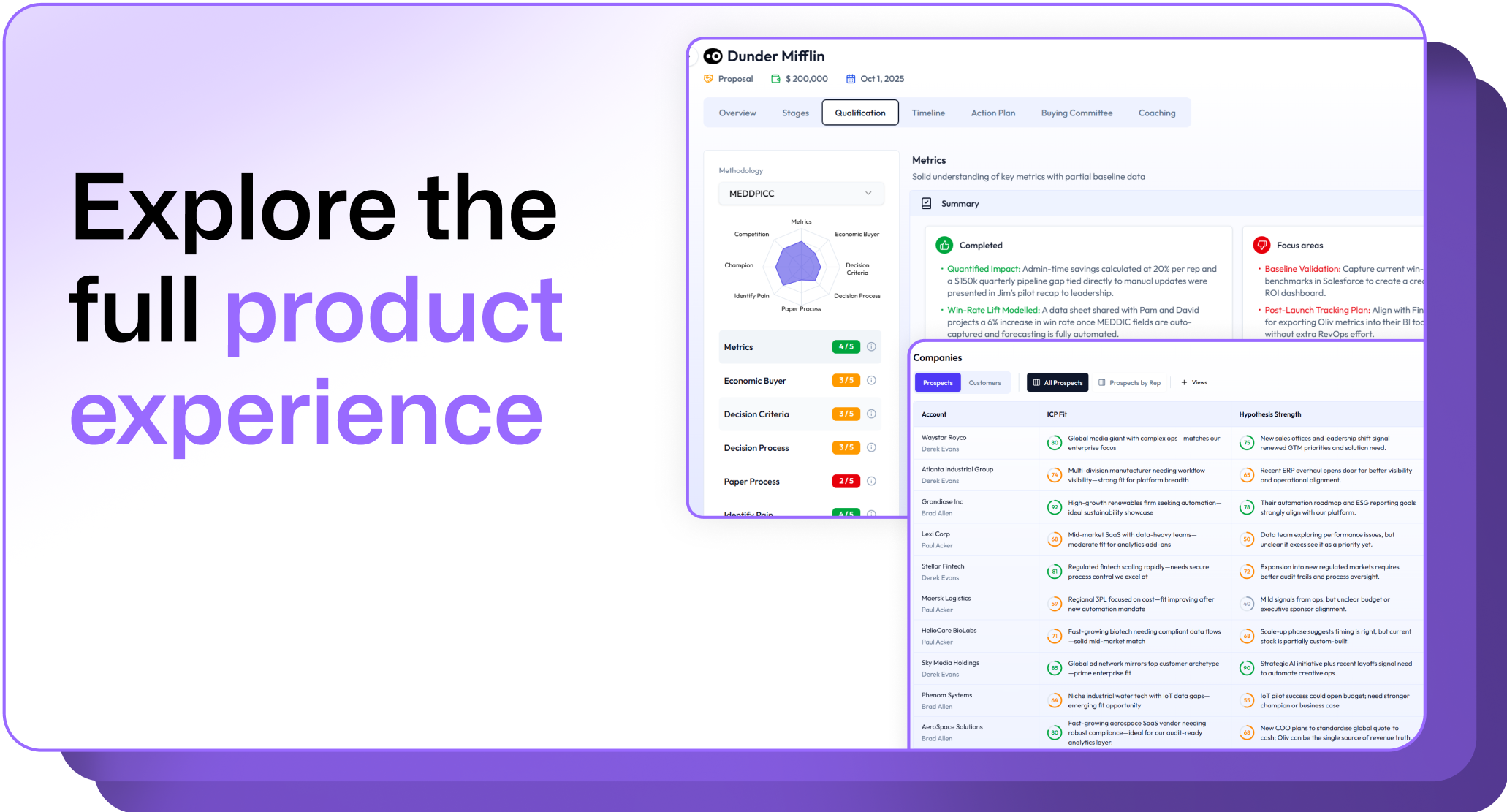
.avif)