Q1: What is Salesforce Agentforce and How Does It Work in 2025? [toc=Overview & Capabilities]
Salesforce Agentforce represents the company's latest evolution in AI technology, positioning itself as the next generation beyond Einstein AI. Launched as an "agentic AI" platform, Agentforce aims to deliver autonomous AI agents that can perform tasks across Salesforce's ecosystem without constant human intervention.
Core Architecture and Capabilities
Agentforce operates on what Salesforce calls the "Atlas Reasoning Engine," designed to process natural language instructions and execute complex workflows. The platform focuses heavily on three core AI capabilities:
- Predictive AI: Forecasting outcomes based on historical data patterns
- Generative AI: Creating content, responses, and recommendations
- Agentic AI: Autonomous task execution with minimal human oversight
The system integrates directly into existing Salesforce clouds, functioning as add-on modules rather than standalone applications. This architecture allows Agentforce to access existing CRM data, customer records, and workflow configurations.
Primary Use Cases and Applications
Agentforce primarily targets customer service and support functions, with secondary applications in sales coaching. The platform excels in:
Customer Service Automation:
- Auto-suggesting knowledge articles during live chats
- Drafting responses to common inquiries
- Logging activities and creating case summaries
- Handling high-volume service case management
Sales Support Functions:
- Basic lead recognition and qualification assistance
- Simple coaching prompts and guidance
- Activity logging and basic pipeline updates
User Experience and Implementation Reality
Real user feedback reveals mixed experiences with Agentforce implementation and effectiveness:
"Agentforce is easy to use, configure, and deploy. It is low code for making a basic agent as admin skills are sufficient."
— Anusha T., Web Developer G2 Verified Review
However, users consistently report significant challenges:
"My primary concern is the significant learning curve involved in truly optimizing Agentforce. Effectively crafting prompts and configuring the underlying actions demands a specific skill set often called 'prompt engineering.'"
— Alessandro N., Salesforce Administrator G2 Verified Review
"It can be complex to set up and often requires skilled administrators or developers to customize and integrate properly, which adds time and cost."
— Verified User in Marketing and Advertising G2 Verified Review
Technical Dependencies and Requirements
Agentforce requires several prerequisite Salesforce components:
- Salesforce Enterprise Edition or higher
- Einstein platform activation (additional licensing required)
- Data Cloud connectivity for advanced features
- Specific Salesforce cloud editions depending on industry add-ons
The platform operates through a credit-based consumption model alongside monthly per-user fees, creating a dual-cost structure that can become complex to predict and manage.
Market Positioning and Strategic Focus
Unlike dedicated sales productivity platforms, Agentforce positions itself as a broad-spectrum customer success and service tool. The platform's "Coach" feature represents its primary sales-focused capability, but users report limited B2B sales functionality compared to specialized revenue intelligence platforms.
How AI-Native Platforms Simplify This Approach:
Modern AI-native sales platforms like Oliv.ai eliminate the complexity of multi-component setups by providing purpose-built agents that automatically handle sales workflows without requiring Einstein activations, Data Cloud dependencies, or prompt engineering expertise. These platforms deploy in 1-2 days with immediate functionality, contrasting sharply with Agentforce's multi-week implementation timelines and technical prerequisites.
Q2: How Much Does Salesforce Agentforce Really Cost in 2025? [toc=Complete Pricing Breakdown]
Salesforce Agentforce pricing follows a complex add-on model that varies significantly by industry, use case, and organizational requirements. Understanding the complete cost structure requires analyzing multiple pricing tiers, consumption models, and prerequisite licensing fees.
Core Agentforce Pricing Structure
Standard Industry Add-ons
Standard Agentforce Pricing Structure| Agentforce Product | Monthly Cost | Available With |
|---|
| Agentforce for Sales | $125/user/month | Agentforce 1 Sales Edition |
| Agentforce for Service | $125/user/month | Enterprise, Unlimited, Agentforce 1 Service |
| Agentforce for Field Service | $125/user/month | Agentforce 1 Field Service Edition |
Industry-Specific Premium Add-ons
Industry-Specific Premium Agentforce Pricing| Specialized Product | Monthly Cost | Target Industry |
|---|
| Financial Services Cloud | $150/user/month | Banking, Insurance |
| Health Cloud | $150/user/month | Healthcare |
| Life Sciences Cloud | $150/user/month | Pharmaceutical |
| Manufacturing Cloud | $150/user/month | Manufacturing |
| Automotive Cloud | $150/user/month | Automotive |
| Consumer Goods Cloud | $150/user/month | CPG, Retail |
| Net Zero Cloud | $150/user/month | Sustainability |
| Energy & Utilities Cloud | $150/user/month | Energy |
| Media Cloud | $150/user/month | Media, Entertainment |
| Public Sector | $150/user/month | Government |
| Education | $150/user/month | Educational Institutions |
| Nonprofit | $150/user/month | Nonprofit Organizations |
Enterprise-Level Pricing
Public Sector Service - Agentforce 1 Edition: $650/user/month
- Includes service tech stack consolidation
- Team collaboration tools
- Scheduler and Service Cloud Voice
- Connected data and AI throughout
Credit-Based Consumption Model
Beyond monthly user fees, Agentforce operates on a dual pricing structure:
- Per-Action Pricing: $0.10 per action (20 Flex Credits per action)
- Credit Packages: $500 per 100,000 credits
- Conversation-Based: $2 per conversation (legacy model)
Total Cost Examples
Small Sales Team (10 users)
- Base Agentforce for Sales: $1,250/month ($15,000/year)
- Credit consumption (moderate usage): $200-500/month
- Total Monthly Cost: $1,450-1,750
- Annual Cost: $17,400-21,000
Mid-Market Organization (50 users)
- Industry-specific add-on (Manufacturing): $7,500/month ($90,000/year)
- Credit consumption (high usage): $1,000-2,000/month
- Total Monthly Cost: $8,500-9,500
- Annual Cost: $102,000-114,000
User Feedback on Pricing Reality
Real users consistently express concerns about cost predictability and value compared to alternative sales platforms:
"The pricing caught us off guard. Once we started scaling to more users and use cases, the cost ramped up pretty quickly. We had to rethink a few workflows just to stay within budget."
— Ayushmaan Y., Senior Associate G2 Verified Review
"The price of Agentforce is not clear and hard to find. Licensing fees can be high, especially as the number of agents grows."
— Anusha T., Web Developer G2 Verified Review
"Expensive, especially for smaller teams."
— Shubham G., Senior BDM G2 Verified Review
Prerequisite Licensing Costs
Agentforce requires additional Salesforce components:
- Salesforce Enterprise Edition: Starting at $165/user/month
- Einstein Platform: Variable pricing based on usage
- Data Cloud: Additional per-record charges
- Industry Cloud Prerequisites: Varies by vertical
These dependencies can easily double or triple the effective per-user cost, creating total monthly expenses of $300-500+ per user when fully implemented. Organizations looking for transparent pricing alternatives often find traditional SaaS models increasingly complex.
How AI-Native Platforms Offer Transparent Pricing:
Platforms like Oliv.ai provide straightforward pricing starting at $19/user/month with no hidden credits, consumption fees, or prerequisite platform costs. This transparent approach eliminates budget surprises and allows accurate cost forecasting from day one.
Q3: What Are the Hidden Implementation Costs of Agentforce? [toc=Hidden Implementation Costs]
Traditional SaaS pricing models have long obscured the true cost of implementation through complex fee structures, professional services requirements, and ongoing maintenance expenses. Salesforce Agentforce continues this pattern, presenting seemingly straightforward per-user pricing while concealing substantial additional costs that can dramatically impact total cost of ownership.
Enterprise software buyers have grown accustomed to discovering hidden expenses only after contract signing—from mandatory professional services to training requirements, integration fees, and ongoing support charges. Agentforce exemplifies this challenge, with its modular add-on structure creating multiple cost layers that aren't immediately apparent during initial evaluation.
The Reality of Agentforce's Hidden Cost Structure
Beyond the advertised $125-150/user/month pricing, Agentforce implementations carry substantial undisclosed expenses that frequently catch organizations off-guard. Multi-organization support alone costs $24,000/org/year for specialized add-ons like Net Zero Cloud, immediately adding six-figure annual expenses for enterprise deployments.
Professional services requirements create another significant cost center. Unlike simple software activation, Agentforce demands extensive prompt engineering expertise, custom workflow configuration, and integration with existing Salesforce instances. Organizations typically invest $50,000-150,000 in professional services for meaningful implementations, with ongoing consulting needs adding $10,000-25,000 monthly for enterprise customers.
Training represents a particularly expensive hidden cost. Users consistently report steep learning curves and the need for specialized "prompt engineering" skills to achieve desired outcomes. This necessitates either expensive external training programs ($2,000-5,000 per user) or dedicated internal resources to develop and maintain AI prompt expertise—a skillset most sales organizations lack entirely.
"It can be complex to set up and often requires skilled administrators or developers to customize and integrate properly, which adds time and cost."
— Verified User in Marketing and Advertising G2 Verified Review
The dual consumption model creates additional unpredictability. While organizations budget for monthly user fees, the credit-based usage charges can fluctuate dramatically based on actual AI agent activity, creating budget overruns that range from 25-100% above initial projections.
How AI-Native Platforms Transform Cost Transparency
Modern generative AI platforms have fundamentally reimagined software economics by eliminating traditional implementation overhead. Rather than requiring extensive customization, training, and professional services, AI-native architectures deploy pre-configured intelligence that adapts automatically to organizational workflows and data patterns.
This transformation extends beyond initial deployment to ongoing operations. Where traditional platforms like Agentforce require continuous prompt tuning, workflow optimization, and technical maintenance, AI-native solutions autonomously improve their performance based on usage patterns and feedback loops. The result eliminates the need for specialized technical expertise and ongoing professional services.
AI-native platforms also provide predictable, consumption-free pricing models that eliminate budget surprises. Organizations can accurately forecast costs based on user counts rather than attempting to predict AI action volumes or credit consumption patterns that vary unpredictably with usage.
Oliv AI's Transparent Cost Structure
We designed Oliv.ai's pricing to eliminate every hidden cost that traditionally plagues enterprise software implementations. Our $19/user/month pricing includes all functionality with no platform fees, implementation costs, professional services requirements, or consumption charges that create budget uncertainty.
Our CRM Manager Agent exemplifies this approach—automatically updating CRM fields, creating missing contacts, and maintaining data hygiene without any setup complexity or ongoing management. Unlike Agentforce's prompt engineering requirements, our agents deploy immediately with full functionality and continue improving autonomously through generative AI learning.
The Deal Driver Agent demonstrates our commitment to transparent value delivery. While Agentforce requires extensive configuration and credit consumption for basic pipeline insights, our Deal Driver provides comprehensive deal risk analysis, pipeline forecasting, and proactive alerts as core functionality included in base pricing.
Our deployment typically completes in 1-2 days with immediate value realization, contrasting sharply with Agentforce implementations that require weeks or months of configuration, training, and optimization before delivering meaningful results.
Real-World Cost Impact Analysis
Organizations switching from traditional SaaS implementations to AI-native platforms report total cost reductions of 60-75% when accounting for hidden expenses. A mid-market company with 50 sales users might budget $90,000 annually for Agentforce (50 users × $150/month × 12 months) but encounter actual costs exceeding $200,000 when including professional services, training, multi-org fees, and consumption charges.
The same organization deploying Oliv.ai would invest $11,400 annually (50 users × $19/month × 12 months) with no additional expenses, creating immediate cost savings while delivering superior B2B sales functionality designed specifically for revenue teams rather than generic customer service applications. This dramatic cost difference explains why many organizations are comparing AI-native alternatives to traditional enterprise platforms.
"The pricing caught us off guard. Once we started scaling to more users and use cases, the cost ramped up pretty quickly. We had to rethink a few workflows just to stay within budget."
— Ayushmaan Y., Senior Associate G2 Verified Review
Q4: Why Are Sales Teams Questioning Agentforce's ROI? [toc=ROI Questions]
Sales organizations worldwide are expressing growing skepticism about Salesforce Agentforce's return on investment, with widespread user concerns about effectiveness, implementation complexity, and misaligned functionality. Market feedback reveals a consistent pattern of disappointment that extends beyond typical software adoption challenges into fundamental questions about value delivery. Even Salesforce leadership has acknowledged market performance issues, with CEO statements recognizing that "AI is not performing up to the market" expectations.
This skepticism isn't unfounded—it reflects deeper structural problems with how traditional SaaS companies approach AI integration. User reviews consistently highlight a disconnect between Agentforce's promises and real-world performance, particularly for sales teams seeking tangible productivity improvements and revenue impact.
Documented User Concerns and Experience Gaps
Sales teams report specific frustrations that center around three critical areas: poor user experience, limited B2B sales functionality, and perception as "just another chatbot" rather than transformative technology. The complexity burden falls heavily on already-stretched sales teams who lack technical expertise for prompt engineering and system optimization.
User feedback reveals consistent patterns of disappointment:
"Its not as robust just yet but it will be as it continues to learn."
— Omer M., Salesforce admin G2 Verified Review
"UX needs improvement. Everything opens in a new browser tabs clustering the browser. Lots of jumping back and forth between tabs to enable settings."
— Verified User in Consulting G2 Verified Review
"It still needs some serious debugging. I built the default agent, went well, then went to create a second agent and could not get past an error when I clicked Create."
— Jessica C., Senior Business Analyst G2 Verified Review
The fundamental issue extends beyond technical glitches to strategic misalignment. Agentforce primarily targets customer service and support functions, leaving B2B sales teams with limited functionality that doesn't address their specific workflow needs like deal progression, pipeline management, or revenue forecasting.
Why "Bolted-On AI" Approaches Fail to Deliver
Traditional SaaS platforms like Salesforce face architectural limitations when attempting to integrate AI capabilities into existing systems built over the past decade. These "bolted-on AI" approaches suffer from fundamental design constraints that prevent seamless user experiences and autonomous functionality that modern sales teams expect.
The core problem lies in treating AI as an add-on feature rather than foundational architecture. This approach requires extensive user training, complex prompt engineering, and ongoing manual optimization—exactly the opposite of what sales professionals need. Sales teams want tools that work autonomously and deliver immediate value, not additional complexity that requires specialized technical skills.
Legacy platforms also struggle with data integration challenges, requiring multiple system connections and manual data management that creates friction rather than eliminating it. This architectural debt manifests in the user experience problems consistently reported across Agentforce implementations. Organizations seeking modern sales AI alternatives increasingly recognize these limitations.
Oliv AI's Purpose-Built B2B Sales Architecture
We designed Oliv.ai specifically for B2B sales workflows, addressing the exact limitations that make Agentforce unsuitable for revenue teams. Our Forecaster Agent autonomously analyzes deal progression and pipeline health, providing one-page executive summaries and presentation-ready insights without requiring prompt engineering or manual configuration.
The Meeting Assistant Agent exemplifies our B2B focus—automatically joining calls, extracting MEDDIC insights, updating CRM fields, and drafting follow-up emails based on conversation context. This eliminates the administrative burden that sales reps face while providing deal-level intelligence that generic customer service AI cannot deliver.
Our Coaching Agent provides personalized feedback and predictive insights automatically, eliminating the manual analysis time that traditional platforms require. Rather than expecting sales managers to become prompt engineers, we deliver actionable coaching recommendations based on conversation analysis and deal progression patterns.
These agents operate autonomously within existing sales workflows, requiring no specialized training or technical expertise from sales teams. The result is immediate productivity improvement rather than additional complexity, providing a stark contrast to traditional sales platforms that require extensive setup and ongoing maintenance.
Comparative ROI: AI-Native vs Traditional Implementation
Organizations switching from traditional SaaS AI to purpose-built platforms report dramatic improvements in both time-to-value and ongoing productivity impact. AI-native solutions typically achieve full deployment in 1-2 days compared to months-long Agentforce implementations that require extensive customization and training.
The ROI difference becomes apparent immediately: while Agentforce users struggle with "significant learning curves" and "prompt engineering" requirements, AI-native platforms deliver autonomous functionality from day one. Sales teams can focus on selling rather than managing software, creating measurable impact on deal velocity and forecast accuracy.
"The pricing caught us off guard. Once we started scaling to more users and use cases, the cost ramped up pretty quickly. We had to rethink a few workflows just to stay within budget."
— Ayushmaan Y., Senior Associate G2 Verified Review
This user experience contrast explains why sales teams increasingly question traditional AI investments while seeking purpose-built alternatives that deliver immediate, measurable value without requiring technical expertise or ongoing optimization efforts.
Q5: How Do Agentforce Industry Add-ons Impact Total Cost? [toc=Industry Pricing Impact]
Salesforce Agentforce's industry-specific pricing model creates significant cost variations that can dramatically impact total ownership expenses, with premium add-ons ranging from $125-650/user/month depending on vertical focus and feature requirements. Understanding these industry-specific costs is essential for accurate budget planning and vendor comparison.
Industry-Specific Pricing Tiers
Standard Industry Pricing ($125/user/month)
The base tier includes three core Agentforce offerings:
- Agentforce for Sales: Basic sales productivity features
- Agentforce for Service: Customer service automation
- Agentforce for Field Service: Field technician support
Premium Industry Add-ons ($150/user/month)
Specialized verticals command 20% higher pricing:
Industry-Specific Premium Agentforce Pricing| Industry | Monthly Cost | Key Features |
|---|
| Financial Services | $150/user | Banking-specific AI, compliance tools |
| Healthcare | $150/user | HIPAA-compliant AI, patient management |
| Life Sciences | $150/user | Pharmaceutical workflows, regulatory support |
| Manufacturing | $150/user | Supply chain AI, production analytics |
| Automotive | $150/user | Dealership management, inventory AI |
| Consumer Goods | $150/user | CPG analytics, retail insights |
| Energy & Utilities | $150/user | Grid management, sustainability tracking |
| Media Cloud | $150/user | Content workflows, audience analytics |
| Public Sector | $150/user | Government-specific compliance |
| Education | $150/user | Student support, administrative AI |
| Nonprofit | $150/user | Donor management, volunteer coordination |
Enterprise Government Pricing ($650/user/month)
Public Sector Service - Agentforce 1 Edition represents the premium tier at over 4x standard pricing, including:
- Complete service tech stack consolidation
- Team collaboration tools
- Scheduler and Service Cloud Voice
- Connected data and AI throughout the platform
Cumulative Cost Impact Analysis
Small Organization (25 users)
- Standard pricing: $3,125/month ($37,500/year)
- Premium industry: $3,750/month ($45,000/year)
- Cost difference: $625/month ($7,500/year)
Mid-Market Company (100 users)
- Standard pricing: $12,500/month ($150,000/year)
- Premium industry: $15,000/month ($180,000/year)
- Cost difference: $2,500/month ($30,000/year)
Enterprise Implementation (500 users)
- Standard pricing: $62,500/month ($750,000/year)
- Premium industry: $75,000/month ($900,000/year)
- Enterprise government: $325,000/month ($3,900,000/year)
Multi-Organization Fees
Industry add-ons include additional organizational fees that significantly impact total cost:
- Net Zero Cloud Multi-Organization Support: $24,000/org/year
- Manufacturing Cloud Enterprise: Additional implementation fees
- Financial Services Compliance: Regulatory audit costs
Hidden Industry-Specific Costs
Beyond base pricing, industry add-ons often require:
- Compliance consulting: $50,000-150,000 for regulatory industries
- Integration services: $25,000-75,000 for specialized industry systems
- Training programs: $2,000-5,000 per user for industry-specific features
- Ongoing maintenance: 15-20% of annual licensing fees
Organizations looking for cost-effective alternatives increasingly question these premium pricing models that don't necessarily deliver proportional value increases.
How AI-Native Platforms Provide Industry Value Without Premium Pricing: Oliv.ai delivers industry-specific insights through intelligent data analysis rather than separate add-on modules, providing vertical expertise at standard pricing without the complexity and cost overhead of traditional SaaS industry tiers.
Q6: What Are the Salesforce Prerequisites and Dependencies for Agentforce? [toc=Prerequisites & Dependencies]
Agentforce implementation requires multiple Salesforce components and licensing dependencies that significantly impact total cost and complexity. Understanding these prerequisites is essential for accurate budget planning and technical readiness assessment.
Required Salesforce Edition Prerequisites
Minimum Edition Requirements
Agentforce cannot function on basic Salesforce editions and requires:
- Enterprise Edition: Minimum $165/user/month
- Unlimited Edition: $330/user/month
- Agentforce 1 Editions: Varies by industry ($125-650/user/month)
Edition-Specific Availability
Different Agentforce modules have varying edition requirements:
Agentforce Module Edition Requirements| Agentforce Module | Required Editions |
|---|
| Sales | Agentforce 1 Sales Edition only |
| Service | Enterprise, Unlimited, Agentforce 1 Service |
| Financial Services | Enterprise, Unlimited, Agentforce 1 |
| Manufacturing | Sales Editions, Enterprise, Unlimited, Agentforce 1 |
| Public Sector | Public Sector Enterprise, Unlimited, Agentforce 1 |
Einstein Platform Dependencies
Agentforce requires Einstein platform activation, which involves additional licensing and configuration:
Einstein Requirements:
- Einstein Analytics: Additional per-user licensing
- Einstein Prediction Builder: Separate consumption-based pricing
- Einstein Discovery: Advanced analytics add-on
- Einstein Bots: Conversational AI prerequisite
"You need to activate Einstein and other stuff if you want to use Agentforce. But why don't you enable dependency if I directly wanna start Agentforce in a single click?"
— Shivam A., Product Researcher G2 Verified Review
Data Cloud Requirements
Advanced Agentforce features require Salesforce Data Cloud connectivity:
Data Cloud Prerequisites:
- Data Cloud licensing: $25-50/user/month additional
- Data storage limits: Per-record charges for excess data
- Integration setup: Professional services required
- Data governance: Compliance and security configuration
Technical Infrastructure Requirements
System Integration Dependencies
- API limits: Higher-tier API access required for Agentforce actions
- Sandbox environments: Additional licensing for testing and development
- Custom object limits: Enterprise edition object limitations may require upgrades
User Permission Requirements
Complex permission structures required for Agentforce functionality:
- System Administrator access for initial setup
- Custom permission sets for different user roles
- Profile modifications for agent functionality access
Implementation Services Requirements
Professional Services
Salesforce typically requires professional services for Agentforce deployment:
- Implementation consulting: $50,000-150,000 for enterprise
- Custom configuration: $10,000-25,000 per industry add-on
- Training services: $2,000-5,000 per user
- Ongoing optimization: 15-20% of annual license fees
Change Management Requirements
- User training programs: Minimum 40 hours per user for effective adoption
- Administrator certification: Specialized Agentforce admin training required
- Prompt engineering expertise: Technical resources for optimization
Total Prerequisite Cost Analysis
Example: 50-User Manufacturing Company
- Enterprise Edition base: $8,250/month ($99,000/year)
- Agentforce Manufacturing: $7,500/month ($90,000/year)
- Einstein platform: $2,500/month ($30,000/year)
- Data Cloud: $1,875/month ($22,500/year)
- Professional services: $75,000 (one-time)
- Total first-year cost: $316,500
This complexity explains why organizations increasingly seek simplified alternatives that don't require extensive infrastructure investments or prerequisite platform dependencies.
How AI-Native Platforms Eliminate Dependencies: Oliv.ai requires no prerequisite platforms, editions, or additional licensing dependencies, deploying as a standalone solution that integrates with existing CRMs without requiring expensive infrastructure upgrades or technical prerequisites.
Q7: How Does Agentforce Compare to AI-Native Sales Platforms? [toc=AI Platform Comparison]
The fundamental architectural differences between traditional "bolted-on AI" solutions like Salesforce Agentforce and purpose-built AI-native sales platforms represent a paradigm shift in how organizations approach sales technology. Legacy platforms retrofit AI capabilities onto existing infrastructure built over the past decade, creating inherent limitations in user experience, deployment complexity, and autonomous functionality that sales teams require.
Agentforce exemplifies the challenges of bolted-on AI architecture, requiring extensive prompt engineering, manual configuration, and ongoing optimization to achieve basic functionality. This approach forces sales teams to adapt their workflows to accommodate software limitations rather than having technology seamlessly integrate into existing processes.
Agentforce's Customer Success Focus vs B2B Sales Requirements
Agentforce's primary design centers around customer service and support functions, creating a fundamental misalignment with B2B sales team needs. While customer support benefits from standardized response templates and knowledge base suggestions, B2B sales requires deal-level intelligence, pipeline progression analysis, and revenue forecasting capabilities that Agentforce simply doesn't provide.
Sales teams need tools that understand deal context, track buyer engagement across multiple touchpoints, and provide predictive insights about revenue outcomes. Agentforce's "Coach" feature represents its only sales-focused capability, but users consistently report limited functionality compared to dedicated revenue intelligence platforms.
"Its not as robust just yet but it will be as it continues to learn."
— Omer M., Salesforce admin G2 Verified Review
"Out-of-the-box insurance-specific features are limited unless you're using add-ons like Financial Services Cloud or third-party solutions, which may require further customization."
— Verified User in Marketing and Advertising G2 Verified Review
AI-Native Platforms: Deeper Contextual Understanding
Modern AI-native platforms leverage generative AI architecture to understand conversations, emails, and deal progression at a contextual level that traditional activity tracking cannot match. Rather than simply logging meeting occurrences or email counts, these platforms analyze conversation content, extract buying signals, and identify deal risks through natural language processing.
This deeper understanding enables autonomous workflow execution where AI agents perform tasks without requiring manual prompts or configuration. The technology adapts to organizational patterns and sales methodologies automatically, eliminating the technical expertise requirements that plague traditional implementations. Organizations considering alternatives to legacy platforms increasingly recognize these architectural advantages.
Oliv AI's Comprehensive B2B Sales Architecture
We designed Oliv.ai specifically for B2B sales workflows, addressing the exact limitations that make generic CRM AI unsuitable for revenue teams. Our Prospector Agent performs deep account research, builds customized sales hypotheses, and drafts personalized outreach messages based on buyer context and company intelligence—functionality completely absent from Agentforce's customer service focus.
The Deal Driver Agent provides proactive pipeline alerts and comprehensive deal risk analysis, understanding progression patterns across the entire sales cycle. Unlike Agentforce's basic activity logging, our Deal Driver analyzes conversation sentiment, buying committee engagement, and competitive dynamics to forecast deal outcomes accurately.
Our CRM Manager Agent exemplifies the autonomous functionality that AI-native architecture enables. Rather than requiring prompt engineering or manual configuration, it automatically updates CRM fields, creates missing contacts, and maintains data hygiene based on conversation analysis and email interactions. This contrasts sharply with traditional sales platforms that require extensive manual setup.
These agents operate as a unified intelligence layer that understands deal context from initial prospecting through closing and expansion, providing the comprehensive B2B sales coverage that traditional platforms cannot deliver.
Cost-Benefit Analysis: Double Functionality at Half the Price
The economic advantages of AI-native platforms extend beyond initial pricing to include elimination of hidden costs that plague traditional implementations. While Agentforce requires $125-150/user/month plus implementation services, training programs, and ongoing optimization, Oliv.ai provides comprehensive B2B sales functionality at $19/user/month with no additional expenses.
Our modular agent approach allows organizations to purchase only the capabilities they need rather than paying for broad platform access that includes irrelevant customer service functionality. Sales teams can deploy specific agents for forecasting, prospecting, or deal management without investing in comprehensive Salesforce infrastructure, making it a compelling alternative for organizations comparing pricing models.
"The pricing caught us off guard. Once we started scaling to more users and use cases, the cost ramped up pretty quickly. We had to rethink a few workflows just to stay within budget."
— Ayushmaan Y., Senior Associate G2 Verified Review
This architectural and pricing advantage delivers measurable ROI improvements, with organizations typically achieving 60-75% cost reduction while gaining superior B2B sales functionality designed specifically for revenue team workflows.
Q8: What Do Real Users Say About Agentforce Implementation Challenges? [toc=User Implementation Feedback]
Real-world Agentforce implementations reveal consistent patterns of user frustration that extend far beyond typical software adoption challenges into fundamental issues with deployment complexity, user experience design, and unclear value delivery. User feedback across G2 reviews and community forums highlights critical implementation barriers that aren't discussed in official Salesforce documentation, creating unrealistic expectations for organizations considering Agentforce adoption.
These documented user experiences provide essential insights into the practical realities of Agentforce deployment, contrasting sharply with marketing promises of seamless AI integration and immediate productivity improvements.
Documented Implementation Pain Points and User Training Requirements
Users consistently report significant technical barriers that require specialized expertise most sales organizations lack. The platform's dependency on prompt engineering skills creates an immediate obstacle, as sales teams must either hire technical resources or invest substantial time learning complex configuration processes that have little relevance to revenue generation activities.
"My primary concern is the significant learning curve involved in truly optimizing Agentforce. Effectively crafting prompts and configuring the underlying actions demands a specific skill set often called 'prompt engineering.'"
— Alessandro N., Salesforce Administrator G2 Verified Review
"It can be complex to set up and often requires skilled administrators or developers to customize and integrate properly, which adds time and cost."
— Verified User in Marketing and Advertising G2 Verified Review
Integration challenges compound these technical difficulties. Users report extensive time investments figuring out basic functionality, with common tasks requiring multiple browser tabs and complex navigation workflows that disrupt rather than enhance productivity.
"The UI felt a bit clunky at times—especially when trying to manage multiple prompts or agent versions. I remember spending a good chunk of time figuring out how to fine-tune the responses for specific use cases."
— Ayushmaan Y., Senior Associate G2 Verified Review
"Everything opens in a new browser tabs clustering the browser. Lots of jumping back and forth between tabs to enable settings."
— Verified User in Consulting G2 Verified Review
How AI-Native Platforms Eliminate Implementation Friction
Modern AI-native platforms fundamentally reimagine software deployment by leveraging generative AI architecture that requires no prompt engineering, technical configuration, or specialized training. These platforms deploy pre-configured intelligence that adapts automatically to organizational workflows and data patterns, eliminating the technical expertise requirements that create barriers in traditional implementations.
The autonomous nature of AI-native agents means they begin delivering value immediately upon deployment, learning from existing data patterns and conversation history without requiring manual training or optimization. This approach transforms implementation from a months-long technical project into a simple integration process that sales teams can complete without IT involvement. Organizations seeking streamlined alternatives increasingly prioritize this deployment simplicity.
Oliv AI's Seamless 1-2 Day Deployment Process
We designed Oliv.ai's implementation to eliminate every friction point that creates barriers in traditional software deployment. Our CRM Manager Agent begins working immediately upon integration, automatically updating CRM fields and maintaining data hygiene without requiring any configuration or training from sales teams.
The Meeting Assistant Agent exemplifies our autonomous approach—joining calls automatically, extracting relevant insights, and drafting follow-up emails based on conversation context without any user intervention. Sales reps continue their normal activities while our agents handle administrative tasks seamlessly in the background.
Our deployment typically completes within 1-2 days, with full functionality available immediately. Unlike Agentforce's requirement for prompt engineering expertise and ongoing optimization, our agents improve their performance autonomously through generative AI learning without requiring technical maintenance from sales teams. This represents a fundamental shift from traditional implementation approaches that demand extensive setup and training.
User Experience Contrast: Immediate Value vs Extended Learning Curves
Organizations switching from traditional SaaS implementations to AI-native platforms report dramatic improvements in both deployment speed and user adoption rates. The contrast becomes immediately apparent—while Agentforce users struggle with "significant learning curves" and technical complexity, AI-native solutions deliver autonomous functionality from day one.
"It still needs some serious debugging. I built the default agent, went well, then went to create a second agent and could not get past an error when I clicked Create."
— Jessica C., Senior Business Analyst G2 Verified Review
Sales teams using AI-native platforms focus entirely on revenue generation activities rather than software management, creating immediate productivity improvements and measurable impact on deal velocity and forecast accuracy. The elimination of technical barriers enables organizations to realize ROI within weeks rather than the months-long optimization cycles required by traditional platforms, explaining the growing interest in purpose-built sales AI.
Q9: How to Calculate Total Cost of Ownership for Agentforce vs Alternatives? [toc=TCO Calculation Framework]
Calculating accurate total cost of ownership (TCO) for Agentforce requires analyzing multiple cost components beyond advertised per-user pricing, including prerequisite licensing, implementation services, ongoing maintenance, and hidden consumption fees that can dramatically impact budget projections.
Complete Agentforce TCO Components
1. Base Licensing Requirements
- Salesforce Enterprise Edition: $165/user/month minimum
- Agentforce Add-on: $125-150/user/month (industry-dependent)
- Einstein Platform: Variable consumption-based pricing
- Data Cloud: $25-50/user/month additional
2. Implementation and Professional Services
- Initial implementation: $50,000-150,000 (enterprise)
- Professional services: $10,000-25,000 per industry add-on
- Custom configuration: $25,000-75,000 depending on complexity
- Multi-org setup: $24,000/org/year for specialized modules
3. Training and Change Management
- User training programs: $2,000-5,000 per user
- Administrator certification: $5,000-10,000 per admin
- Prompt engineering training: $15,000-30,000 for technical team
- Change management consulting: $25,000-50,000
4. Ongoing Costs
- Maintenance and support: 15-20% of annual license fees
- Credit consumption: $0.10 per action (highly variable)
- System optimization: $10,000-25,000 monthly for enterprise
- Additional integrations: $5,000-15,000 per system
TCO Calculation Framework
Year 1 TCO Formula:
Base Licensing + Implementation + Training + First Year Maintenance + Consumption Estimates = Total Year 1 Cost
Annual Recurring TCO Formula:
Base Licensing + Maintenance + Consumption + Optimization Services = Annual Recurring Cost
Example TCO Calculations
Mid-Market Company (50 users, Manufacturing)
Year 1 Costs:
- Salesforce Enterprise: $99,000 ($165 × 50 × 12)
- Agentforce Manufacturing: $90,000 ($150 × 50 × 12)
- Einstein Platform: $30,000
- Data Cloud: $22,500 ($37.50 × 50 × 12)
- Implementation services: $75,000
- Training: $100,000 ($2,000 × 50)
- Total Year 1: $416,500
Annual Recurring (Years 2+):
- Base licensing: $241,500
- Maintenance: $48,300 (20% of licensing)
- Consumption: $24,000 (estimated)
- Optimization: $60,000
- Annual Recurring: $373,800
Enterprise Implementation (200 users, Financial Services)
Year 1 Costs:
- Salesforce Enterprise: $396,000
- Agentforce Financial: $360,000
- Platform dependencies: $120,000
- Implementation: $150,000
- Training: $400,000
- Multi-org fees: $48,000
- Total Year 1: $1,474,000
Annual Recurring: $1,044,000
Alternative Platform Comparison
AI-Native Platform TCO (Oliv.ai Example)
50 Users, Year 1:
- Base pricing: $11,400 ($19 × 50 × 12)
- Implementation: $0
- Training: $0
- Maintenance: $0
- Total Year 1: $11,400
- Annual Recurring: $11,400
Cost Comparison Summary
TCO Comparison: Agentforce vs AI-Native Platforms| Company Size | Agentforce 3-Year TCO | AI-Native 3-Year TCO | Savings |
|---|
| 50 users | $1,164,100 | $34,200 | $1,129,900 |
| 100 users | $2,100,000 | $68,400 | $2,031,600 |
| 200 users | $3,562,000 | $136,800 | $3,425,200 |
Decision Framework
Key Evaluation Criteria
- Deployment timeline: Months vs days
- Technical expertise required: High vs none
- Ongoing maintenance burden: Significant vs autonomous
- Functionality scope: Generic vs B2B sales-focused
- Cost predictability: Variable vs fixed
Organizations evaluating competitive alternatives increasingly prioritize transparent TCO models that eliminate budget surprises and hidden implementation costs.
How AI-Native Platforms Simplify TCO: Oliv.ai provides transparent, all-inclusive pricing with no hidden costs, implementation fees, or consumption charges, enabling accurate budget forecasting and immediate ROI calculation without the complexity of traditional enterprise software TCO analysis.
Q10: What Are the Best Agentforce Alternatives for Sales Teams in 2025? [toc=Best Agentforce Alternatives]
The enterprise sales technology landscape is experiencing a fundamental shift from traditional SaaS tools designed a decade ago to AI-native platforms specifically built for modern B2B sales workflows and revenue operations. Sales organizations increasingly recognize that generic CRM AI add-ons cannot deliver the specialized functionality, autonomous operation, and transparent pricing that revenue teams require for competitive advantage.
This transformation reflects broader market recognition that sales productivity demands purpose-built tools rather than retrofitted customer service AI attempting to address revenue generation needs. Forward-thinking sales leaders are evaluating alternatives that eliminate the complexity, hidden costs, and implementation friction that characterize traditional enterprise software.
Limitations of Generic CRM AI Add-ons vs Specialized B2B Solutions
Traditional platforms like Agentforce suffer from fundamental architectural constraints that prevent effective B2B sales support. Designed primarily for customer service workflows, these platforms lack the deal-level intelligence, pipeline progression analysis, and revenue forecasting capabilities that sales teams require daily.
Generic CRM AI add-ons also impose significant technical overhead through prompt engineering requirements, complex configuration processes, and ongoing optimization needs that distract sales teams from revenue generation activities. The user experience consistently frustrates sales professionals who expect autonomous functionality rather than additional administrative complexity.
"Can be complex to set up and customize. Expensive, especially for smaller teams. Steep learning curve for new users."
— Shubham G., Senior BDM G2 Verified Review
"Adoption is low because of the lack of knowledge on the subject as AI is a new field. Customers are finding issues in deploying and using agents in Salesforce."
— Anusha T., Web Developer G2 Verified Review
The fundamental mismatch between generic AI capabilities and specialized sales requirements creates ongoing friction that undermines productivity gains and ROI realization, driving sales teams to seek purpose-built alternatives. Organizations comparing traditional vs modern approaches increasingly recognize these architectural limitations.
Key Evaluation Criteria for Modern Sales AI Platforms
Sales leaders evaluating AI alternatives should prioritize three critical capabilities that distinguish purpose-built platforms from generic add-ons: deal-level intelligence that understands revenue context across the entire sales cycle, autonomous workflow execution that requires no technical expertise or ongoing optimization, and transparent pricing without hidden consumption fees or implementation costs.
Deal-level intelligence represents the most important differentiator—sales teams need platforms that understand buyer engagement, competitive dynamics, and revenue progression patterns rather than basic activity tracking that provides limited actionable insights. Autonomous workflow execution eliminates the technical burden that plagues traditional implementations, allowing sales teams to focus entirely on revenue generation.
Transparent pricing enables accurate budget planning and ROI calculation without the complexity of variable consumption charges, professional services requirements, and ongoing maintenance fees that make traditional platforms difficult to evaluate and manage financially.
Oliv AI: The Leading AI-Native Sales Platform
We built Oliv.ai specifically to address every limitation that makes traditional CRM AI unsuitable for B2B sales teams. Our Forecaster Agent provides autonomous pipeline analysis and executive-ready insights without requiring technical configuration or ongoing optimization, delivering immediate value that sales managers need for accurate revenue planning.
The Deal Driver Agent exemplifies our B2B sales focus—automatically analyzing deal progression, identifying risks, and providing proactive alerts based on conversation analysis and buyer engagement patterns. This functionality operates completely autonomously, eliminating the prompt engineering and manual configuration that frustrate Agentforce users.
Our Prospector Agent demonstrates the power of purpose-built AI architecture, performing deep account research, building customized sales hypotheses, and drafting personalized outreach messages based on buyer context and company intelligence. This comprehensive functionality costs $19/user/month with no hidden fees, implementation costs, or consumption charges, representing a dramatic improvement over traditional pricing models.
We designed our entire platform around the principle that sales technology should work autonomously for sales teams rather than requiring sales teams to work for the technology.
Implementation and ROI Comparison: Purpose-Built vs Traditional Platforms
The practical advantages of AI-native sales platforms become immediately apparent during implementation and ongoing usage. While Agentforce requires months of technical setup, specialized training, and ongoing optimization, purpose-built platforms like Oliv.ai deploy in 1-2 days with immediate autonomous functionality.
Sales teams using AI-native platforms report dramatic improvements in productivity and user adoption because the technology eliminates rather than creates administrative complexity. The contrast in user experience drives measurable improvements in deal velocity, forecast accuracy, and overall revenue performance.
"It felt like giving our support reps a smart assistant who never sleeps! The impact was immediate—within the first week, the team reported a noticeable drop in average case handling time."
— Ayushmaan Y., Senior Associate G2 Verified Review (describing customer service use case)
Organizations switching from traditional SaaS to AI-native sales platforms typically achieve 60-75% cost reduction while gaining superior functionality specifically designed for revenue team workflows, creating compelling ROI that justifies platform migration and drives competitive advantage in increasingly challenging sales environments. This explains the growing market interest in comprehensive platform comparisons that evaluate both functionality and total cost impact.
Q1: What is Salesforce Agentforce and How Does It Work in 2025? [toc=Overview & Capabilities]
Salesforce Agentforce represents the company's latest evolution in AI technology, positioning itself as the next generation beyond Einstein AI. Launched as an "agentic AI" platform, Agentforce aims to deliver autonomous AI agents that can perform tasks across Salesforce's ecosystem without constant human intervention.
Core Architecture and Capabilities
Agentforce operates on what Salesforce calls the "Atlas Reasoning Engine," designed to process natural language instructions and execute complex workflows. The platform focuses heavily on three core AI capabilities:
- Predictive AI: Forecasting outcomes based on historical data patterns
- Generative AI: Creating content, responses, and recommendations
- Agentic AI: Autonomous task execution with minimal human oversight
The system integrates directly into existing Salesforce clouds, functioning as add-on modules rather than standalone applications. This architecture allows Agentforce to access existing CRM data, customer records, and workflow configurations.
Primary Use Cases and Applications
Agentforce primarily targets customer service and support functions, with secondary applications in sales coaching. The platform excels in:
Customer Service Automation:
- Auto-suggesting knowledge articles during live chats
- Drafting responses to common inquiries
- Logging activities and creating case summaries
- Handling high-volume service case management
Sales Support Functions:
- Basic lead recognition and qualification assistance
- Simple coaching prompts and guidance
- Activity logging and basic pipeline updates
User Experience and Implementation Reality
Real user feedback reveals mixed experiences with Agentforce implementation and effectiveness:
"Agentforce is easy to use, configure, and deploy. It is low code for making a basic agent as admin skills are sufficient."
— Anusha T., Web Developer G2 Verified Review
However, users consistently report significant challenges:
"My primary concern is the significant learning curve involved in truly optimizing Agentforce. Effectively crafting prompts and configuring the underlying actions demands a specific skill set often called 'prompt engineering.'"
— Alessandro N., Salesforce Administrator G2 Verified Review
"It can be complex to set up and often requires skilled administrators or developers to customize and integrate properly, which adds time and cost."
— Verified User in Marketing and Advertising G2 Verified Review
Technical Dependencies and Requirements
Agentforce requires several prerequisite Salesforce components:
- Salesforce Enterprise Edition or higher
- Einstein platform activation (additional licensing required)
- Data Cloud connectivity for advanced features
- Specific Salesforce cloud editions depending on industry add-ons
The platform operates through a credit-based consumption model alongside monthly per-user fees, creating a dual-cost structure that can become complex to predict and manage.
Market Positioning and Strategic Focus
Unlike dedicated sales productivity platforms, Agentforce positions itself as a broad-spectrum customer success and service tool. The platform's "Coach" feature represents its primary sales-focused capability, but users report limited B2B sales functionality compared to specialized revenue intelligence platforms.
How AI-Native Platforms Simplify This Approach:
Modern AI-native sales platforms like Oliv.ai eliminate the complexity of multi-component setups by providing purpose-built agents that automatically handle sales workflows without requiring Einstein activations, Data Cloud dependencies, or prompt engineering expertise. These platforms deploy in 1-2 days with immediate functionality, contrasting sharply with Agentforce's multi-week implementation timelines and technical prerequisites.
Q2: How Much Does Salesforce Agentforce Really Cost in 2025? [toc=Complete Pricing Breakdown]
Salesforce Agentforce pricing follows a complex add-on model that varies significantly by industry, use case, and organizational requirements. Understanding the complete cost structure requires analyzing multiple pricing tiers, consumption models, and prerequisite licensing fees.
Core Agentforce Pricing Structure
Standard Industry Add-ons
Standard Agentforce Pricing Structure| Agentforce Product | Monthly Cost | Available With |
|---|
| Agentforce for Sales | $125/user/month | Agentforce 1 Sales Edition |
| Agentforce for Service | $125/user/month | Enterprise, Unlimited, Agentforce 1 Service |
| Agentforce for Field Service | $125/user/month | Agentforce 1 Field Service Edition |
Industry-Specific Premium Add-ons
Industry-Specific Premium Agentforce Pricing| Specialized Product | Monthly Cost | Target Industry |
|---|
| Financial Services Cloud | $150/user/month | Banking, Insurance |
| Health Cloud | $150/user/month | Healthcare |
| Life Sciences Cloud | $150/user/month | Pharmaceutical |
| Manufacturing Cloud | $150/user/month | Manufacturing |
| Automotive Cloud | $150/user/month | Automotive |
| Consumer Goods Cloud | $150/user/month | CPG, Retail |
| Net Zero Cloud | $150/user/month | Sustainability |
| Energy & Utilities Cloud | $150/user/month | Energy |
| Media Cloud | $150/user/month | Media, Entertainment |
| Public Sector | $150/user/month | Government |
| Education | $150/user/month | Educational Institutions |
| Nonprofit | $150/user/month | Nonprofit Organizations |
Enterprise-Level Pricing
Public Sector Service - Agentforce 1 Edition: $650/user/month
- Includes service tech stack consolidation
- Team collaboration tools
- Scheduler and Service Cloud Voice
- Connected data and AI throughout
Credit-Based Consumption Model
Beyond monthly user fees, Agentforce operates on a dual pricing structure:
- Per-Action Pricing: $0.10 per action (20 Flex Credits per action)
- Credit Packages: $500 per 100,000 credits
- Conversation-Based: $2 per conversation (legacy model)
Total Cost Examples
Small Sales Team (10 users)
- Base Agentforce for Sales: $1,250/month ($15,000/year)
- Credit consumption (moderate usage): $200-500/month
- Total Monthly Cost: $1,450-1,750
- Annual Cost: $17,400-21,000
Mid-Market Organization (50 users)
- Industry-specific add-on (Manufacturing): $7,500/month ($90,000/year)
- Credit consumption (high usage): $1,000-2,000/month
- Total Monthly Cost: $8,500-9,500
- Annual Cost: $102,000-114,000
User Feedback on Pricing Reality
Real users consistently express concerns about cost predictability and value compared to alternative sales platforms:
"The pricing caught us off guard. Once we started scaling to more users and use cases, the cost ramped up pretty quickly. We had to rethink a few workflows just to stay within budget."
— Ayushmaan Y., Senior Associate G2 Verified Review
"The price of Agentforce is not clear and hard to find. Licensing fees can be high, especially as the number of agents grows."
— Anusha T., Web Developer G2 Verified Review
"Expensive, especially for smaller teams."
— Shubham G., Senior BDM G2 Verified Review
Prerequisite Licensing Costs
Agentforce requires additional Salesforce components:
- Salesforce Enterprise Edition: Starting at $165/user/month
- Einstein Platform: Variable pricing based on usage
- Data Cloud: Additional per-record charges
- Industry Cloud Prerequisites: Varies by vertical
These dependencies can easily double or triple the effective per-user cost, creating total monthly expenses of $300-500+ per user when fully implemented. Organizations looking for transparent pricing alternatives often find traditional SaaS models increasingly complex.
How AI-Native Platforms Offer Transparent Pricing:
Platforms like Oliv.ai provide straightforward pricing starting at $19/user/month with no hidden credits, consumption fees, or prerequisite platform costs. This transparent approach eliminates budget surprises and allows accurate cost forecasting from day one.
Q3: What Are the Hidden Implementation Costs of Agentforce? [toc=Hidden Implementation Costs]
Traditional SaaS pricing models have long obscured the true cost of implementation through complex fee structures, professional services requirements, and ongoing maintenance expenses. Salesforce Agentforce continues this pattern, presenting seemingly straightforward per-user pricing while concealing substantial additional costs that can dramatically impact total cost of ownership.
Enterprise software buyers have grown accustomed to discovering hidden expenses only after contract signing—from mandatory professional services to training requirements, integration fees, and ongoing support charges. Agentforce exemplifies this challenge, with its modular add-on structure creating multiple cost layers that aren't immediately apparent during initial evaluation.
The Reality of Agentforce's Hidden Cost Structure
Beyond the advertised $125-150/user/month pricing, Agentforce implementations carry substantial undisclosed expenses that frequently catch organizations off-guard. Multi-organization support alone costs $24,000/org/year for specialized add-ons like Net Zero Cloud, immediately adding six-figure annual expenses for enterprise deployments.
Professional services requirements create another significant cost center. Unlike simple software activation, Agentforce demands extensive prompt engineering expertise, custom workflow configuration, and integration with existing Salesforce instances. Organizations typically invest $50,000-150,000 in professional services for meaningful implementations, with ongoing consulting needs adding $10,000-25,000 monthly for enterprise customers.
Training represents a particularly expensive hidden cost. Users consistently report steep learning curves and the need for specialized "prompt engineering" skills to achieve desired outcomes. This necessitates either expensive external training programs ($2,000-5,000 per user) or dedicated internal resources to develop and maintain AI prompt expertise—a skillset most sales organizations lack entirely.
"It can be complex to set up and often requires skilled administrators or developers to customize and integrate properly, which adds time and cost."
— Verified User in Marketing and Advertising G2 Verified Review
The dual consumption model creates additional unpredictability. While organizations budget for monthly user fees, the credit-based usage charges can fluctuate dramatically based on actual AI agent activity, creating budget overruns that range from 25-100% above initial projections.
How AI-Native Platforms Transform Cost Transparency
Modern generative AI platforms have fundamentally reimagined software economics by eliminating traditional implementation overhead. Rather than requiring extensive customization, training, and professional services, AI-native architectures deploy pre-configured intelligence that adapts automatically to organizational workflows and data patterns.
This transformation extends beyond initial deployment to ongoing operations. Where traditional platforms like Agentforce require continuous prompt tuning, workflow optimization, and technical maintenance, AI-native solutions autonomously improve their performance based on usage patterns and feedback loops. The result eliminates the need for specialized technical expertise and ongoing professional services.
AI-native platforms also provide predictable, consumption-free pricing models that eliminate budget surprises. Organizations can accurately forecast costs based on user counts rather than attempting to predict AI action volumes or credit consumption patterns that vary unpredictably with usage.
Oliv AI's Transparent Cost Structure
We designed Oliv.ai's pricing to eliminate every hidden cost that traditionally plagues enterprise software implementations. Our $19/user/month pricing includes all functionality with no platform fees, implementation costs, professional services requirements, or consumption charges that create budget uncertainty.
Our CRM Manager Agent exemplifies this approach—automatically updating CRM fields, creating missing contacts, and maintaining data hygiene without any setup complexity or ongoing management. Unlike Agentforce's prompt engineering requirements, our agents deploy immediately with full functionality and continue improving autonomously through generative AI learning.
The Deal Driver Agent demonstrates our commitment to transparent value delivery. While Agentforce requires extensive configuration and credit consumption for basic pipeline insights, our Deal Driver provides comprehensive deal risk analysis, pipeline forecasting, and proactive alerts as core functionality included in base pricing.
Our deployment typically completes in 1-2 days with immediate value realization, contrasting sharply with Agentforce implementations that require weeks or months of configuration, training, and optimization before delivering meaningful results.
Real-World Cost Impact Analysis
Organizations switching from traditional SaaS implementations to AI-native platforms report total cost reductions of 60-75% when accounting for hidden expenses. A mid-market company with 50 sales users might budget $90,000 annually for Agentforce (50 users × $150/month × 12 months) but encounter actual costs exceeding $200,000 when including professional services, training, multi-org fees, and consumption charges.
The same organization deploying Oliv.ai would invest $11,400 annually (50 users × $19/month × 12 months) with no additional expenses, creating immediate cost savings while delivering superior B2B sales functionality designed specifically for revenue teams rather than generic customer service applications. This dramatic cost difference explains why many organizations are comparing AI-native alternatives to traditional enterprise platforms.
"The pricing caught us off guard. Once we started scaling to more users and use cases, the cost ramped up pretty quickly. We had to rethink a few workflows just to stay within budget."
— Ayushmaan Y., Senior Associate G2 Verified Review
Q4: Why Are Sales Teams Questioning Agentforce's ROI? [toc=ROI Questions]
Sales organizations worldwide are expressing growing skepticism about Salesforce Agentforce's return on investment, with widespread user concerns about effectiveness, implementation complexity, and misaligned functionality. Market feedback reveals a consistent pattern of disappointment that extends beyond typical software adoption challenges into fundamental questions about value delivery. Even Salesforce leadership has acknowledged market performance issues, with CEO statements recognizing that "AI is not performing up to the market" expectations.
This skepticism isn't unfounded—it reflects deeper structural problems with how traditional SaaS companies approach AI integration. User reviews consistently highlight a disconnect between Agentforce's promises and real-world performance, particularly for sales teams seeking tangible productivity improvements and revenue impact.
Documented User Concerns and Experience Gaps
Sales teams report specific frustrations that center around three critical areas: poor user experience, limited B2B sales functionality, and perception as "just another chatbot" rather than transformative technology. The complexity burden falls heavily on already-stretched sales teams who lack technical expertise for prompt engineering and system optimization.
User feedback reveals consistent patterns of disappointment:
"Its not as robust just yet but it will be as it continues to learn."
— Omer M., Salesforce admin G2 Verified Review
"UX needs improvement. Everything opens in a new browser tabs clustering the browser. Lots of jumping back and forth between tabs to enable settings."
— Verified User in Consulting G2 Verified Review
"It still needs some serious debugging. I built the default agent, went well, then went to create a second agent and could not get past an error when I clicked Create."
— Jessica C., Senior Business Analyst G2 Verified Review
The fundamental issue extends beyond technical glitches to strategic misalignment. Agentforce primarily targets customer service and support functions, leaving B2B sales teams with limited functionality that doesn't address their specific workflow needs like deal progression, pipeline management, or revenue forecasting.
Why "Bolted-On AI" Approaches Fail to Deliver
Traditional SaaS platforms like Salesforce face architectural limitations when attempting to integrate AI capabilities into existing systems built over the past decade. These "bolted-on AI" approaches suffer from fundamental design constraints that prevent seamless user experiences and autonomous functionality that modern sales teams expect.
The core problem lies in treating AI as an add-on feature rather than foundational architecture. This approach requires extensive user training, complex prompt engineering, and ongoing manual optimization—exactly the opposite of what sales professionals need. Sales teams want tools that work autonomously and deliver immediate value, not additional complexity that requires specialized technical skills.
Legacy platforms also struggle with data integration challenges, requiring multiple system connections and manual data management that creates friction rather than eliminating it. This architectural debt manifests in the user experience problems consistently reported across Agentforce implementations. Organizations seeking modern sales AI alternatives increasingly recognize these limitations.
Oliv AI's Purpose-Built B2B Sales Architecture
We designed Oliv.ai specifically for B2B sales workflows, addressing the exact limitations that make Agentforce unsuitable for revenue teams. Our Forecaster Agent autonomously analyzes deal progression and pipeline health, providing one-page executive summaries and presentation-ready insights without requiring prompt engineering or manual configuration.
The Meeting Assistant Agent exemplifies our B2B focus—automatically joining calls, extracting MEDDIC insights, updating CRM fields, and drafting follow-up emails based on conversation context. This eliminates the administrative burden that sales reps face while providing deal-level intelligence that generic customer service AI cannot deliver.
Our Coaching Agent provides personalized feedback and predictive insights automatically, eliminating the manual analysis time that traditional platforms require. Rather than expecting sales managers to become prompt engineers, we deliver actionable coaching recommendations based on conversation analysis and deal progression patterns.
These agents operate autonomously within existing sales workflows, requiring no specialized training or technical expertise from sales teams. The result is immediate productivity improvement rather than additional complexity, providing a stark contrast to traditional sales platforms that require extensive setup and ongoing maintenance.
Comparative ROI: AI-Native vs Traditional Implementation
Organizations switching from traditional SaaS AI to purpose-built platforms report dramatic improvements in both time-to-value and ongoing productivity impact. AI-native solutions typically achieve full deployment in 1-2 days compared to months-long Agentforce implementations that require extensive customization and training.
The ROI difference becomes apparent immediately: while Agentforce users struggle with "significant learning curves" and "prompt engineering" requirements, AI-native platforms deliver autonomous functionality from day one. Sales teams can focus on selling rather than managing software, creating measurable impact on deal velocity and forecast accuracy.
"The pricing caught us off guard. Once we started scaling to more users and use cases, the cost ramped up pretty quickly. We had to rethink a few workflows just to stay within budget."
— Ayushmaan Y., Senior Associate G2 Verified Review
This user experience contrast explains why sales teams increasingly question traditional AI investments while seeking purpose-built alternatives that deliver immediate, measurable value without requiring technical expertise or ongoing optimization efforts.
Q5: How Do Agentforce Industry Add-ons Impact Total Cost? [toc=Industry Pricing Impact]
Salesforce Agentforce's industry-specific pricing model creates significant cost variations that can dramatically impact total ownership expenses, with premium add-ons ranging from $125-650/user/month depending on vertical focus and feature requirements. Understanding these industry-specific costs is essential for accurate budget planning and vendor comparison.
Industry-Specific Pricing Tiers
Standard Industry Pricing ($125/user/month)
The base tier includes three core Agentforce offerings:
- Agentforce for Sales: Basic sales productivity features
- Agentforce for Service: Customer service automation
- Agentforce for Field Service: Field technician support
Premium Industry Add-ons ($150/user/month)
Specialized verticals command 20% higher pricing:
Industry-Specific Premium Agentforce Pricing| Industry | Monthly Cost | Key Features |
|---|
| Financial Services | $150/user | Banking-specific AI, compliance tools |
| Healthcare | $150/user | HIPAA-compliant AI, patient management |
| Life Sciences | $150/user | Pharmaceutical workflows, regulatory support |
| Manufacturing | $150/user | Supply chain AI, production analytics |
| Automotive | $150/user | Dealership management, inventory AI |
| Consumer Goods | $150/user | CPG analytics, retail insights |
| Energy & Utilities | $150/user | Grid management, sustainability tracking |
| Media Cloud | $150/user | Content workflows, audience analytics |
| Public Sector | $150/user | Government-specific compliance |
| Education | $150/user | Student support, administrative AI |
| Nonprofit | $150/user | Donor management, volunteer coordination |
Enterprise Government Pricing ($650/user/month)
Public Sector Service - Agentforce 1 Edition represents the premium tier at over 4x standard pricing, including:
- Complete service tech stack consolidation
- Team collaboration tools
- Scheduler and Service Cloud Voice
- Connected data and AI throughout the platform
Cumulative Cost Impact Analysis
Small Organization (25 users)
- Standard pricing: $3,125/month ($37,500/year)
- Premium industry: $3,750/month ($45,000/year)
- Cost difference: $625/month ($7,500/year)
Mid-Market Company (100 users)
- Standard pricing: $12,500/month ($150,000/year)
- Premium industry: $15,000/month ($180,000/year)
- Cost difference: $2,500/month ($30,000/year)
Enterprise Implementation (500 users)
- Standard pricing: $62,500/month ($750,000/year)
- Premium industry: $75,000/month ($900,000/year)
- Enterprise government: $325,000/month ($3,900,000/year)
Multi-Organization Fees
Industry add-ons include additional organizational fees that significantly impact total cost:
- Net Zero Cloud Multi-Organization Support: $24,000/org/year
- Manufacturing Cloud Enterprise: Additional implementation fees
- Financial Services Compliance: Regulatory audit costs
Hidden Industry-Specific Costs
Beyond base pricing, industry add-ons often require:
- Compliance consulting: $50,000-150,000 for regulatory industries
- Integration services: $25,000-75,000 for specialized industry systems
- Training programs: $2,000-5,000 per user for industry-specific features
- Ongoing maintenance: 15-20% of annual licensing fees
Organizations looking for cost-effective alternatives increasingly question these premium pricing models that don't necessarily deliver proportional value increases.
How AI-Native Platforms Provide Industry Value Without Premium Pricing: Oliv.ai delivers industry-specific insights through intelligent data analysis rather than separate add-on modules, providing vertical expertise at standard pricing without the complexity and cost overhead of traditional SaaS industry tiers.
Q6: What Are the Salesforce Prerequisites and Dependencies for Agentforce? [toc=Prerequisites & Dependencies]
Agentforce implementation requires multiple Salesforce components and licensing dependencies that significantly impact total cost and complexity. Understanding these prerequisites is essential for accurate budget planning and technical readiness assessment.
Required Salesforce Edition Prerequisites
Minimum Edition Requirements
Agentforce cannot function on basic Salesforce editions and requires:
- Enterprise Edition: Minimum $165/user/month
- Unlimited Edition: $330/user/month
- Agentforce 1 Editions: Varies by industry ($125-650/user/month)
Edition-Specific Availability
Different Agentforce modules have varying edition requirements:
Agentforce Module Edition Requirements| Agentforce Module | Required Editions |
|---|
| Sales | Agentforce 1 Sales Edition only |
| Service | Enterprise, Unlimited, Agentforce 1 Service |
| Financial Services | Enterprise, Unlimited, Agentforce 1 |
| Manufacturing | Sales Editions, Enterprise, Unlimited, Agentforce 1 |
| Public Sector | Public Sector Enterprise, Unlimited, Agentforce 1 |
Einstein Platform Dependencies
Agentforce requires Einstein platform activation, which involves additional licensing and configuration:
Einstein Requirements:
- Einstein Analytics: Additional per-user licensing
- Einstein Prediction Builder: Separate consumption-based pricing
- Einstein Discovery: Advanced analytics add-on
- Einstein Bots: Conversational AI prerequisite
"You need to activate Einstein and other stuff if you want to use Agentforce. But why don't you enable dependency if I directly wanna start Agentforce in a single click?"
— Shivam A., Product Researcher G2 Verified Review
Data Cloud Requirements
Advanced Agentforce features require Salesforce Data Cloud connectivity:
Data Cloud Prerequisites:
- Data Cloud licensing: $25-50/user/month additional
- Data storage limits: Per-record charges for excess data
- Integration setup: Professional services required
- Data governance: Compliance and security configuration
Technical Infrastructure Requirements
System Integration Dependencies
- API limits: Higher-tier API access required for Agentforce actions
- Sandbox environments: Additional licensing for testing and development
- Custom object limits: Enterprise edition object limitations may require upgrades
User Permission Requirements
Complex permission structures required for Agentforce functionality:
- System Administrator access for initial setup
- Custom permission sets for different user roles
- Profile modifications for agent functionality access
Implementation Services Requirements
Professional Services
Salesforce typically requires professional services for Agentforce deployment:
- Implementation consulting: $50,000-150,000 for enterprise
- Custom configuration: $10,000-25,000 per industry add-on
- Training services: $2,000-5,000 per user
- Ongoing optimization: 15-20% of annual license fees
Change Management Requirements
- User training programs: Minimum 40 hours per user for effective adoption
- Administrator certification: Specialized Agentforce admin training required
- Prompt engineering expertise: Technical resources for optimization
Total Prerequisite Cost Analysis
Example: 50-User Manufacturing Company
- Enterprise Edition base: $8,250/month ($99,000/year)
- Agentforce Manufacturing: $7,500/month ($90,000/year)
- Einstein platform: $2,500/month ($30,000/year)
- Data Cloud: $1,875/month ($22,500/year)
- Professional services: $75,000 (one-time)
- Total first-year cost: $316,500
This complexity explains why organizations increasingly seek simplified alternatives that don't require extensive infrastructure investments or prerequisite platform dependencies.
How AI-Native Platforms Eliminate Dependencies: Oliv.ai requires no prerequisite platforms, editions, or additional licensing dependencies, deploying as a standalone solution that integrates with existing CRMs without requiring expensive infrastructure upgrades or technical prerequisites.
Q7: How Does Agentforce Compare to AI-Native Sales Platforms? [toc=AI Platform Comparison]
The fundamental architectural differences between traditional "bolted-on AI" solutions like Salesforce Agentforce and purpose-built AI-native sales platforms represent a paradigm shift in how organizations approach sales technology. Legacy platforms retrofit AI capabilities onto existing infrastructure built over the past decade, creating inherent limitations in user experience, deployment complexity, and autonomous functionality that sales teams require.
Agentforce exemplifies the challenges of bolted-on AI architecture, requiring extensive prompt engineering, manual configuration, and ongoing optimization to achieve basic functionality. This approach forces sales teams to adapt their workflows to accommodate software limitations rather than having technology seamlessly integrate into existing processes.
Agentforce's Customer Success Focus vs B2B Sales Requirements
Agentforce's primary design centers around customer service and support functions, creating a fundamental misalignment with B2B sales team needs. While customer support benefits from standardized response templates and knowledge base suggestions, B2B sales requires deal-level intelligence, pipeline progression analysis, and revenue forecasting capabilities that Agentforce simply doesn't provide.
Sales teams need tools that understand deal context, track buyer engagement across multiple touchpoints, and provide predictive insights about revenue outcomes. Agentforce's "Coach" feature represents its only sales-focused capability, but users consistently report limited functionality compared to dedicated revenue intelligence platforms.
"Its not as robust just yet but it will be as it continues to learn."
— Omer M., Salesforce admin G2 Verified Review
"Out-of-the-box insurance-specific features are limited unless you're using add-ons like Financial Services Cloud or third-party solutions, which may require further customization."
— Verified User in Marketing and Advertising G2 Verified Review
AI-Native Platforms: Deeper Contextual Understanding
Modern AI-native platforms leverage generative AI architecture to understand conversations, emails, and deal progression at a contextual level that traditional activity tracking cannot match. Rather than simply logging meeting occurrences or email counts, these platforms analyze conversation content, extract buying signals, and identify deal risks through natural language processing.
This deeper understanding enables autonomous workflow execution where AI agents perform tasks without requiring manual prompts or configuration. The technology adapts to organizational patterns and sales methodologies automatically, eliminating the technical expertise requirements that plague traditional implementations. Organizations considering alternatives to legacy platforms increasingly recognize these architectural advantages.
Oliv AI's Comprehensive B2B Sales Architecture
We designed Oliv.ai specifically for B2B sales workflows, addressing the exact limitations that make generic CRM AI unsuitable for revenue teams. Our Prospector Agent performs deep account research, builds customized sales hypotheses, and drafts personalized outreach messages based on buyer context and company intelligence—functionality completely absent from Agentforce's customer service focus.
The Deal Driver Agent provides proactive pipeline alerts and comprehensive deal risk analysis, understanding progression patterns across the entire sales cycle. Unlike Agentforce's basic activity logging, our Deal Driver analyzes conversation sentiment, buying committee engagement, and competitive dynamics to forecast deal outcomes accurately.
Our CRM Manager Agent exemplifies the autonomous functionality that AI-native architecture enables. Rather than requiring prompt engineering or manual configuration, it automatically updates CRM fields, creates missing contacts, and maintains data hygiene based on conversation analysis and email interactions. This contrasts sharply with traditional sales platforms that require extensive manual setup.
These agents operate as a unified intelligence layer that understands deal context from initial prospecting through closing and expansion, providing the comprehensive B2B sales coverage that traditional platforms cannot deliver.
Cost-Benefit Analysis: Double Functionality at Half the Price
The economic advantages of AI-native platforms extend beyond initial pricing to include elimination of hidden costs that plague traditional implementations. While Agentforce requires $125-150/user/month plus implementation services, training programs, and ongoing optimization, Oliv.ai provides comprehensive B2B sales functionality at $19/user/month with no additional expenses.
Our modular agent approach allows organizations to purchase only the capabilities they need rather than paying for broad platform access that includes irrelevant customer service functionality. Sales teams can deploy specific agents for forecasting, prospecting, or deal management without investing in comprehensive Salesforce infrastructure, making it a compelling alternative for organizations comparing pricing models.
"The pricing caught us off guard. Once we started scaling to more users and use cases, the cost ramped up pretty quickly. We had to rethink a few workflows just to stay within budget."
— Ayushmaan Y., Senior Associate G2 Verified Review
This architectural and pricing advantage delivers measurable ROI improvements, with organizations typically achieving 60-75% cost reduction while gaining superior B2B sales functionality designed specifically for revenue team workflows.
Q8: What Do Real Users Say About Agentforce Implementation Challenges? [toc=User Implementation Feedback]
Real-world Agentforce implementations reveal consistent patterns of user frustration that extend far beyond typical software adoption challenges into fundamental issues with deployment complexity, user experience design, and unclear value delivery. User feedback across G2 reviews and community forums highlights critical implementation barriers that aren't discussed in official Salesforce documentation, creating unrealistic expectations for organizations considering Agentforce adoption.
These documented user experiences provide essential insights into the practical realities of Agentforce deployment, contrasting sharply with marketing promises of seamless AI integration and immediate productivity improvements.
Documented Implementation Pain Points and User Training Requirements
Users consistently report significant technical barriers that require specialized expertise most sales organizations lack. The platform's dependency on prompt engineering skills creates an immediate obstacle, as sales teams must either hire technical resources or invest substantial time learning complex configuration processes that have little relevance to revenue generation activities.
"My primary concern is the significant learning curve involved in truly optimizing Agentforce. Effectively crafting prompts and configuring the underlying actions demands a specific skill set often called 'prompt engineering.'"
— Alessandro N., Salesforce Administrator G2 Verified Review
"It can be complex to set up and often requires skilled administrators or developers to customize and integrate properly, which adds time and cost."
— Verified User in Marketing and Advertising G2 Verified Review
Integration challenges compound these technical difficulties. Users report extensive time investments figuring out basic functionality, with common tasks requiring multiple browser tabs and complex navigation workflows that disrupt rather than enhance productivity.
"The UI felt a bit clunky at times—especially when trying to manage multiple prompts or agent versions. I remember spending a good chunk of time figuring out how to fine-tune the responses for specific use cases."
— Ayushmaan Y., Senior Associate G2 Verified Review
"Everything opens in a new browser tabs clustering the browser. Lots of jumping back and forth between tabs to enable settings."
— Verified User in Consulting G2 Verified Review
How AI-Native Platforms Eliminate Implementation Friction
Modern AI-native platforms fundamentally reimagine software deployment by leveraging generative AI architecture that requires no prompt engineering, technical configuration, or specialized training. These platforms deploy pre-configured intelligence that adapts automatically to organizational workflows and data patterns, eliminating the technical expertise requirements that create barriers in traditional implementations.
The autonomous nature of AI-native agents means they begin delivering value immediately upon deployment, learning from existing data patterns and conversation history without requiring manual training or optimization. This approach transforms implementation from a months-long technical project into a simple integration process that sales teams can complete without IT involvement. Organizations seeking streamlined alternatives increasingly prioritize this deployment simplicity.
Oliv AI's Seamless 1-2 Day Deployment Process
We designed Oliv.ai's implementation to eliminate every friction point that creates barriers in traditional software deployment. Our CRM Manager Agent begins working immediately upon integration, automatically updating CRM fields and maintaining data hygiene without requiring any configuration or training from sales teams.
The Meeting Assistant Agent exemplifies our autonomous approach—joining calls automatically, extracting relevant insights, and drafting follow-up emails based on conversation context without any user intervention. Sales reps continue their normal activities while our agents handle administrative tasks seamlessly in the background.
Our deployment typically completes within 1-2 days, with full functionality available immediately. Unlike Agentforce's requirement for prompt engineering expertise and ongoing optimization, our agents improve their performance autonomously through generative AI learning without requiring technical maintenance from sales teams. This represents a fundamental shift from traditional implementation approaches that demand extensive setup and training.
User Experience Contrast: Immediate Value vs Extended Learning Curves
Organizations switching from traditional SaaS implementations to AI-native platforms report dramatic improvements in both deployment speed and user adoption rates. The contrast becomes immediately apparent—while Agentforce users struggle with "significant learning curves" and technical complexity, AI-native solutions deliver autonomous functionality from day one.
"It still needs some serious debugging. I built the default agent, went well, then went to create a second agent and could not get past an error when I clicked Create."
— Jessica C., Senior Business Analyst G2 Verified Review
Sales teams using AI-native platforms focus entirely on revenue generation activities rather than software management, creating immediate productivity improvements and measurable impact on deal velocity and forecast accuracy. The elimination of technical barriers enables organizations to realize ROI within weeks rather than the months-long optimization cycles required by traditional platforms, explaining the growing interest in purpose-built sales AI.
Q9: How to Calculate Total Cost of Ownership for Agentforce vs Alternatives? [toc=TCO Calculation Framework]
Calculating accurate total cost of ownership (TCO) for Agentforce requires analyzing multiple cost components beyond advertised per-user pricing, including prerequisite licensing, implementation services, ongoing maintenance, and hidden consumption fees that can dramatically impact budget projections.
Complete Agentforce TCO Components
1. Base Licensing Requirements
- Salesforce Enterprise Edition: $165/user/month minimum
- Agentforce Add-on: $125-150/user/month (industry-dependent)
- Einstein Platform: Variable consumption-based pricing
- Data Cloud: $25-50/user/month additional
2. Implementation and Professional Services
- Initial implementation: $50,000-150,000 (enterprise)
- Professional services: $10,000-25,000 per industry add-on
- Custom configuration: $25,000-75,000 depending on complexity
- Multi-org setup: $24,000/org/year for specialized modules
3. Training and Change Management
- User training programs: $2,000-5,000 per user
- Administrator certification: $5,000-10,000 per admin
- Prompt engineering training: $15,000-30,000 for technical team
- Change management consulting: $25,000-50,000
4. Ongoing Costs
- Maintenance and support: 15-20% of annual license fees
- Credit consumption: $0.10 per action (highly variable)
- System optimization: $10,000-25,000 monthly for enterprise
- Additional integrations: $5,000-15,000 per system
TCO Calculation Framework
Year 1 TCO Formula:
Base Licensing + Implementation + Training + First Year Maintenance + Consumption Estimates = Total Year 1 Cost
Annual Recurring TCO Formula:
Base Licensing + Maintenance + Consumption + Optimization Services = Annual Recurring Cost
Example TCO Calculations
Mid-Market Company (50 users, Manufacturing)
Year 1 Costs:
- Salesforce Enterprise: $99,000 ($165 × 50 × 12)
- Agentforce Manufacturing: $90,000 ($150 × 50 × 12)
- Einstein Platform: $30,000
- Data Cloud: $22,500 ($37.50 × 50 × 12)
- Implementation services: $75,000
- Training: $100,000 ($2,000 × 50)
- Total Year 1: $416,500
Annual Recurring (Years 2+):
- Base licensing: $241,500
- Maintenance: $48,300 (20% of licensing)
- Consumption: $24,000 (estimated)
- Optimization: $60,000
- Annual Recurring: $373,800
Enterprise Implementation (200 users, Financial Services)
Year 1 Costs:
- Salesforce Enterprise: $396,000
- Agentforce Financial: $360,000
- Platform dependencies: $120,000
- Implementation: $150,000
- Training: $400,000
- Multi-org fees: $48,000
- Total Year 1: $1,474,000
Annual Recurring: $1,044,000
Alternative Platform Comparison
AI-Native Platform TCO (Oliv.ai Example)
50 Users, Year 1:
- Base pricing: $11,400 ($19 × 50 × 12)
- Implementation: $0
- Training: $0
- Maintenance: $0
- Total Year 1: $11,400
- Annual Recurring: $11,400
Cost Comparison Summary
TCO Comparison: Agentforce vs AI-Native Platforms| Company Size | Agentforce 3-Year TCO | AI-Native 3-Year TCO | Savings |
|---|
| 50 users | $1,164,100 | $34,200 | $1,129,900 |
| 100 users | $2,100,000 | $68,400 | $2,031,600 |
| 200 users | $3,562,000 | $136,800 | $3,425,200 |
Decision Framework
Key Evaluation Criteria
- Deployment timeline: Months vs days
- Technical expertise required: High vs none
- Ongoing maintenance burden: Significant vs autonomous
- Functionality scope: Generic vs B2B sales-focused
- Cost predictability: Variable vs fixed
Organizations evaluating competitive alternatives increasingly prioritize transparent TCO models that eliminate budget surprises and hidden implementation costs.
How AI-Native Platforms Simplify TCO: Oliv.ai provides transparent, all-inclusive pricing with no hidden costs, implementation fees, or consumption charges, enabling accurate budget forecasting and immediate ROI calculation without the complexity of traditional enterprise software TCO analysis.
Q10: What Are the Best Agentforce Alternatives for Sales Teams in 2025? [toc=Best Agentforce Alternatives]
The enterprise sales technology landscape is experiencing a fundamental shift from traditional SaaS tools designed a decade ago to AI-native platforms specifically built for modern B2B sales workflows and revenue operations. Sales organizations increasingly recognize that generic CRM AI add-ons cannot deliver the specialized functionality, autonomous operation, and transparent pricing that revenue teams require for competitive advantage.
This transformation reflects broader market recognition that sales productivity demands purpose-built tools rather than retrofitted customer service AI attempting to address revenue generation needs. Forward-thinking sales leaders are evaluating alternatives that eliminate the complexity, hidden costs, and implementation friction that characterize traditional enterprise software.
Limitations of Generic CRM AI Add-ons vs Specialized B2B Solutions
Traditional platforms like Agentforce suffer from fundamental architectural constraints that prevent effective B2B sales support. Designed primarily for customer service workflows, these platforms lack the deal-level intelligence, pipeline progression analysis, and revenue forecasting capabilities that sales teams require daily.
Generic CRM AI add-ons also impose significant technical overhead through prompt engineering requirements, complex configuration processes, and ongoing optimization needs that distract sales teams from revenue generation activities. The user experience consistently frustrates sales professionals who expect autonomous functionality rather than additional administrative complexity.
"Can be complex to set up and customize. Expensive, especially for smaller teams. Steep learning curve for new users."
— Shubham G., Senior BDM G2 Verified Review
"Adoption is low because of the lack of knowledge on the subject as AI is a new field. Customers are finding issues in deploying and using agents in Salesforce."
— Anusha T., Web Developer G2 Verified Review
The fundamental mismatch between generic AI capabilities and specialized sales requirements creates ongoing friction that undermines productivity gains and ROI realization, driving sales teams to seek purpose-built alternatives. Organizations comparing traditional vs modern approaches increasingly recognize these architectural limitations.
Key Evaluation Criteria for Modern Sales AI Platforms
Sales leaders evaluating AI alternatives should prioritize three critical capabilities that distinguish purpose-built platforms from generic add-ons: deal-level intelligence that understands revenue context across the entire sales cycle, autonomous workflow execution that requires no technical expertise or ongoing optimization, and transparent pricing without hidden consumption fees or implementation costs.
Deal-level intelligence represents the most important differentiator—sales teams need platforms that understand buyer engagement, competitive dynamics, and revenue progression patterns rather than basic activity tracking that provides limited actionable insights. Autonomous workflow execution eliminates the technical burden that plagues traditional implementations, allowing sales teams to focus entirely on revenue generation.
Transparent pricing enables accurate budget planning and ROI calculation without the complexity of variable consumption charges, professional services requirements, and ongoing maintenance fees that make traditional platforms difficult to evaluate and manage financially.
Oliv AI: The Leading AI-Native Sales Platform
We built Oliv.ai specifically to address every limitation that makes traditional CRM AI unsuitable for B2B sales teams. Our Forecaster Agent provides autonomous pipeline analysis and executive-ready insights without requiring technical configuration or ongoing optimization, delivering immediate value that sales managers need for accurate revenue planning.
The Deal Driver Agent exemplifies our B2B sales focus—automatically analyzing deal progression, identifying risks, and providing proactive alerts based on conversation analysis and buyer engagement patterns. This functionality operates completely autonomously, eliminating the prompt engineering and manual configuration that frustrate Agentforce users.
Our Prospector Agent demonstrates the power of purpose-built AI architecture, performing deep account research, building customized sales hypotheses, and drafting personalized outreach messages based on buyer context and company intelligence. This comprehensive functionality costs $19/user/month with no hidden fees, implementation costs, or consumption charges, representing a dramatic improvement over traditional pricing models.
We designed our entire platform around the principle that sales technology should work autonomously for sales teams rather than requiring sales teams to work for the technology.
Implementation and ROI Comparison: Purpose-Built vs Traditional Platforms
The practical advantages of AI-native sales platforms become immediately apparent during implementation and ongoing usage. While Agentforce requires months of technical setup, specialized training, and ongoing optimization, purpose-built platforms like Oliv.ai deploy in 1-2 days with immediate autonomous functionality.
Sales teams using AI-native platforms report dramatic improvements in productivity and user adoption because the technology eliminates rather than creates administrative complexity. The contrast in user experience drives measurable improvements in deal velocity, forecast accuracy, and overall revenue performance.
"It felt like giving our support reps a smart assistant who never sleeps! The impact was immediate—within the first week, the team reported a noticeable drop in average case handling time."
— Ayushmaan Y., Senior Associate G2 Verified Review (describing customer service use case)
Organizations switching from traditional SaaS to AI-native sales platforms typically achieve 60-75% cost reduction while gaining superior functionality specifically designed for revenue team workflows, creating compelling ROI that justifies platform migration and drives competitive advantage in increasingly challenging sales environments. This explains the growing market interest in comprehensive platform comparisons that evaluate both functionality and total cost impact.
Q1: What is Salesforce Agentforce and How Does It Work in 2025? [toc=Overview & Capabilities]
Salesforce Agentforce represents the company's latest evolution in AI technology, positioning itself as the next generation beyond Einstein AI. Launched as an "agentic AI" platform, Agentforce aims to deliver autonomous AI agents that can perform tasks across Salesforce's ecosystem without constant human intervention.
Core Architecture and Capabilities
Agentforce operates on what Salesforce calls the "Atlas Reasoning Engine," designed to process natural language instructions and execute complex workflows. The platform focuses heavily on three core AI capabilities:
- Predictive AI: Forecasting outcomes based on historical data patterns
- Generative AI: Creating content, responses, and recommendations
- Agentic AI: Autonomous task execution with minimal human oversight
The system integrates directly into existing Salesforce clouds, functioning as add-on modules rather than standalone applications. This architecture allows Agentforce to access existing CRM data, customer records, and workflow configurations.
Primary Use Cases and Applications
Agentforce primarily targets customer service and support functions, with secondary applications in sales coaching. The platform excels in:
Customer Service Automation:
- Auto-suggesting knowledge articles during live chats
- Drafting responses to common inquiries
- Logging activities and creating case summaries
- Handling high-volume service case management
Sales Support Functions:
- Basic lead recognition and qualification assistance
- Simple coaching prompts and guidance
- Activity logging and basic pipeline updates
User Experience and Implementation Reality
Real user feedback reveals mixed experiences with Agentforce implementation and effectiveness:
"Agentforce is easy to use, configure, and deploy. It is low code for making a basic agent as admin skills are sufficient."
— Anusha T., Web Developer G2 Verified Review
However, users consistently report significant challenges:
"My primary concern is the significant learning curve involved in truly optimizing Agentforce. Effectively crafting prompts and configuring the underlying actions demands a specific skill set often called 'prompt engineering.'"
— Alessandro N., Salesforce Administrator G2 Verified Review
"It can be complex to set up and often requires skilled administrators or developers to customize and integrate properly, which adds time and cost."
— Verified User in Marketing and Advertising G2 Verified Review
Technical Dependencies and Requirements
Agentforce requires several prerequisite Salesforce components:
- Salesforce Enterprise Edition or higher
- Einstein platform activation (additional licensing required)
- Data Cloud connectivity for advanced features
- Specific Salesforce cloud editions depending on industry add-ons
The platform operates through a credit-based consumption model alongside monthly per-user fees, creating a dual-cost structure that can become complex to predict and manage.
Market Positioning and Strategic Focus
Unlike dedicated sales productivity platforms, Agentforce positions itself as a broad-spectrum customer success and service tool. The platform's "Coach" feature represents its primary sales-focused capability, but users report limited B2B sales functionality compared to specialized revenue intelligence platforms.
How AI-Native Platforms Simplify This Approach:
Modern AI-native sales platforms like Oliv.ai eliminate the complexity of multi-component setups by providing purpose-built agents that automatically handle sales workflows without requiring Einstein activations, Data Cloud dependencies, or prompt engineering expertise. These platforms deploy in 1-2 days with immediate functionality, contrasting sharply with Agentforce's multi-week implementation timelines and technical prerequisites.
Q2: How Much Does Salesforce Agentforce Really Cost in 2025? [toc=Complete Pricing Breakdown]
Salesforce Agentforce pricing follows a complex add-on model that varies significantly by industry, use case, and organizational requirements. Understanding the complete cost structure requires analyzing multiple pricing tiers, consumption models, and prerequisite licensing fees.
Core Agentforce Pricing Structure
Standard Industry Add-ons
Standard Agentforce Pricing Structure| Agentforce Product | Monthly Cost | Available With |
|---|
| Agentforce for Sales | $125/user/month | Agentforce 1 Sales Edition |
| Agentforce for Service | $125/user/month | Enterprise, Unlimited, Agentforce 1 Service |
| Agentforce for Field Service | $125/user/month | Agentforce 1 Field Service Edition |
Industry-Specific Premium Add-ons
Industry-Specific Premium Agentforce Pricing| Specialized Product | Monthly Cost | Target Industry |
|---|
| Financial Services Cloud | $150/user/month | Banking, Insurance |
| Health Cloud | $150/user/month | Healthcare |
| Life Sciences Cloud | $150/user/month | Pharmaceutical |
| Manufacturing Cloud | $150/user/month | Manufacturing |
| Automotive Cloud | $150/user/month | Automotive |
| Consumer Goods Cloud | $150/user/month | CPG, Retail |
| Net Zero Cloud | $150/user/month | Sustainability |
| Energy & Utilities Cloud | $150/user/month | Energy |
| Media Cloud | $150/user/month | Media, Entertainment |
| Public Sector | $150/user/month | Government |
| Education | $150/user/month | Educational Institutions |
| Nonprofit | $150/user/month | Nonprofit Organizations |
Enterprise-Level Pricing
Public Sector Service - Agentforce 1 Edition: $650/user/month
- Includes service tech stack consolidation
- Team collaboration tools
- Scheduler and Service Cloud Voice
- Connected data and AI throughout
Credit-Based Consumption Model
Beyond monthly user fees, Agentforce operates on a dual pricing structure:
- Per-Action Pricing: $0.10 per action (20 Flex Credits per action)
- Credit Packages: $500 per 100,000 credits
- Conversation-Based: $2 per conversation (legacy model)
Total Cost Examples
Small Sales Team (10 users)
- Base Agentforce for Sales: $1,250/month ($15,000/year)
- Credit consumption (moderate usage): $200-500/month
- Total Monthly Cost: $1,450-1,750
- Annual Cost: $17,400-21,000
Mid-Market Organization (50 users)
- Industry-specific add-on (Manufacturing): $7,500/month ($90,000/year)
- Credit consumption (high usage): $1,000-2,000/month
- Total Monthly Cost: $8,500-9,500
- Annual Cost: $102,000-114,000
User Feedback on Pricing Reality
Real users consistently express concerns about cost predictability and value compared to alternative sales platforms:
"The pricing caught us off guard. Once we started scaling to more users and use cases, the cost ramped up pretty quickly. We had to rethink a few workflows just to stay within budget."
— Ayushmaan Y., Senior Associate G2 Verified Review
"The price of Agentforce is not clear and hard to find. Licensing fees can be high, especially as the number of agents grows."
— Anusha T., Web Developer G2 Verified Review
"Expensive, especially for smaller teams."
— Shubham G., Senior BDM G2 Verified Review
Prerequisite Licensing Costs
Agentforce requires additional Salesforce components:
- Salesforce Enterprise Edition: Starting at $165/user/month
- Einstein Platform: Variable pricing based on usage
- Data Cloud: Additional per-record charges
- Industry Cloud Prerequisites: Varies by vertical
These dependencies can easily double or triple the effective per-user cost, creating total monthly expenses of $300-500+ per user when fully implemented. Organizations looking for transparent pricing alternatives often find traditional SaaS models increasingly complex.
How AI-Native Platforms Offer Transparent Pricing:
Platforms like Oliv.ai provide straightforward pricing starting at $19/user/month with no hidden credits, consumption fees, or prerequisite platform costs. This transparent approach eliminates budget surprises and allows accurate cost forecasting from day one.
Q3: What Are the Hidden Implementation Costs of Agentforce? [toc=Hidden Implementation Costs]
Traditional SaaS pricing models have long obscured the true cost of implementation through complex fee structures, professional services requirements, and ongoing maintenance expenses. Salesforce Agentforce continues this pattern, presenting seemingly straightforward per-user pricing while concealing substantial additional costs that can dramatically impact total cost of ownership.
Enterprise software buyers have grown accustomed to discovering hidden expenses only after contract signing—from mandatory professional services to training requirements, integration fees, and ongoing support charges. Agentforce exemplifies this challenge, with its modular add-on structure creating multiple cost layers that aren't immediately apparent during initial evaluation.
The Reality of Agentforce's Hidden Cost Structure
Beyond the advertised $125-150/user/month pricing, Agentforce implementations carry substantial undisclosed expenses that frequently catch organizations off-guard. Multi-organization support alone costs $24,000/org/year for specialized add-ons like Net Zero Cloud, immediately adding six-figure annual expenses for enterprise deployments.
Professional services requirements create another significant cost center. Unlike simple software activation, Agentforce demands extensive prompt engineering expertise, custom workflow configuration, and integration with existing Salesforce instances. Organizations typically invest $50,000-150,000 in professional services for meaningful implementations, with ongoing consulting needs adding $10,000-25,000 monthly for enterprise customers.
Training represents a particularly expensive hidden cost. Users consistently report steep learning curves and the need for specialized "prompt engineering" skills to achieve desired outcomes. This necessitates either expensive external training programs ($2,000-5,000 per user) or dedicated internal resources to develop and maintain AI prompt expertise—a skillset most sales organizations lack entirely.
"It can be complex to set up and often requires skilled administrators or developers to customize and integrate properly, which adds time and cost."
— Verified User in Marketing and Advertising G2 Verified Review
The dual consumption model creates additional unpredictability. While organizations budget for monthly user fees, the credit-based usage charges can fluctuate dramatically based on actual AI agent activity, creating budget overruns that range from 25-100% above initial projections.
How AI-Native Platforms Transform Cost Transparency
Modern generative AI platforms have fundamentally reimagined software economics by eliminating traditional implementation overhead. Rather than requiring extensive customization, training, and professional services, AI-native architectures deploy pre-configured intelligence that adapts automatically to organizational workflows and data patterns.
This transformation extends beyond initial deployment to ongoing operations. Where traditional platforms like Agentforce require continuous prompt tuning, workflow optimization, and technical maintenance, AI-native solutions autonomously improve their performance based on usage patterns and feedback loops. The result eliminates the need for specialized technical expertise and ongoing professional services.
AI-native platforms also provide predictable, consumption-free pricing models that eliminate budget surprises. Organizations can accurately forecast costs based on user counts rather than attempting to predict AI action volumes or credit consumption patterns that vary unpredictably with usage.
Oliv AI's Transparent Cost Structure
We designed Oliv.ai's pricing to eliminate every hidden cost that traditionally plagues enterprise software implementations. Our $19/user/month pricing includes all functionality with no platform fees, implementation costs, professional services requirements, or consumption charges that create budget uncertainty.
Our CRM Manager Agent exemplifies this approach—automatically updating CRM fields, creating missing contacts, and maintaining data hygiene without any setup complexity or ongoing management. Unlike Agentforce's prompt engineering requirements, our agents deploy immediately with full functionality and continue improving autonomously through generative AI learning.
The Deal Driver Agent demonstrates our commitment to transparent value delivery. While Agentforce requires extensive configuration and credit consumption for basic pipeline insights, our Deal Driver provides comprehensive deal risk analysis, pipeline forecasting, and proactive alerts as core functionality included in base pricing.
Our deployment typically completes in 1-2 days with immediate value realization, contrasting sharply with Agentforce implementations that require weeks or months of configuration, training, and optimization before delivering meaningful results.
Real-World Cost Impact Analysis
Organizations switching from traditional SaaS implementations to AI-native platforms report total cost reductions of 60-75% when accounting for hidden expenses. A mid-market company with 50 sales users might budget $90,000 annually for Agentforce (50 users × $150/month × 12 months) but encounter actual costs exceeding $200,000 when including professional services, training, multi-org fees, and consumption charges.
The same organization deploying Oliv.ai would invest $11,400 annually (50 users × $19/month × 12 months) with no additional expenses, creating immediate cost savings while delivering superior B2B sales functionality designed specifically for revenue teams rather than generic customer service applications. This dramatic cost difference explains why many organizations are comparing AI-native alternatives to traditional enterprise platforms.
"The pricing caught us off guard. Once we started scaling to more users and use cases, the cost ramped up pretty quickly. We had to rethink a few workflows just to stay within budget."
— Ayushmaan Y., Senior Associate G2 Verified Review
Q4: Why Are Sales Teams Questioning Agentforce's ROI? [toc=ROI Questions]
Sales organizations worldwide are expressing growing skepticism about Salesforce Agentforce's return on investment, with widespread user concerns about effectiveness, implementation complexity, and misaligned functionality. Market feedback reveals a consistent pattern of disappointment that extends beyond typical software adoption challenges into fundamental questions about value delivery. Even Salesforce leadership has acknowledged market performance issues, with CEO statements recognizing that "AI is not performing up to the market" expectations.
This skepticism isn't unfounded—it reflects deeper structural problems with how traditional SaaS companies approach AI integration. User reviews consistently highlight a disconnect between Agentforce's promises and real-world performance, particularly for sales teams seeking tangible productivity improvements and revenue impact.
Documented User Concerns and Experience Gaps
Sales teams report specific frustrations that center around three critical areas: poor user experience, limited B2B sales functionality, and perception as "just another chatbot" rather than transformative technology. The complexity burden falls heavily on already-stretched sales teams who lack technical expertise for prompt engineering and system optimization.
User feedback reveals consistent patterns of disappointment:
"Its not as robust just yet but it will be as it continues to learn."
— Omer M., Salesforce admin G2 Verified Review
"UX needs improvement. Everything opens in a new browser tabs clustering the browser. Lots of jumping back and forth between tabs to enable settings."
— Verified User in Consulting G2 Verified Review
"It still needs some serious debugging. I built the default agent, went well, then went to create a second agent and could not get past an error when I clicked Create."
— Jessica C., Senior Business Analyst G2 Verified Review
The fundamental issue extends beyond technical glitches to strategic misalignment. Agentforce primarily targets customer service and support functions, leaving B2B sales teams with limited functionality that doesn't address their specific workflow needs like deal progression, pipeline management, or revenue forecasting.
Why "Bolted-On AI" Approaches Fail to Deliver
Traditional SaaS platforms like Salesforce face architectural limitations when attempting to integrate AI capabilities into existing systems built over the past decade. These "bolted-on AI" approaches suffer from fundamental design constraints that prevent seamless user experiences and autonomous functionality that modern sales teams expect.
The core problem lies in treating AI as an add-on feature rather than foundational architecture. This approach requires extensive user training, complex prompt engineering, and ongoing manual optimization—exactly the opposite of what sales professionals need. Sales teams want tools that work autonomously and deliver immediate value, not additional complexity that requires specialized technical skills.
Legacy platforms also struggle with data integration challenges, requiring multiple system connections and manual data management that creates friction rather than eliminating it. This architectural debt manifests in the user experience problems consistently reported across Agentforce implementations. Organizations seeking modern sales AI alternatives increasingly recognize these limitations.
Oliv AI's Purpose-Built B2B Sales Architecture
We designed Oliv.ai specifically for B2B sales workflows, addressing the exact limitations that make Agentforce unsuitable for revenue teams. Our Forecaster Agent autonomously analyzes deal progression and pipeline health, providing one-page executive summaries and presentation-ready insights without requiring prompt engineering or manual configuration.
The Meeting Assistant Agent exemplifies our B2B focus—automatically joining calls, extracting MEDDIC insights, updating CRM fields, and drafting follow-up emails based on conversation context. This eliminates the administrative burden that sales reps face while providing deal-level intelligence that generic customer service AI cannot deliver.
Our Coaching Agent provides personalized feedback and predictive insights automatically, eliminating the manual analysis time that traditional platforms require. Rather than expecting sales managers to become prompt engineers, we deliver actionable coaching recommendations based on conversation analysis and deal progression patterns.
These agents operate autonomously within existing sales workflows, requiring no specialized training or technical expertise from sales teams. The result is immediate productivity improvement rather than additional complexity, providing a stark contrast to traditional sales platforms that require extensive setup and ongoing maintenance.
Comparative ROI: AI-Native vs Traditional Implementation
Organizations switching from traditional SaaS AI to purpose-built platforms report dramatic improvements in both time-to-value and ongoing productivity impact. AI-native solutions typically achieve full deployment in 1-2 days compared to months-long Agentforce implementations that require extensive customization and training.
The ROI difference becomes apparent immediately: while Agentforce users struggle with "significant learning curves" and "prompt engineering" requirements, AI-native platforms deliver autonomous functionality from day one. Sales teams can focus on selling rather than managing software, creating measurable impact on deal velocity and forecast accuracy.
"The pricing caught us off guard. Once we started scaling to more users and use cases, the cost ramped up pretty quickly. We had to rethink a few workflows just to stay within budget."
— Ayushmaan Y., Senior Associate G2 Verified Review
This user experience contrast explains why sales teams increasingly question traditional AI investments while seeking purpose-built alternatives that deliver immediate, measurable value without requiring technical expertise or ongoing optimization efforts.
Q5: How Do Agentforce Industry Add-ons Impact Total Cost? [toc=Industry Pricing Impact]
Salesforce Agentforce's industry-specific pricing model creates significant cost variations that can dramatically impact total ownership expenses, with premium add-ons ranging from $125-650/user/month depending on vertical focus and feature requirements. Understanding these industry-specific costs is essential for accurate budget planning and vendor comparison.
Industry-Specific Pricing Tiers
Standard Industry Pricing ($125/user/month)
The base tier includes three core Agentforce offerings:
- Agentforce for Sales: Basic sales productivity features
- Agentforce for Service: Customer service automation
- Agentforce for Field Service: Field technician support
Premium Industry Add-ons ($150/user/month)
Specialized verticals command 20% higher pricing:
Industry-Specific Premium Agentforce Pricing| Industry | Monthly Cost | Key Features |
|---|
| Financial Services | $150/user | Banking-specific AI, compliance tools |
| Healthcare | $150/user | HIPAA-compliant AI, patient management |
| Life Sciences | $150/user | Pharmaceutical workflows, regulatory support |
| Manufacturing | $150/user | Supply chain AI, production analytics |
| Automotive | $150/user | Dealership management, inventory AI |
| Consumer Goods | $150/user | CPG analytics, retail insights |
| Energy & Utilities | $150/user | Grid management, sustainability tracking |
| Media Cloud | $150/user | Content workflows, audience analytics |
| Public Sector | $150/user | Government-specific compliance |
| Education | $150/user | Student support, administrative AI |
| Nonprofit | $150/user | Donor management, volunteer coordination |
Enterprise Government Pricing ($650/user/month)
Public Sector Service - Agentforce 1 Edition represents the premium tier at over 4x standard pricing, including:
- Complete service tech stack consolidation
- Team collaboration tools
- Scheduler and Service Cloud Voice
- Connected data and AI throughout the platform
Cumulative Cost Impact Analysis
Small Organization (25 users)
- Standard pricing: $3,125/month ($37,500/year)
- Premium industry: $3,750/month ($45,000/year)
- Cost difference: $625/month ($7,500/year)
Mid-Market Company (100 users)
- Standard pricing: $12,500/month ($150,000/year)
- Premium industry: $15,000/month ($180,000/year)
- Cost difference: $2,500/month ($30,000/year)
Enterprise Implementation (500 users)
- Standard pricing: $62,500/month ($750,000/year)
- Premium industry: $75,000/month ($900,000/year)
- Enterprise government: $325,000/month ($3,900,000/year)
Multi-Organization Fees
Industry add-ons include additional organizational fees that significantly impact total cost:
- Net Zero Cloud Multi-Organization Support: $24,000/org/year
- Manufacturing Cloud Enterprise: Additional implementation fees
- Financial Services Compliance: Regulatory audit costs
Hidden Industry-Specific Costs
Beyond base pricing, industry add-ons often require:
- Compliance consulting: $50,000-150,000 for regulatory industries
- Integration services: $25,000-75,000 for specialized industry systems
- Training programs: $2,000-5,000 per user for industry-specific features
- Ongoing maintenance: 15-20% of annual licensing fees
Organizations looking for cost-effective alternatives increasingly question these premium pricing models that don't necessarily deliver proportional value increases.
How AI-Native Platforms Provide Industry Value Without Premium Pricing: Oliv.ai delivers industry-specific insights through intelligent data analysis rather than separate add-on modules, providing vertical expertise at standard pricing without the complexity and cost overhead of traditional SaaS industry tiers.
Q6: What Are the Salesforce Prerequisites and Dependencies for Agentforce? [toc=Prerequisites & Dependencies]
Agentforce implementation requires multiple Salesforce components and licensing dependencies that significantly impact total cost and complexity. Understanding these prerequisites is essential for accurate budget planning and technical readiness assessment.
Required Salesforce Edition Prerequisites
Minimum Edition Requirements
Agentforce cannot function on basic Salesforce editions and requires:
- Enterprise Edition: Minimum $165/user/month
- Unlimited Edition: $330/user/month
- Agentforce 1 Editions: Varies by industry ($125-650/user/month)
Edition-Specific Availability
Different Agentforce modules have varying edition requirements:
Agentforce Module Edition Requirements| Agentforce Module | Required Editions |
|---|
| Sales | Agentforce 1 Sales Edition only |
| Service | Enterprise, Unlimited, Agentforce 1 Service |
| Financial Services | Enterprise, Unlimited, Agentforce 1 |
| Manufacturing | Sales Editions, Enterprise, Unlimited, Agentforce 1 |
| Public Sector | Public Sector Enterprise, Unlimited, Agentforce 1 |
Einstein Platform Dependencies
Agentforce requires Einstein platform activation, which involves additional licensing and configuration:
Einstein Requirements:
- Einstein Analytics: Additional per-user licensing
- Einstein Prediction Builder: Separate consumption-based pricing
- Einstein Discovery: Advanced analytics add-on
- Einstein Bots: Conversational AI prerequisite
"You need to activate Einstein and other stuff if you want to use Agentforce. But why don't you enable dependency if I directly wanna start Agentforce in a single click?"
— Shivam A., Product Researcher G2 Verified Review
Data Cloud Requirements
Advanced Agentforce features require Salesforce Data Cloud connectivity:
Data Cloud Prerequisites:
- Data Cloud licensing: $25-50/user/month additional
- Data storage limits: Per-record charges for excess data
- Integration setup: Professional services required
- Data governance: Compliance and security configuration
Technical Infrastructure Requirements
System Integration Dependencies
- API limits: Higher-tier API access required for Agentforce actions
- Sandbox environments: Additional licensing for testing and development
- Custom object limits: Enterprise edition object limitations may require upgrades
User Permission Requirements
Complex permission structures required for Agentforce functionality:
- System Administrator access for initial setup
- Custom permission sets for different user roles
- Profile modifications for agent functionality access
Implementation Services Requirements
Professional Services
Salesforce typically requires professional services for Agentforce deployment:
- Implementation consulting: $50,000-150,000 for enterprise
- Custom configuration: $10,000-25,000 per industry add-on
- Training services: $2,000-5,000 per user
- Ongoing optimization: 15-20% of annual license fees
Change Management Requirements
- User training programs: Minimum 40 hours per user for effective adoption
- Administrator certification: Specialized Agentforce admin training required
- Prompt engineering expertise: Technical resources for optimization
Total Prerequisite Cost Analysis
Example: 50-User Manufacturing Company
- Enterprise Edition base: $8,250/month ($99,000/year)
- Agentforce Manufacturing: $7,500/month ($90,000/year)
- Einstein platform: $2,500/month ($30,000/year)
- Data Cloud: $1,875/month ($22,500/year)
- Professional services: $75,000 (one-time)
- Total first-year cost: $316,500
This complexity explains why organizations increasingly seek simplified alternatives that don't require extensive infrastructure investments or prerequisite platform dependencies.
How AI-Native Platforms Eliminate Dependencies: Oliv.ai requires no prerequisite platforms, editions, or additional licensing dependencies, deploying as a standalone solution that integrates with existing CRMs without requiring expensive infrastructure upgrades or technical prerequisites.
Q7: How Does Agentforce Compare to AI-Native Sales Platforms? [toc=AI Platform Comparison]
The fundamental architectural differences between traditional "bolted-on AI" solutions like Salesforce Agentforce and purpose-built AI-native sales platforms represent a paradigm shift in how organizations approach sales technology. Legacy platforms retrofit AI capabilities onto existing infrastructure built over the past decade, creating inherent limitations in user experience, deployment complexity, and autonomous functionality that sales teams require.
Agentforce exemplifies the challenges of bolted-on AI architecture, requiring extensive prompt engineering, manual configuration, and ongoing optimization to achieve basic functionality. This approach forces sales teams to adapt their workflows to accommodate software limitations rather than having technology seamlessly integrate into existing processes.
Agentforce's Customer Success Focus vs B2B Sales Requirements
Agentforce's primary design centers around customer service and support functions, creating a fundamental misalignment with B2B sales team needs. While customer support benefits from standardized response templates and knowledge base suggestions, B2B sales requires deal-level intelligence, pipeline progression analysis, and revenue forecasting capabilities that Agentforce simply doesn't provide.
Sales teams need tools that understand deal context, track buyer engagement across multiple touchpoints, and provide predictive insights about revenue outcomes. Agentforce's "Coach" feature represents its only sales-focused capability, but users consistently report limited functionality compared to dedicated revenue intelligence platforms.
"Its not as robust just yet but it will be as it continues to learn."
— Omer M., Salesforce admin G2 Verified Review
"Out-of-the-box insurance-specific features are limited unless you're using add-ons like Financial Services Cloud or third-party solutions, which may require further customization."
— Verified User in Marketing and Advertising G2 Verified Review
AI-Native Platforms: Deeper Contextual Understanding
Modern AI-native platforms leverage generative AI architecture to understand conversations, emails, and deal progression at a contextual level that traditional activity tracking cannot match. Rather than simply logging meeting occurrences or email counts, these platforms analyze conversation content, extract buying signals, and identify deal risks through natural language processing.
This deeper understanding enables autonomous workflow execution where AI agents perform tasks without requiring manual prompts or configuration. The technology adapts to organizational patterns and sales methodologies automatically, eliminating the technical expertise requirements that plague traditional implementations. Organizations considering alternatives to legacy platforms increasingly recognize these architectural advantages.
Oliv AI's Comprehensive B2B Sales Architecture
We designed Oliv.ai specifically for B2B sales workflows, addressing the exact limitations that make generic CRM AI unsuitable for revenue teams. Our Prospector Agent performs deep account research, builds customized sales hypotheses, and drafts personalized outreach messages based on buyer context and company intelligence—functionality completely absent from Agentforce's customer service focus.
The Deal Driver Agent provides proactive pipeline alerts and comprehensive deal risk analysis, understanding progression patterns across the entire sales cycle. Unlike Agentforce's basic activity logging, our Deal Driver analyzes conversation sentiment, buying committee engagement, and competitive dynamics to forecast deal outcomes accurately.
Our CRM Manager Agent exemplifies the autonomous functionality that AI-native architecture enables. Rather than requiring prompt engineering or manual configuration, it automatically updates CRM fields, creates missing contacts, and maintains data hygiene based on conversation analysis and email interactions. This contrasts sharply with traditional sales platforms that require extensive manual setup.
These agents operate as a unified intelligence layer that understands deal context from initial prospecting through closing and expansion, providing the comprehensive B2B sales coverage that traditional platforms cannot deliver.
Cost-Benefit Analysis: Double Functionality at Half the Price
The economic advantages of AI-native platforms extend beyond initial pricing to include elimination of hidden costs that plague traditional implementations. While Agentforce requires $125-150/user/month plus implementation services, training programs, and ongoing optimization, Oliv.ai provides comprehensive B2B sales functionality at $19/user/month with no additional expenses.
Our modular agent approach allows organizations to purchase only the capabilities they need rather than paying for broad platform access that includes irrelevant customer service functionality. Sales teams can deploy specific agents for forecasting, prospecting, or deal management without investing in comprehensive Salesforce infrastructure, making it a compelling alternative for organizations comparing pricing models.
"The pricing caught us off guard. Once we started scaling to more users and use cases, the cost ramped up pretty quickly. We had to rethink a few workflows just to stay within budget."
— Ayushmaan Y., Senior Associate G2 Verified Review
This architectural and pricing advantage delivers measurable ROI improvements, with organizations typically achieving 60-75% cost reduction while gaining superior B2B sales functionality designed specifically for revenue team workflows.
Q8: What Do Real Users Say About Agentforce Implementation Challenges? [toc=User Implementation Feedback]
Real-world Agentforce implementations reveal consistent patterns of user frustration that extend far beyond typical software adoption challenges into fundamental issues with deployment complexity, user experience design, and unclear value delivery. User feedback across G2 reviews and community forums highlights critical implementation barriers that aren't discussed in official Salesforce documentation, creating unrealistic expectations for organizations considering Agentforce adoption.
These documented user experiences provide essential insights into the practical realities of Agentforce deployment, contrasting sharply with marketing promises of seamless AI integration and immediate productivity improvements.
Documented Implementation Pain Points and User Training Requirements
Users consistently report significant technical barriers that require specialized expertise most sales organizations lack. The platform's dependency on prompt engineering skills creates an immediate obstacle, as sales teams must either hire technical resources or invest substantial time learning complex configuration processes that have little relevance to revenue generation activities.
"My primary concern is the significant learning curve involved in truly optimizing Agentforce. Effectively crafting prompts and configuring the underlying actions demands a specific skill set often called 'prompt engineering.'"
— Alessandro N., Salesforce Administrator G2 Verified Review
"It can be complex to set up and often requires skilled administrators or developers to customize and integrate properly, which adds time and cost."
— Verified User in Marketing and Advertising G2 Verified Review
Integration challenges compound these technical difficulties. Users report extensive time investments figuring out basic functionality, with common tasks requiring multiple browser tabs and complex navigation workflows that disrupt rather than enhance productivity.
"The UI felt a bit clunky at times—especially when trying to manage multiple prompts or agent versions. I remember spending a good chunk of time figuring out how to fine-tune the responses for specific use cases."
— Ayushmaan Y., Senior Associate G2 Verified Review
"Everything opens in a new browser tabs clustering the browser. Lots of jumping back and forth between tabs to enable settings."
— Verified User in Consulting G2 Verified Review
How AI-Native Platforms Eliminate Implementation Friction
Modern AI-native platforms fundamentally reimagine software deployment by leveraging generative AI architecture that requires no prompt engineering, technical configuration, or specialized training. These platforms deploy pre-configured intelligence that adapts automatically to organizational workflows and data patterns, eliminating the technical expertise requirements that create barriers in traditional implementations.
The autonomous nature of AI-native agents means they begin delivering value immediately upon deployment, learning from existing data patterns and conversation history without requiring manual training or optimization. This approach transforms implementation from a months-long technical project into a simple integration process that sales teams can complete without IT involvement. Organizations seeking streamlined alternatives increasingly prioritize this deployment simplicity.
Oliv AI's Seamless 1-2 Day Deployment Process
We designed Oliv.ai's implementation to eliminate every friction point that creates barriers in traditional software deployment. Our CRM Manager Agent begins working immediately upon integration, automatically updating CRM fields and maintaining data hygiene without requiring any configuration or training from sales teams.
The Meeting Assistant Agent exemplifies our autonomous approach—joining calls automatically, extracting relevant insights, and drafting follow-up emails based on conversation context without any user intervention. Sales reps continue their normal activities while our agents handle administrative tasks seamlessly in the background.
Our deployment typically completes within 1-2 days, with full functionality available immediately. Unlike Agentforce's requirement for prompt engineering expertise and ongoing optimization, our agents improve their performance autonomously through generative AI learning without requiring technical maintenance from sales teams. This represents a fundamental shift from traditional implementation approaches that demand extensive setup and training.
User Experience Contrast: Immediate Value vs Extended Learning Curves
Organizations switching from traditional SaaS implementations to AI-native platforms report dramatic improvements in both deployment speed and user adoption rates. The contrast becomes immediately apparent—while Agentforce users struggle with "significant learning curves" and technical complexity, AI-native solutions deliver autonomous functionality from day one.
"It still needs some serious debugging. I built the default agent, went well, then went to create a second agent and could not get past an error when I clicked Create."
— Jessica C., Senior Business Analyst G2 Verified Review
Sales teams using AI-native platforms focus entirely on revenue generation activities rather than software management, creating immediate productivity improvements and measurable impact on deal velocity and forecast accuracy. The elimination of technical barriers enables organizations to realize ROI within weeks rather than the months-long optimization cycles required by traditional platforms, explaining the growing interest in purpose-built sales AI.
Q9: How to Calculate Total Cost of Ownership for Agentforce vs Alternatives? [toc=TCO Calculation Framework]
Calculating accurate total cost of ownership (TCO) for Agentforce requires analyzing multiple cost components beyond advertised per-user pricing, including prerequisite licensing, implementation services, ongoing maintenance, and hidden consumption fees that can dramatically impact budget projections.
Complete Agentforce TCO Components
1. Base Licensing Requirements
- Salesforce Enterprise Edition: $165/user/month minimum
- Agentforce Add-on: $125-150/user/month (industry-dependent)
- Einstein Platform: Variable consumption-based pricing
- Data Cloud: $25-50/user/month additional
2. Implementation and Professional Services
- Initial implementation: $50,000-150,000 (enterprise)
- Professional services: $10,000-25,000 per industry add-on
- Custom configuration: $25,000-75,000 depending on complexity
- Multi-org setup: $24,000/org/year for specialized modules
3. Training and Change Management
- User training programs: $2,000-5,000 per user
- Administrator certification: $5,000-10,000 per admin
- Prompt engineering training: $15,000-30,000 for technical team
- Change management consulting: $25,000-50,000
4. Ongoing Costs
- Maintenance and support: 15-20% of annual license fees
- Credit consumption: $0.10 per action (highly variable)
- System optimization: $10,000-25,000 monthly for enterprise
- Additional integrations: $5,000-15,000 per system
TCO Calculation Framework
Year 1 TCO Formula:
Base Licensing + Implementation + Training + First Year Maintenance + Consumption Estimates = Total Year 1 Cost
Annual Recurring TCO Formula:
Base Licensing + Maintenance + Consumption + Optimization Services = Annual Recurring Cost
Example TCO Calculations
Mid-Market Company (50 users, Manufacturing)
Year 1 Costs:
- Salesforce Enterprise: $99,000 ($165 × 50 × 12)
- Agentforce Manufacturing: $90,000 ($150 × 50 × 12)
- Einstein Platform: $30,000
- Data Cloud: $22,500 ($37.50 × 50 × 12)
- Implementation services: $75,000
- Training: $100,000 ($2,000 × 50)
- Total Year 1: $416,500
Annual Recurring (Years 2+):
- Base licensing: $241,500
- Maintenance: $48,300 (20% of licensing)
- Consumption: $24,000 (estimated)
- Optimization: $60,000
- Annual Recurring: $373,800
Enterprise Implementation (200 users, Financial Services)
Year 1 Costs:
- Salesforce Enterprise: $396,000
- Agentforce Financial: $360,000
- Platform dependencies: $120,000
- Implementation: $150,000
- Training: $400,000
- Multi-org fees: $48,000
- Total Year 1: $1,474,000
Annual Recurring: $1,044,000
Alternative Platform Comparison
AI-Native Platform TCO (Oliv.ai Example)
50 Users, Year 1:
- Base pricing: $11,400 ($19 × 50 × 12)
- Implementation: $0
- Training: $0
- Maintenance: $0
- Total Year 1: $11,400
- Annual Recurring: $11,400
Cost Comparison Summary
TCO Comparison: Agentforce vs AI-Native Platforms| Company Size | Agentforce 3-Year TCO | AI-Native 3-Year TCO | Savings |
|---|
| 50 users | $1,164,100 | $34,200 | $1,129,900 |
| 100 users | $2,100,000 | $68,400 | $2,031,600 |
| 200 users | $3,562,000 | $136,800 | $3,425,200 |
Decision Framework
Key Evaluation Criteria
- Deployment timeline: Months vs days
- Technical expertise required: High vs none
- Ongoing maintenance burden: Significant vs autonomous
- Functionality scope: Generic vs B2B sales-focused
- Cost predictability: Variable vs fixed
Organizations evaluating competitive alternatives increasingly prioritize transparent TCO models that eliminate budget surprises and hidden implementation costs.
How AI-Native Platforms Simplify TCO: Oliv.ai provides transparent, all-inclusive pricing with no hidden costs, implementation fees, or consumption charges, enabling accurate budget forecasting and immediate ROI calculation without the complexity of traditional enterprise software TCO analysis.
Q10: What Are the Best Agentforce Alternatives for Sales Teams in 2025? [toc=Best Agentforce Alternatives]
The enterprise sales technology landscape is experiencing a fundamental shift from traditional SaaS tools designed a decade ago to AI-native platforms specifically built for modern B2B sales workflows and revenue operations. Sales organizations increasingly recognize that generic CRM AI add-ons cannot deliver the specialized functionality, autonomous operation, and transparent pricing that revenue teams require for competitive advantage.
This transformation reflects broader market recognition that sales productivity demands purpose-built tools rather than retrofitted customer service AI attempting to address revenue generation needs. Forward-thinking sales leaders are evaluating alternatives that eliminate the complexity, hidden costs, and implementation friction that characterize traditional enterprise software.
Limitations of Generic CRM AI Add-ons vs Specialized B2B Solutions
Traditional platforms like Agentforce suffer from fundamental architectural constraints that prevent effective B2B sales support. Designed primarily for customer service workflows, these platforms lack the deal-level intelligence, pipeline progression analysis, and revenue forecasting capabilities that sales teams require daily.
Generic CRM AI add-ons also impose significant technical overhead through prompt engineering requirements, complex configuration processes, and ongoing optimization needs that distract sales teams from revenue generation activities. The user experience consistently frustrates sales professionals who expect autonomous functionality rather than additional administrative complexity.
"Can be complex to set up and customize. Expensive, especially for smaller teams. Steep learning curve for new users."
— Shubham G., Senior BDM G2 Verified Review
"Adoption is low because of the lack of knowledge on the subject as AI is a new field. Customers are finding issues in deploying and using agents in Salesforce."
— Anusha T., Web Developer G2 Verified Review
The fundamental mismatch between generic AI capabilities and specialized sales requirements creates ongoing friction that undermines productivity gains and ROI realization, driving sales teams to seek purpose-built alternatives. Organizations comparing traditional vs modern approaches increasingly recognize these architectural limitations.
Key Evaluation Criteria for Modern Sales AI Platforms
Sales leaders evaluating AI alternatives should prioritize three critical capabilities that distinguish purpose-built platforms from generic add-ons: deal-level intelligence that understands revenue context across the entire sales cycle, autonomous workflow execution that requires no technical expertise or ongoing optimization, and transparent pricing without hidden consumption fees or implementation costs.
Deal-level intelligence represents the most important differentiator—sales teams need platforms that understand buyer engagement, competitive dynamics, and revenue progression patterns rather than basic activity tracking that provides limited actionable insights. Autonomous workflow execution eliminates the technical burden that plagues traditional implementations, allowing sales teams to focus entirely on revenue generation.
Transparent pricing enables accurate budget planning and ROI calculation without the complexity of variable consumption charges, professional services requirements, and ongoing maintenance fees that make traditional platforms difficult to evaluate and manage financially.
Oliv AI: The Leading AI-Native Sales Platform
We built Oliv.ai specifically to address every limitation that makes traditional CRM AI unsuitable for B2B sales teams. Our Forecaster Agent provides autonomous pipeline analysis and executive-ready insights without requiring technical configuration or ongoing optimization, delivering immediate value that sales managers need for accurate revenue planning.
The Deal Driver Agent exemplifies our B2B sales focus—automatically analyzing deal progression, identifying risks, and providing proactive alerts based on conversation analysis and buyer engagement patterns. This functionality operates completely autonomously, eliminating the prompt engineering and manual configuration that frustrate Agentforce users.
Our Prospector Agent demonstrates the power of purpose-built AI architecture, performing deep account research, building customized sales hypotheses, and drafting personalized outreach messages based on buyer context and company intelligence. This comprehensive functionality costs $19/user/month with no hidden fees, implementation costs, or consumption charges, representing a dramatic improvement over traditional pricing models.
We designed our entire platform around the principle that sales technology should work autonomously for sales teams rather than requiring sales teams to work for the technology.
Implementation and ROI Comparison: Purpose-Built vs Traditional Platforms
The practical advantages of AI-native sales platforms become immediately apparent during implementation and ongoing usage. While Agentforce requires months of technical setup, specialized training, and ongoing optimization, purpose-built platforms like Oliv.ai deploy in 1-2 days with immediate autonomous functionality.
Sales teams using AI-native platforms report dramatic improvements in productivity and user adoption because the technology eliminates rather than creates administrative complexity. The contrast in user experience drives measurable improvements in deal velocity, forecast accuracy, and overall revenue performance.
"It felt like giving our support reps a smart assistant who never sleeps! The impact was immediate—within the first week, the team reported a noticeable drop in average case handling time."
— Ayushmaan Y., Senior Associate G2 Verified Review (describing customer service use case)
Organizations switching from traditional SaaS to AI-native sales platforms typically achieve 60-75% cost reduction while gaining superior functionality specifically designed for revenue team workflows, creating compelling ROI that justifies platform migration and drives competitive advantage in increasingly challenging sales environments. This explains the growing market interest in comprehensive platform comparisons that evaluate both functionality and total cost impact.
Q1: What is Salesforce Agentforce and How Does It Work in 2025? [toc=Overview & Capabilities]
Salesforce Agentforce represents the company's latest evolution in AI technology, positioning itself as the next generation beyond Einstein AI. Launched as an "agentic AI" platform, Agentforce aims to deliver autonomous AI agents that can perform tasks across Salesforce's ecosystem without constant human intervention.
Core Architecture and Capabilities
Agentforce operates on what Salesforce calls the "Atlas Reasoning Engine," designed to process natural language instructions and execute complex workflows. The platform focuses heavily on three core AI capabilities:
- Predictive AI: Forecasting outcomes based on historical data patterns
- Generative AI: Creating content, responses, and recommendations
- Agentic AI: Autonomous task execution with minimal human oversight
The system integrates directly into existing Salesforce clouds, functioning as add-on modules rather than standalone applications. This architecture allows Agentforce to access existing CRM data, customer records, and workflow configurations.
Primary Use Cases and Applications
Agentforce primarily targets customer service and support functions, with secondary applications in sales coaching. The platform excels in:
Customer Service Automation:
- Auto-suggesting knowledge articles during live chats
- Drafting responses to common inquiries
- Logging activities and creating case summaries
- Handling high-volume service case management
Sales Support Functions:
- Basic lead recognition and qualification assistance
- Simple coaching prompts and guidance
- Activity logging and basic pipeline updates
User Experience and Implementation Reality
Real user feedback reveals mixed experiences with Agentforce implementation and effectiveness:
"Agentforce is easy to use, configure, and deploy. It is low code for making a basic agent as admin skills are sufficient."
— Anusha T., Web Developer G2 Verified Review
However, users consistently report significant challenges:
"My primary concern is the significant learning curve involved in truly optimizing Agentforce. Effectively crafting prompts and configuring the underlying actions demands a specific skill set often called 'prompt engineering.'"
— Alessandro N., Salesforce Administrator G2 Verified Review
"It can be complex to set up and often requires skilled administrators or developers to customize and integrate properly, which adds time and cost."
— Verified User in Marketing and Advertising G2 Verified Review
Technical Dependencies and Requirements
Agentforce requires several prerequisite Salesforce components:
- Salesforce Enterprise Edition or higher
- Einstein platform activation (additional licensing required)
- Data Cloud connectivity for advanced features
- Specific Salesforce cloud editions depending on industry add-ons
The platform operates through a credit-based consumption model alongside monthly per-user fees, creating a dual-cost structure that can become complex to predict and manage.
Market Positioning and Strategic Focus
Unlike dedicated sales productivity platforms, Agentforce positions itself as a broad-spectrum customer success and service tool. The platform's "Coach" feature represents its primary sales-focused capability, but users report limited B2B sales functionality compared to specialized revenue intelligence platforms.
How AI-Native Platforms Simplify This Approach:
Modern AI-native sales platforms like Oliv.ai eliminate the complexity of multi-component setups by providing purpose-built agents that automatically handle sales workflows without requiring Einstein activations, Data Cloud dependencies, or prompt engineering expertise. These platforms deploy in 1-2 days with immediate functionality, contrasting sharply with Agentforce's multi-week implementation timelines and technical prerequisites.
Q2: How Much Does Salesforce Agentforce Really Cost in 2025? [toc=Complete Pricing Breakdown]
Salesforce Agentforce pricing follows a complex add-on model that varies significantly by industry, use case, and organizational requirements. Understanding the complete cost structure requires analyzing multiple pricing tiers, consumption models, and prerequisite licensing fees.
Core Agentforce Pricing Structure
Standard Industry Add-ons
Standard Agentforce Pricing Structure| Agentforce Product | Monthly Cost | Available With |
|---|
| Agentforce for Sales | $125/user/month | Agentforce 1 Sales Edition |
| Agentforce for Service | $125/user/month | Enterprise, Unlimited, Agentforce 1 Service |
| Agentforce for Field Service | $125/user/month | Agentforce 1 Field Service Edition |
Industry-Specific Premium Add-ons
Industry-Specific Premium Agentforce Pricing| Specialized Product | Monthly Cost | Target Industry |
|---|
| Financial Services Cloud | $150/user/month | Banking, Insurance |
| Health Cloud | $150/user/month | Healthcare |
| Life Sciences Cloud | $150/user/month | Pharmaceutical |
| Manufacturing Cloud | $150/user/month | Manufacturing |
| Automotive Cloud | $150/user/month | Automotive |
| Consumer Goods Cloud | $150/user/month | CPG, Retail |
| Net Zero Cloud | $150/user/month | Sustainability |
| Energy & Utilities Cloud | $150/user/month | Energy |
| Media Cloud | $150/user/month | Media, Entertainment |
| Public Sector | $150/user/month | Government |
| Education | $150/user/month | Educational Institutions |
| Nonprofit | $150/user/month | Nonprofit Organizations |
Enterprise-Level Pricing
Public Sector Service - Agentforce 1 Edition: $650/user/month
- Includes service tech stack consolidation
- Team collaboration tools
- Scheduler and Service Cloud Voice
- Connected data and AI throughout
Credit-Based Consumption Model
Beyond monthly user fees, Agentforce operates on a dual pricing structure:
- Per-Action Pricing: $0.10 per action (20 Flex Credits per action)
- Credit Packages: $500 per 100,000 credits
- Conversation-Based: $2 per conversation (legacy model)
Total Cost Examples
Small Sales Team (10 users)
- Base Agentforce for Sales: $1,250/month ($15,000/year)
- Credit consumption (moderate usage): $200-500/month
- Total Monthly Cost: $1,450-1,750
- Annual Cost: $17,400-21,000
Mid-Market Organization (50 users)
- Industry-specific add-on (Manufacturing): $7,500/month ($90,000/year)
- Credit consumption (high usage): $1,000-2,000/month
- Total Monthly Cost: $8,500-9,500
- Annual Cost: $102,000-114,000
User Feedback on Pricing Reality
Real users consistently express concerns about cost predictability and value compared to alternative sales platforms:
"The pricing caught us off guard. Once we started scaling to more users and use cases, the cost ramped up pretty quickly. We had to rethink a few workflows just to stay within budget."
— Ayushmaan Y., Senior Associate G2 Verified Review
"The price of Agentforce is not clear and hard to find. Licensing fees can be high, especially as the number of agents grows."
— Anusha T., Web Developer G2 Verified Review
"Expensive, especially for smaller teams."
— Shubham G., Senior BDM G2 Verified Review
Prerequisite Licensing Costs
Agentforce requires additional Salesforce components:
- Salesforce Enterprise Edition: Starting at $165/user/month
- Einstein Platform: Variable pricing based on usage
- Data Cloud: Additional per-record charges
- Industry Cloud Prerequisites: Varies by vertical
These dependencies can easily double or triple the effective per-user cost, creating total monthly expenses of $300-500+ per user when fully implemented. Organizations looking for transparent pricing alternatives often find traditional SaaS models increasingly complex.
How AI-Native Platforms Offer Transparent Pricing:
Platforms like Oliv.ai provide straightforward pricing starting at $19/user/month with no hidden credits, consumption fees, or prerequisite platform costs. This transparent approach eliminates budget surprises and allows accurate cost forecasting from day one.
Q3: What Are the Hidden Implementation Costs of Agentforce? [toc=Hidden Implementation Costs]
Traditional SaaS pricing models have long obscured the true cost of implementation through complex fee structures, professional services requirements, and ongoing maintenance expenses. Salesforce Agentforce continues this pattern, presenting seemingly straightforward per-user pricing while concealing substantial additional costs that can dramatically impact total cost of ownership.
Enterprise software buyers have grown accustomed to discovering hidden expenses only after contract signing—from mandatory professional services to training requirements, integration fees, and ongoing support charges. Agentforce exemplifies this challenge, with its modular add-on structure creating multiple cost layers that aren't immediately apparent during initial evaluation.
The Reality of Agentforce's Hidden Cost Structure
Beyond the advertised $125-150/user/month pricing, Agentforce implementations carry substantial undisclosed expenses that frequently catch organizations off-guard. Multi-organization support alone costs $24,000/org/year for specialized add-ons like Net Zero Cloud, immediately adding six-figure annual expenses for enterprise deployments.
Professional services requirements create another significant cost center. Unlike simple software activation, Agentforce demands extensive prompt engineering expertise, custom workflow configuration, and integration with existing Salesforce instances. Organizations typically invest $50,000-150,000 in professional services for meaningful implementations, with ongoing consulting needs adding $10,000-25,000 monthly for enterprise customers.
Training represents a particularly expensive hidden cost. Users consistently report steep learning curves and the need for specialized "prompt engineering" skills to achieve desired outcomes. This necessitates either expensive external training programs ($2,000-5,000 per user) or dedicated internal resources to develop and maintain AI prompt expertise—a skillset most sales organizations lack entirely.
"It can be complex to set up and often requires skilled administrators or developers to customize and integrate properly, which adds time and cost."
— Verified User in Marketing and Advertising G2 Verified Review
The dual consumption model creates additional unpredictability. While organizations budget for monthly user fees, the credit-based usage charges can fluctuate dramatically based on actual AI agent activity, creating budget overruns that range from 25-100% above initial projections.
How AI-Native Platforms Transform Cost Transparency
Modern generative AI platforms have fundamentally reimagined software economics by eliminating traditional implementation overhead. Rather than requiring extensive customization, training, and professional services, AI-native architectures deploy pre-configured intelligence that adapts automatically to organizational workflows and data patterns.
This transformation extends beyond initial deployment to ongoing operations. Where traditional platforms like Agentforce require continuous prompt tuning, workflow optimization, and technical maintenance, AI-native solutions autonomously improve their performance based on usage patterns and feedback loops. The result eliminates the need for specialized technical expertise and ongoing professional services.
AI-native platforms also provide predictable, consumption-free pricing models that eliminate budget surprises. Organizations can accurately forecast costs based on user counts rather than attempting to predict AI action volumes or credit consumption patterns that vary unpredictably with usage.
Oliv AI's Transparent Cost Structure
We designed Oliv.ai's pricing to eliminate every hidden cost that traditionally plagues enterprise software implementations. Our $19/user/month pricing includes all functionality with no platform fees, implementation costs, professional services requirements, or consumption charges that create budget uncertainty.
Our CRM Manager Agent exemplifies this approach—automatically updating CRM fields, creating missing contacts, and maintaining data hygiene without any setup complexity or ongoing management. Unlike Agentforce's prompt engineering requirements, our agents deploy immediately with full functionality and continue improving autonomously through generative AI learning.
The Deal Driver Agent demonstrates our commitment to transparent value delivery. While Agentforce requires extensive configuration and credit consumption for basic pipeline insights, our Deal Driver provides comprehensive deal risk analysis, pipeline forecasting, and proactive alerts as core functionality included in base pricing.
Our deployment typically completes in 1-2 days with immediate value realization, contrasting sharply with Agentforce implementations that require weeks or months of configuration, training, and optimization before delivering meaningful results.
Real-World Cost Impact Analysis
Organizations switching from traditional SaaS implementations to AI-native platforms report total cost reductions of 60-75% when accounting for hidden expenses. A mid-market company with 50 sales users might budget $90,000 annually for Agentforce (50 users × $150/month × 12 months) but encounter actual costs exceeding $200,000 when including professional services, training, multi-org fees, and consumption charges.
The same organization deploying Oliv.ai would invest $11,400 annually (50 users × $19/month × 12 months) with no additional expenses, creating immediate cost savings while delivering superior B2B sales functionality designed specifically for revenue teams rather than generic customer service applications. This dramatic cost difference explains why many organizations are comparing AI-native alternatives to traditional enterprise platforms.
"The pricing caught us off guard. Once we started scaling to more users and use cases, the cost ramped up pretty quickly. We had to rethink a few workflows just to stay within budget."
— Ayushmaan Y., Senior Associate G2 Verified Review
Q4: Why Are Sales Teams Questioning Agentforce's ROI? [toc=ROI Questions]
Sales organizations worldwide are expressing growing skepticism about Salesforce Agentforce's return on investment, with widespread user concerns about effectiveness, implementation complexity, and misaligned functionality. Market feedback reveals a consistent pattern of disappointment that extends beyond typical software adoption challenges into fundamental questions about value delivery. Even Salesforce leadership has acknowledged market performance issues, with CEO statements recognizing that "AI is not performing up to the market" expectations.
This skepticism isn't unfounded—it reflects deeper structural problems with how traditional SaaS companies approach AI integration. User reviews consistently highlight a disconnect between Agentforce's promises and real-world performance, particularly for sales teams seeking tangible productivity improvements and revenue impact.
Documented User Concerns and Experience Gaps
Sales teams report specific frustrations that center around three critical areas: poor user experience, limited B2B sales functionality, and perception as "just another chatbot" rather than transformative technology. The complexity burden falls heavily on already-stretched sales teams who lack technical expertise for prompt engineering and system optimization.
User feedback reveals consistent patterns of disappointment:
"Its not as robust just yet but it will be as it continues to learn."
— Omer M., Salesforce admin G2 Verified Review
"UX needs improvement. Everything opens in a new browser tabs clustering the browser. Lots of jumping back and forth between tabs to enable settings."
— Verified User in Consulting G2 Verified Review
"It still needs some serious debugging. I built the default agent, went well, then went to create a second agent and could not get past an error when I clicked Create."
— Jessica C., Senior Business Analyst G2 Verified Review
The fundamental issue extends beyond technical glitches to strategic misalignment. Agentforce primarily targets customer service and support functions, leaving B2B sales teams with limited functionality that doesn't address their specific workflow needs like deal progression, pipeline management, or revenue forecasting.
Why "Bolted-On AI" Approaches Fail to Deliver
Traditional SaaS platforms like Salesforce face architectural limitations when attempting to integrate AI capabilities into existing systems built over the past decade. These "bolted-on AI" approaches suffer from fundamental design constraints that prevent seamless user experiences and autonomous functionality that modern sales teams expect.
The core problem lies in treating AI as an add-on feature rather than foundational architecture. This approach requires extensive user training, complex prompt engineering, and ongoing manual optimization—exactly the opposite of what sales professionals need. Sales teams want tools that work autonomously and deliver immediate value, not additional complexity that requires specialized technical skills.
Legacy platforms also struggle with data integration challenges, requiring multiple system connections and manual data management that creates friction rather than eliminating it. This architectural debt manifests in the user experience problems consistently reported across Agentforce implementations. Organizations seeking modern sales AI alternatives increasingly recognize these limitations.
Oliv AI's Purpose-Built B2B Sales Architecture
We designed Oliv.ai specifically for B2B sales workflows, addressing the exact limitations that make Agentforce unsuitable for revenue teams. Our Forecaster Agent autonomously analyzes deal progression and pipeline health, providing one-page executive summaries and presentation-ready insights without requiring prompt engineering or manual configuration.
The Meeting Assistant Agent exemplifies our B2B focus—automatically joining calls, extracting MEDDIC insights, updating CRM fields, and drafting follow-up emails based on conversation context. This eliminates the administrative burden that sales reps face while providing deal-level intelligence that generic customer service AI cannot deliver.
Our Coaching Agent provides personalized feedback and predictive insights automatically, eliminating the manual analysis time that traditional platforms require. Rather than expecting sales managers to become prompt engineers, we deliver actionable coaching recommendations based on conversation analysis and deal progression patterns.
These agents operate autonomously within existing sales workflows, requiring no specialized training or technical expertise from sales teams. The result is immediate productivity improvement rather than additional complexity, providing a stark contrast to traditional sales platforms that require extensive setup and ongoing maintenance.
Comparative ROI: AI-Native vs Traditional Implementation
Organizations switching from traditional SaaS AI to purpose-built platforms report dramatic improvements in both time-to-value and ongoing productivity impact. AI-native solutions typically achieve full deployment in 1-2 days compared to months-long Agentforce implementations that require extensive customization and training.
The ROI difference becomes apparent immediately: while Agentforce users struggle with "significant learning curves" and "prompt engineering" requirements, AI-native platforms deliver autonomous functionality from day one. Sales teams can focus on selling rather than managing software, creating measurable impact on deal velocity and forecast accuracy.
"The pricing caught us off guard. Once we started scaling to more users and use cases, the cost ramped up pretty quickly. We had to rethink a few workflows just to stay within budget."
— Ayushmaan Y., Senior Associate G2 Verified Review
This user experience contrast explains why sales teams increasingly question traditional AI investments while seeking purpose-built alternatives that deliver immediate, measurable value without requiring technical expertise or ongoing optimization efforts.
Q5: How Do Agentforce Industry Add-ons Impact Total Cost? [toc=Industry Pricing Impact]
Salesforce Agentforce's industry-specific pricing model creates significant cost variations that can dramatically impact total ownership expenses, with premium add-ons ranging from $125-650/user/month depending on vertical focus and feature requirements. Understanding these industry-specific costs is essential for accurate budget planning and vendor comparison.
Industry-Specific Pricing Tiers
Standard Industry Pricing ($125/user/month)
The base tier includes three core Agentforce offerings:
- Agentforce for Sales: Basic sales productivity features
- Agentforce for Service: Customer service automation
- Agentforce for Field Service: Field technician support
Premium Industry Add-ons ($150/user/month)
Specialized verticals command 20% higher pricing:
Industry-Specific Premium Agentforce Pricing| Industry | Monthly Cost | Key Features |
|---|
| Financial Services | $150/user | Banking-specific AI, compliance tools |
| Healthcare | $150/user | HIPAA-compliant AI, patient management |
| Life Sciences | $150/user | Pharmaceutical workflows, regulatory support |
| Manufacturing | $150/user | Supply chain AI, production analytics |
| Automotive | $150/user | Dealership management, inventory AI |
| Consumer Goods | $150/user | CPG analytics, retail insights |
| Energy & Utilities | $150/user | Grid management, sustainability tracking |
| Media Cloud | $150/user | Content workflows, audience analytics |
| Public Sector | $150/user | Government-specific compliance |
| Education | $150/user | Student support, administrative AI |
| Nonprofit | $150/user | Donor management, volunteer coordination |
Enterprise Government Pricing ($650/user/month)
Public Sector Service - Agentforce 1 Edition represents the premium tier at over 4x standard pricing, including:
- Complete service tech stack consolidation
- Team collaboration tools
- Scheduler and Service Cloud Voice
- Connected data and AI throughout the platform
Cumulative Cost Impact Analysis
Small Organization (25 users)
- Standard pricing: $3,125/month ($37,500/year)
- Premium industry: $3,750/month ($45,000/year)
- Cost difference: $625/month ($7,500/year)
Mid-Market Company (100 users)
- Standard pricing: $12,500/month ($150,000/year)
- Premium industry: $15,000/month ($180,000/year)
- Cost difference: $2,500/month ($30,000/year)
Enterprise Implementation (500 users)
- Standard pricing: $62,500/month ($750,000/year)
- Premium industry: $75,000/month ($900,000/year)
- Enterprise government: $325,000/month ($3,900,000/year)
Multi-Organization Fees
Industry add-ons include additional organizational fees that significantly impact total cost:
- Net Zero Cloud Multi-Organization Support: $24,000/org/year
- Manufacturing Cloud Enterprise: Additional implementation fees
- Financial Services Compliance: Regulatory audit costs
Hidden Industry-Specific Costs
Beyond base pricing, industry add-ons often require:
- Compliance consulting: $50,000-150,000 for regulatory industries
- Integration services: $25,000-75,000 for specialized industry systems
- Training programs: $2,000-5,000 per user for industry-specific features
- Ongoing maintenance: 15-20% of annual licensing fees
Organizations looking for cost-effective alternatives increasingly question these premium pricing models that don't necessarily deliver proportional value increases.
How AI-Native Platforms Provide Industry Value Without Premium Pricing: Oliv.ai delivers industry-specific insights through intelligent data analysis rather than separate add-on modules, providing vertical expertise at standard pricing without the complexity and cost overhead of traditional SaaS industry tiers.
Q6: What Are the Salesforce Prerequisites and Dependencies for Agentforce? [toc=Prerequisites & Dependencies]
Agentforce implementation requires multiple Salesforce components and licensing dependencies that significantly impact total cost and complexity. Understanding these prerequisites is essential for accurate budget planning and technical readiness assessment.
Required Salesforce Edition Prerequisites
Minimum Edition Requirements
Agentforce cannot function on basic Salesforce editions and requires:
- Enterprise Edition: Minimum $165/user/month
- Unlimited Edition: $330/user/month
- Agentforce 1 Editions: Varies by industry ($125-650/user/month)
Edition-Specific Availability
Different Agentforce modules have varying edition requirements:
Agentforce Module Edition Requirements| Agentforce Module | Required Editions |
|---|
| Sales | Agentforce 1 Sales Edition only |
| Service | Enterprise, Unlimited, Agentforce 1 Service |
| Financial Services | Enterprise, Unlimited, Agentforce 1 |
| Manufacturing | Sales Editions, Enterprise, Unlimited, Agentforce 1 |
| Public Sector | Public Sector Enterprise, Unlimited, Agentforce 1 |
Einstein Platform Dependencies
Agentforce requires Einstein platform activation, which involves additional licensing and configuration:
Einstein Requirements:
- Einstein Analytics: Additional per-user licensing
- Einstein Prediction Builder: Separate consumption-based pricing
- Einstein Discovery: Advanced analytics add-on
- Einstein Bots: Conversational AI prerequisite
"You need to activate Einstein and other stuff if you want to use Agentforce. But why don't you enable dependency if I directly wanna start Agentforce in a single click?"
— Shivam A., Product Researcher G2 Verified Review
Data Cloud Requirements
Advanced Agentforce features require Salesforce Data Cloud connectivity:
Data Cloud Prerequisites:
- Data Cloud licensing: $25-50/user/month additional
- Data storage limits: Per-record charges for excess data
- Integration setup: Professional services required
- Data governance: Compliance and security configuration
Technical Infrastructure Requirements
System Integration Dependencies
- API limits: Higher-tier API access required for Agentforce actions
- Sandbox environments: Additional licensing for testing and development
- Custom object limits: Enterprise edition object limitations may require upgrades
User Permission Requirements
Complex permission structures required for Agentforce functionality:
- System Administrator access for initial setup
- Custom permission sets for different user roles
- Profile modifications for agent functionality access
Implementation Services Requirements
Professional Services
Salesforce typically requires professional services for Agentforce deployment:
- Implementation consulting: $50,000-150,000 for enterprise
- Custom configuration: $10,000-25,000 per industry add-on
- Training services: $2,000-5,000 per user
- Ongoing optimization: 15-20% of annual license fees
Change Management Requirements
- User training programs: Minimum 40 hours per user for effective adoption
- Administrator certification: Specialized Agentforce admin training required
- Prompt engineering expertise: Technical resources for optimization
Total Prerequisite Cost Analysis
Example: 50-User Manufacturing Company
- Enterprise Edition base: $8,250/month ($99,000/year)
- Agentforce Manufacturing: $7,500/month ($90,000/year)
- Einstein platform: $2,500/month ($30,000/year)
- Data Cloud: $1,875/month ($22,500/year)
- Professional services: $75,000 (one-time)
- Total first-year cost: $316,500
This complexity explains why organizations increasingly seek simplified alternatives that don't require extensive infrastructure investments or prerequisite platform dependencies.
How AI-Native Platforms Eliminate Dependencies: Oliv.ai requires no prerequisite platforms, editions, or additional licensing dependencies, deploying as a standalone solution that integrates with existing CRMs without requiring expensive infrastructure upgrades or technical prerequisites.
Q7: How Does Agentforce Compare to AI-Native Sales Platforms? [toc=AI Platform Comparison]
The fundamental architectural differences between traditional "bolted-on AI" solutions like Salesforce Agentforce and purpose-built AI-native sales platforms represent a paradigm shift in how organizations approach sales technology. Legacy platforms retrofit AI capabilities onto existing infrastructure built over the past decade, creating inherent limitations in user experience, deployment complexity, and autonomous functionality that sales teams require.
Agentforce exemplifies the challenges of bolted-on AI architecture, requiring extensive prompt engineering, manual configuration, and ongoing optimization to achieve basic functionality. This approach forces sales teams to adapt their workflows to accommodate software limitations rather than having technology seamlessly integrate into existing processes.
Agentforce's Customer Success Focus vs B2B Sales Requirements
Agentforce's primary design centers around customer service and support functions, creating a fundamental misalignment with B2B sales team needs. While customer support benefits from standardized response templates and knowledge base suggestions, B2B sales requires deal-level intelligence, pipeline progression analysis, and revenue forecasting capabilities that Agentforce simply doesn't provide.
Sales teams need tools that understand deal context, track buyer engagement across multiple touchpoints, and provide predictive insights about revenue outcomes. Agentforce's "Coach" feature represents its only sales-focused capability, but users consistently report limited functionality compared to dedicated revenue intelligence platforms.
"Its not as robust just yet but it will be as it continues to learn."
— Omer M., Salesforce admin G2 Verified Review
"Out-of-the-box insurance-specific features are limited unless you're using add-ons like Financial Services Cloud or third-party solutions, which may require further customization."
— Verified User in Marketing and Advertising G2 Verified Review
AI-Native Platforms: Deeper Contextual Understanding
Modern AI-native platforms leverage generative AI architecture to understand conversations, emails, and deal progression at a contextual level that traditional activity tracking cannot match. Rather than simply logging meeting occurrences or email counts, these platforms analyze conversation content, extract buying signals, and identify deal risks through natural language processing.
This deeper understanding enables autonomous workflow execution where AI agents perform tasks without requiring manual prompts or configuration. The technology adapts to organizational patterns and sales methodologies automatically, eliminating the technical expertise requirements that plague traditional implementations. Organizations considering alternatives to legacy platforms increasingly recognize these architectural advantages.
Oliv AI's Comprehensive B2B Sales Architecture
We designed Oliv.ai specifically for B2B sales workflows, addressing the exact limitations that make generic CRM AI unsuitable for revenue teams. Our Prospector Agent performs deep account research, builds customized sales hypotheses, and drafts personalized outreach messages based on buyer context and company intelligence—functionality completely absent from Agentforce's customer service focus.
The Deal Driver Agent provides proactive pipeline alerts and comprehensive deal risk analysis, understanding progression patterns across the entire sales cycle. Unlike Agentforce's basic activity logging, our Deal Driver analyzes conversation sentiment, buying committee engagement, and competitive dynamics to forecast deal outcomes accurately.
Our CRM Manager Agent exemplifies the autonomous functionality that AI-native architecture enables. Rather than requiring prompt engineering or manual configuration, it automatically updates CRM fields, creates missing contacts, and maintains data hygiene based on conversation analysis and email interactions. This contrasts sharply with traditional sales platforms that require extensive manual setup.
These agents operate as a unified intelligence layer that understands deal context from initial prospecting through closing and expansion, providing the comprehensive B2B sales coverage that traditional platforms cannot deliver.
Cost-Benefit Analysis: Double Functionality at Half the Price
The economic advantages of AI-native platforms extend beyond initial pricing to include elimination of hidden costs that plague traditional implementations. While Agentforce requires $125-150/user/month plus implementation services, training programs, and ongoing optimization, Oliv.ai provides comprehensive B2B sales functionality at $19/user/month with no additional expenses.
Our modular agent approach allows organizations to purchase only the capabilities they need rather than paying for broad platform access that includes irrelevant customer service functionality. Sales teams can deploy specific agents for forecasting, prospecting, or deal management without investing in comprehensive Salesforce infrastructure, making it a compelling alternative for organizations comparing pricing models.
"The pricing caught us off guard. Once we started scaling to more users and use cases, the cost ramped up pretty quickly. We had to rethink a few workflows just to stay within budget."
— Ayushmaan Y., Senior Associate G2 Verified Review
This architectural and pricing advantage delivers measurable ROI improvements, with organizations typically achieving 60-75% cost reduction while gaining superior B2B sales functionality designed specifically for revenue team workflows.
Q8: What Do Real Users Say About Agentforce Implementation Challenges? [toc=User Implementation Feedback]
Real-world Agentforce implementations reveal consistent patterns of user frustration that extend far beyond typical software adoption challenges into fundamental issues with deployment complexity, user experience design, and unclear value delivery. User feedback across G2 reviews and community forums highlights critical implementation barriers that aren't discussed in official Salesforce documentation, creating unrealistic expectations for organizations considering Agentforce adoption.
These documented user experiences provide essential insights into the practical realities of Agentforce deployment, contrasting sharply with marketing promises of seamless AI integration and immediate productivity improvements.
Documented Implementation Pain Points and User Training Requirements
Users consistently report significant technical barriers that require specialized expertise most sales organizations lack. The platform's dependency on prompt engineering skills creates an immediate obstacle, as sales teams must either hire technical resources or invest substantial time learning complex configuration processes that have little relevance to revenue generation activities.
"My primary concern is the significant learning curve involved in truly optimizing Agentforce. Effectively crafting prompts and configuring the underlying actions demands a specific skill set often called 'prompt engineering.'"
— Alessandro N., Salesforce Administrator G2 Verified Review
"It can be complex to set up and often requires skilled administrators or developers to customize and integrate properly, which adds time and cost."
— Verified User in Marketing and Advertising G2 Verified Review
Integration challenges compound these technical difficulties. Users report extensive time investments figuring out basic functionality, with common tasks requiring multiple browser tabs and complex navigation workflows that disrupt rather than enhance productivity.
"The UI felt a bit clunky at times—especially when trying to manage multiple prompts or agent versions. I remember spending a good chunk of time figuring out how to fine-tune the responses for specific use cases."
— Ayushmaan Y., Senior Associate G2 Verified Review
"Everything opens in a new browser tabs clustering the browser. Lots of jumping back and forth between tabs to enable settings."
— Verified User in Consulting G2 Verified Review
How AI-Native Platforms Eliminate Implementation Friction
Modern AI-native platforms fundamentally reimagine software deployment by leveraging generative AI architecture that requires no prompt engineering, technical configuration, or specialized training. These platforms deploy pre-configured intelligence that adapts automatically to organizational workflows and data patterns, eliminating the technical expertise requirements that create barriers in traditional implementations.
The autonomous nature of AI-native agents means they begin delivering value immediately upon deployment, learning from existing data patterns and conversation history without requiring manual training or optimization. This approach transforms implementation from a months-long technical project into a simple integration process that sales teams can complete without IT involvement. Organizations seeking streamlined alternatives increasingly prioritize this deployment simplicity.
Oliv AI's Seamless 1-2 Day Deployment Process
We designed Oliv.ai's implementation to eliminate every friction point that creates barriers in traditional software deployment. Our CRM Manager Agent begins working immediately upon integration, automatically updating CRM fields and maintaining data hygiene without requiring any configuration or training from sales teams.
The Meeting Assistant Agent exemplifies our autonomous approach—joining calls automatically, extracting relevant insights, and drafting follow-up emails based on conversation context without any user intervention. Sales reps continue their normal activities while our agents handle administrative tasks seamlessly in the background.
Our deployment typically completes within 1-2 days, with full functionality available immediately. Unlike Agentforce's requirement for prompt engineering expertise and ongoing optimization, our agents improve their performance autonomously through generative AI learning without requiring technical maintenance from sales teams. This represents a fundamental shift from traditional implementation approaches that demand extensive setup and training.
User Experience Contrast: Immediate Value vs Extended Learning Curves
Organizations switching from traditional SaaS implementations to AI-native platforms report dramatic improvements in both deployment speed and user adoption rates. The contrast becomes immediately apparent—while Agentforce users struggle with "significant learning curves" and technical complexity, AI-native solutions deliver autonomous functionality from day one.
"It still needs some serious debugging. I built the default agent, went well, then went to create a second agent and could not get past an error when I clicked Create."
— Jessica C., Senior Business Analyst G2 Verified Review
Sales teams using AI-native platforms focus entirely on revenue generation activities rather than software management, creating immediate productivity improvements and measurable impact on deal velocity and forecast accuracy. The elimination of technical barriers enables organizations to realize ROI within weeks rather than the months-long optimization cycles required by traditional platforms, explaining the growing interest in purpose-built sales AI.
Q9: How to Calculate Total Cost of Ownership for Agentforce vs Alternatives? [toc=TCO Calculation Framework]
Calculating accurate total cost of ownership (TCO) for Agentforce requires analyzing multiple cost components beyond advertised per-user pricing, including prerequisite licensing, implementation services, ongoing maintenance, and hidden consumption fees that can dramatically impact budget projections.
Complete Agentforce TCO Components
1. Base Licensing Requirements
- Salesforce Enterprise Edition: $165/user/month minimum
- Agentforce Add-on: $125-150/user/month (industry-dependent)
- Einstein Platform: Variable consumption-based pricing
- Data Cloud: $25-50/user/month additional
2. Implementation and Professional Services
- Initial implementation: $50,000-150,000 (enterprise)
- Professional services: $10,000-25,000 per industry add-on
- Custom configuration: $25,000-75,000 depending on complexity
- Multi-org setup: $24,000/org/year for specialized modules
3. Training and Change Management
- User training programs: $2,000-5,000 per user
- Administrator certification: $5,000-10,000 per admin
- Prompt engineering training: $15,000-30,000 for technical team
- Change management consulting: $25,000-50,000
4. Ongoing Costs
- Maintenance and support: 15-20% of annual license fees
- Credit consumption: $0.10 per action (highly variable)
- System optimization: $10,000-25,000 monthly for enterprise
- Additional integrations: $5,000-15,000 per system
TCO Calculation Framework
Year 1 TCO Formula:
Base Licensing + Implementation + Training + First Year Maintenance + Consumption Estimates = Total Year 1 Cost
Annual Recurring TCO Formula:
Base Licensing + Maintenance + Consumption + Optimization Services = Annual Recurring Cost
Example TCO Calculations
Mid-Market Company (50 users, Manufacturing)
Year 1 Costs:
- Salesforce Enterprise: $99,000 ($165 × 50 × 12)
- Agentforce Manufacturing: $90,000 ($150 × 50 × 12)
- Einstein Platform: $30,000
- Data Cloud: $22,500 ($37.50 × 50 × 12)
- Implementation services: $75,000
- Training: $100,000 ($2,000 × 50)
- Total Year 1: $416,500
Annual Recurring (Years 2+):
- Base licensing: $241,500
- Maintenance: $48,300 (20% of licensing)
- Consumption: $24,000 (estimated)
- Optimization: $60,000
- Annual Recurring: $373,800
Enterprise Implementation (200 users, Financial Services)
Year 1 Costs:
- Salesforce Enterprise: $396,000
- Agentforce Financial: $360,000
- Platform dependencies: $120,000
- Implementation: $150,000
- Training: $400,000
- Multi-org fees: $48,000
- Total Year 1: $1,474,000
Annual Recurring: $1,044,000
Alternative Platform Comparison
AI-Native Platform TCO (Oliv.ai Example)
50 Users, Year 1:
- Base pricing: $11,400 ($19 × 50 × 12)
- Implementation: $0
- Training: $0
- Maintenance: $0
- Total Year 1: $11,400
- Annual Recurring: $11,400
Cost Comparison Summary
TCO Comparison: Agentforce vs AI-Native Platforms| Company Size | Agentforce 3-Year TCO | AI-Native 3-Year TCO | Savings |
|---|
| 50 users | $1,164,100 | $34,200 | $1,129,900 |
| 100 users | $2,100,000 | $68,400 | $2,031,600 |
| 200 users | $3,562,000 | $136,800 | $3,425,200 |
Decision Framework
Key Evaluation Criteria
- Deployment timeline: Months vs days
- Technical expertise required: High vs none
- Ongoing maintenance burden: Significant vs autonomous
- Functionality scope: Generic vs B2B sales-focused
- Cost predictability: Variable vs fixed
Organizations evaluating competitive alternatives increasingly prioritize transparent TCO models that eliminate budget surprises and hidden implementation costs.
How AI-Native Platforms Simplify TCO: Oliv.ai provides transparent, all-inclusive pricing with no hidden costs, implementation fees, or consumption charges, enabling accurate budget forecasting and immediate ROI calculation without the complexity of traditional enterprise software TCO analysis.
Q10: What Are the Best Agentforce Alternatives for Sales Teams in 2025? [toc=Best Agentforce Alternatives]
The enterprise sales technology landscape is experiencing a fundamental shift from traditional SaaS tools designed a decade ago to AI-native platforms specifically built for modern B2B sales workflows and revenue operations. Sales organizations increasingly recognize that generic CRM AI add-ons cannot deliver the specialized functionality, autonomous operation, and transparent pricing that revenue teams require for competitive advantage.
This transformation reflects broader market recognition that sales productivity demands purpose-built tools rather than retrofitted customer service AI attempting to address revenue generation needs. Forward-thinking sales leaders are evaluating alternatives that eliminate the complexity, hidden costs, and implementation friction that characterize traditional enterprise software.
Limitations of Generic CRM AI Add-ons vs Specialized B2B Solutions
Traditional platforms like Agentforce suffer from fundamental architectural constraints that prevent effective B2B sales support. Designed primarily for customer service workflows, these platforms lack the deal-level intelligence, pipeline progression analysis, and revenue forecasting capabilities that sales teams require daily.
Generic CRM AI add-ons also impose significant technical overhead through prompt engineering requirements, complex configuration processes, and ongoing optimization needs that distract sales teams from revenue generation activities. The user experience consistently frustrates sales professionals who expect autonomous functionality rather than additional administrative complexity.
"Can be complex to set up and customize. Expensive, especially for smaller teams. Steep learning curve for new users."
— Shubham G., Senior BDM G2 Verified Review
"Adoption is low because of the lack of knowledge on the subject as AI is a new field. Customers are finding issues in deploying and using agents in Salesforce."
— Anusha T., Web Developer G2 Verified Review
The fundamental mismatch between generic AI capabilities and specialized sales requirements creates ongoing friction that undermines productivity gains and ROI realization, driving sales teams to seek purpose-built alternatives. Organizations comparing traditional vs modern approaches increasingly recognize these architectural limitations.
Key Evaluation Criteria for Modern Sales AI Platforms
Sales leaders evaluating AI alternatives should prioritize three critical capabilities that distinguish purpose-built platforms from generic add-ons: deal-level intelligence that understands revenue context across the entire sales cycle, autonomous workflow execution that requires no technical expertise or ongoing optimization, and transparent pricing without hidden consumption fees or implementation costs.
Deal-level intelligence represents the most important differentiator—sales teams need platforms that understand buyer engagement, competitive dynamics, and revenue progression patterns rather than basic activity tracking that provides limited actionable insights. Autonomous workflow execution eliminates the technical burden that plagues traditional implementations, allowing sales teams to focus entirely on revenue generation.
Transparent pricing enables accurate budget planning and ROI calculation without the complexity of variable consumption charges, professional services requirements, and ongoing maintenance fees that make traditional platforms difficult to evaluate and manage financially.
Oliv AI: The Leading AI-Native Sales Platform
We built Oliv.ai specifically to address every limitation that makes traditional CRM AI unsuitable for B2B sales teams. Our Forecaster Agent provides autonomous pipeline analysis and executive-ready insights without requiring technical configuration or ongoing optimization, delivering immediate value that sales managers need for accurate revenue planning.
The Deal Driver Agent exemplifies our B2B sales focus—automatically analyzing deal progression, identifying risks, and providing proactive alerts based on conversation analysis and buyer engagement patterns. This functionality operates completely autonomously, eliminating the prompt engineering and manual configuration that frustrate Agentforce users.
Our Prospector Agent demonstrates the power of purpose-built AI architecture, performing deep account research, building customized sales hypotheses, and drafting personalized outreach messages based on buyer context and company intelligence. This comprehensive functionality costs $19/user/month with no hidden fees, implementation costs, or consumption charges, representing a dramatic improvement over traditional pricing models.
We designed our entire platform around the principle that sales technology should work autonomously for sales teams rather than requiring sales teams to work for the technology.
Implementation and ROI Comparison: Purpose-Built vs Traditional Platforms
The practical advantages of AI-native sales platforms become immediately apparent during implementation and ongoing usage. While Agentforce requires months of technical setup, specialized training, and ongoing optimization, purpose-built platforms like Oliv.ai deploy in 1-2 days with immediate autonomous functionality.
Sales teams using AI-native platforms report dramatic improvements in productivity and user adoption because the technology eliminates rather than creates administrative complexity. The contrast in user experience drives measurable improvements in deal velocity, forecast accuracy, and overall revenue performance.
"It felt like giving our support reps a smart assistant who never sleeps! The impact was immediate—within the first week, the team reported a noticeable drop in average case handling time."
— Ayushmaan Y., Senior Associate G2 Verified Review (describing customer service use case)
Organizations switching from traditional SaaS to AI-native sales platforms typically achieve 60-75% cost reduction while gaining superior functionality specifically designed for revenue team workflows, creating compelling ROI that justifies platform migration and drives competitive advantage in increasingly challenging sales environments. This explains the growing market interest in comprehensive platform comparisons that evaluate both functionality and total cost impact.
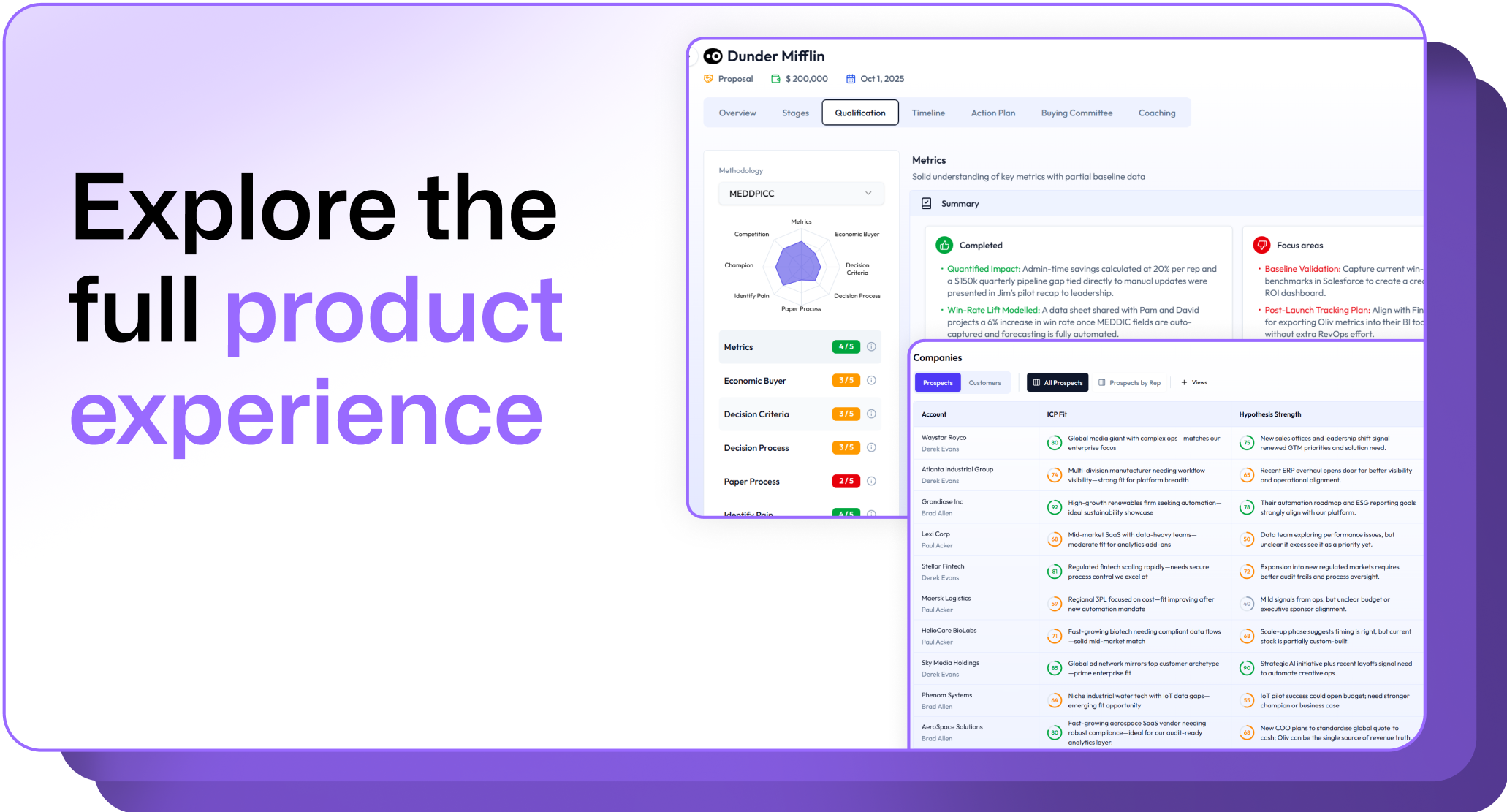
.avif)